


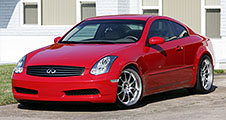
My photos of the 04/03/06 Lokey Infiniti meet (56K go take a nap while they load)

Photographer
Joined: Nov 2002
Posts: 5,050
Likes: 0
From: St.Pete, FL

Originally Posted by Gilley
Glad you guys like them. I wish photobucket didn't resize them so small.

If you want to upload images larger than 256k, make sure you change the Max Picture Size option under Account Options in Photobucket to 512kb.
I usually make my pictures 800 pixels wide and less than 256k. That way they pop up fairly quickly and don't drain my free Photobucket account.

Joined: Apr 2004
Posts: 8,001
Likes: 8
From: Orlando, FL
Good advice, John, and a prime example of why you are the most helpful poster.
I just hate having to go into photoshop and physically resize each of my shots so they are less than 256k. Is there an easier way?
I just hate having to go into photoshop and physically resize each of my shots so they are less than 256k. Is there an easier way?

Originally Posted by Gilley
Good advice, John, and a prime example of why you are the most helpful poster.
I just hate having to go into photoshop and physically resize each of my shots so they are less than 256k. Is there an easier way?
I just hate having to go into photoshop and physically resize each of my shots so they are less than 256k. Is there an easier way?

Photographer
Joined: Nov 2002
Posts: 5,050
Likes: 0
From: St.Pete, FL
Originally Posted by Gilley
I just hate having to go into photoshop and physically resize each of my shots so they are less than 256k. Is there an easier way?
I have two Photoshop Actions that resize images. One for 800px wide, the other 800px tall for vertical pictures. Photoshop Actions are like Word macros, but for Photoshop. Just press the Record button and the click the resizing options and save it as an Action.
When I'm done, I just pick File -> Save As , change the type to Jpeg, and move the slider to get under 256k. It's pretty quick for me.

FGC Central Florida BOD
Joined: Jan 2004
Posts: 6,947
Likes: 0
From: Orlando, FL
could u make the save part of the macro too? it would obviously overwrite the file but if you dont mind that, could u do it?
I havent used PS Actions but the way u described it, it seems like you could and possibly even just add a "2" at the end of the filename which would solve the overwriting problem.
Granted it would need to be saved at like quality=6 or 7 to insure ur almost always under 256kb.
I havent used PS Actions but the way u described it, it seems like you could and possibly even just add a "2" at the end of the filename which would solve the overwriting problem.
Granted it would need to be saved at like quality=6 or 7 to insure ur almost always under 256kb.
Photographer
Joined: Nov 2002
Posts: 5,050
Likes: 0
From: St.Pete, FL
Originally Posted by dabomb
could u make the save part of the macro too? it would obviously overwrite the file but if you dont mind that, could u do it?
I havent used PS Actions but the way u described it, it seems like you could and possibly even just add a "2" at the end of the filename which would solve the overwriting problem.
Granted it would need to be saved at like quality=6 or 7 to insure ur almost always under 256kb.
I havent used PS Actions but the way u described it, it seems like you could and possibly even just add a "2" at the end of the filename which would solve the overwriting problem.
Granted it would need to be saved at like quality=6 or 7 to insure ur almost always under 256kb.
You can take the existing filename and add an extension to it. You can also save the modified files to a new folder if you want.

Thread
Thread Starter
Forum
Replies
Last Post
Frostbite91
Audio, Video & Electronics
5
Aug 20, 2015 07:20 PM
edwinisdumb15
SOCAL Meetings & Events
1
Jul 24, 2015 04:56 PM