


Installed Garmin Carputer and Touch Screen Overlay in Non-Nav Model

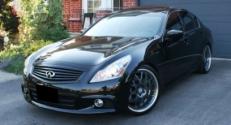
Hey Bob, I thought you would get a kick out of this. I was laughing and shaking my head.
The comment at 1:53 is what really got me
Aside from a couple very serious no no's the guy did do a pretty clean install.
How hot will that laptop get?
The comment at 1:53 is what really got me
Aside from a couple very serious no no's the guy did do a pretty clean install.

Registered User
Joined: Jun 2010
Posts: 133
Likes: 4
From: Frisco, TX
"Why, no officer, that doesn't distract me at all. Sure I can pretty much see around it. Oh, the keyboard on my steering wheel? I can text while I'm driving. Wait, why are you getting your cuffs out?"
I'm impressed, technologically speaking. I hope that this idiot doesn't kill anyone.
I'm impressed, technologically speaking. I hope that this idiot doesn't kill anyone.

Thread Starter
|
Registered User
Joined: Jan 2007
Posts: 842
Likes: 50
From: Dutchess County, NY
HA HA! nice. seriously though just last week i was behind some guy who was weaving all over the road on a bridge i live by locally. i went to pass him and he was texting whilst driving with his knees. genius.
and fyi i have been combing the internet for info and im positive now that my picture quality won't get any better than it is now with a composite connection so i have to look forward through my next couple of options for connecting RGB cables to the stock screen or whether i'll just live with using the armrest jacks....more to come!
and fyi i have been combing the internet for info and im positive now that my picture quality won't get any better than it is now with a composite connection so i have to look forward through my next couple of options for connecting RGB cables to the stock screen or whether i'll just live with using the armrest jacks....more to come!
Thread Starter
|
Registered User
Joined: Jan 2007
Posts: 842
Likes: 50
From: Dutchess County, NY
oh my god, seriously this guy is a retard. i love how he says "i hardly even need to look at the keyboard, i just drive down the road and IM people." lest we forget that he actually has to read the responses on that giant screen first. WOW....now i don't want to be labeled as a hater, and he's cool for being innovative but just strapping a desktop monitor to your dash is kind of hack. bleh!!
ok now it's time for confessions...i have the same keyboard, lol. works great but it's not strapped to my steering wheel! ha ha!
ok so now for the update....
so i'm trying to balance cost and functionality. i *don't* want to buy an xm tuner and all the necessary parts to make this a fully functional carputer (ok call me cheap!) but here is my lists of musts (in order if priority):
*MUST have xm radio
*must have ipod connectivity
*must be able to show HVAC information while displaying garmin and the Ride Runner interface.
ok so a & b are quite doable. i already have xm in the car and winamp connects to ipods through my carputer. the HVAC information is tough but infiniti sets their systems up in an interesting way....even if you're using the aux input the temperature and fan speed will still overlay on the aux image so i have to figure out how they're doing it and what pins it's on.
my thinking is to keep the stock XM and figure out how to swap the RGB signals for the stock interface and the carPC while keeping the HVAC info on the screen at the same time. bit of a tall order i'm afraid...i'll figure out a nice middle ground somewhere....
and also what i'm thinking is that instead of using the aux audio inputs in the console i'll use the bluetooth audio connection through my parrot system, that way the audio will be lossless and i *think* i can control the songs via the parrot remote which already has a play/pause, fwd and reverse buttons on it.
damn, i change my mind every day don't i!!??? lol.
ok now it's time for confessions...i have the same keyboard, lol. works great but it's not strapped to my steering wheel! ha ha!
ok so now for the update....
so i'm trying to balance cost and functionality. i *don't* want to buy an xm tuner and all the necessary parts to make this a fully functional carputer (ok call me cheap!) but here is my lists of musts (in order if priority):
*MUST have xm radio
*must have ipod connectivity
*must be able to show HVAC information while displaying garmin and the Ride Runner interface.
ok so a & b are quite doable. i already have xm in the car and winamp connects to ipods through my carputer. the HVAC information is tough but infiniti sets their systems up in an interesting way....even if you're using the aux input the temperature and fan speed will still overlay on the aux image so i have to figure out how they're doing it and what pins it's on.
my thinking is to keep the stock XM and figure out how to swap the RGB signals for the stock interface and the carPC while keeping the HVAC info on the screen at the same time. bit of a tall order i'm afraid...i'll figure out a nice middle ground somewhere....
and also what i'm thinking is that instead of using the aux audio inputs in the console i'll use the bluetooth audio connection through my parrot system, that way the audio will be lossless and i *think* i can control the songs via the parrot remote which already has a play/pause, fwd and reverse buttons on it.
damn, i change my mind every day don't i!!??? lol.
Thread Starter
|
Registered User
Joined: Jan 2007
Posts: 842
Likes: 50
From: Dutchess County, NY
ok so i went through the shop manuals and i think i see how the main screen and the tickertape at the bottom with volume and fan speed are getting merged. ill have to look into this a little.
took some pics of the in car screen though, since im sure people are interested. i have to get a 4 port USB hub and run it up to my center console for things like my phone, ipod, flash drive for music, etc.


despite being embedded in RideRunner the GMPC maps are fairly legible to me. most of the time i rely on voice prompts anyway and only glance at it if i'm uncertain of a certain turn to take. the screen is fairly legible with the new video converter i bought too. i guess the last things to hammer out are:
* which method of audio input i want to use. (i.e. - my parrot bluetooth or the aux in jacks). the downside being if i have aux selected to view the maps i can't hear my xm broadcasting so parrot is the preferred method of audio transmission since the garmin voice prompts can kinda co-exist with the stock radio plus if im using the PC to play mp3's then i have a program i can add which will lower the mp3 volume and announce voice prompts for the navi)
* if using the parrot then i need to devise an RGB switcher to swap the main screen image with the computer image (this isn't that tough actually, all the parts are semi-cheaply and readily available plus RGB will give me the best picture quality)
* if using the parrot via bluetooth can i control winamp using the parrot remote or do i need to buy the joycon ex USB controller
nearing the end....plus i want this done before it gets cold so it's time to get workin!!
edit - these pics don't really look that good, i actually think it looks better in person...or i should say i think the screen is clearer than the pics show.
took some pics of the in car screen though, since im sure people are interested. i have to get a 4 port USB hub and run it up to my center console for things like my phone, ipod, flash drive for music, etc.
despite being embedded in RideRunner the GMPC maps are fairly legible to me. most of the time i rely on voice prompts anyway and only glance at it if i'm uncertain of a certain turn to take. the screen is fairly legible with the new video converter i bought too. i guess the last things to hammer out are:
* which method of audio input i want to use. (i.e. - my parrot bluetooth or the aux in jacks). the downside being if i have aux selected to view the maps i can't hear my xm broadcasting so parrot is the preferred method of audio transmission since the garmin voice prompts can kinda co-exist with the stock radio plus if im using the PC to play mp3's then i have a program i can add which will lower the mp3 volume and announce voice prompts for the navi)
* if using the parrot then i need to devise an RGB switcher to swap the main screen image with the computer image (this isn't that tough actually, all the parts are semi-cheaply and readily available plus RGB will give me the best picture quality)
* if using the parrot via bluetooth can i control winamp using the parrot remote or do i need to buy the joycon ex USB controller
nearing the end....plus i want this done before it gets cold so it's time to get workin!!
edit - these pics don't really look that good, i actually think it looks better in person...or i should say i think the screen is clearer than the pics show.

Registered User
Joined: Jun 2009
Posts: 273
Likes: 0
dude this i sooo awesome, i hope you dont mind me steeling this idea and running with it?
I have an old laptop at home and i think i now know what i can do with it!
How hard was it to use the road runner front end? did it look like that off the bat or u had to do some programming for it?
I have an old laptop at home and i think i now know what i can do with it!
How hard was it to use the road runner front end? did it look like that off the bat or u had to do some programming for it?
Thread Starter
|
Registered User
Joined: Jan 2007
Posts: 842
Likes: 50
From: Dutchess County, NY
you'll probably be alot better off using the laptop, it will be soooooo much easier for you to set it up and program it and make changes on the fly, then if you're going places you already have a laptop in the car if you want to stop at a hotel or barnes and nobles or whatever! lol
roadrunner (officially called RideRunner actually) is very easy to use. it did not look like this off the bat but it is very easy to change the skin of the program, which is what i did. there are alot of resources on mp3car.com to learn how to make custom alterations to the software.
ok now for UPDATES! lol
so i'm tinkering with how i can get the best picture quality with that stuff i already have so i don't have to spend more money but unfortunately my initial plans didn't work out. my intent was to crack open the PAC VCI unit and modify the case to accept an RGB input from a computer and the wire that input to the existing relay. well i opened up the unit and it's all solid state so i'm not interested in messing with little IC chips and soldering onto the board.

instead what i'm going to do is actually add a new relay at the input to this unit. i'll just cut the PAC harness and add a relay to switch between the computer RGB and the factory LCD RGB inputs. this will give me the best picture quality for fairly cheap and retain my backup camera. it also won't involve cutting the factory harness, just the pac harness. and fyi this idea has been done before, i'm definitely not the first to think of it but my original option didn't pan out so this actually should work out nicely.
onto my second problem. the skin i'm using for RideRunner is awesome but the text is way too small for me (i have horrible vision to begin with) so when scrolling for musing it may be an issue. ill probably start snooping around for a different skin with bigger text or see if i can edit the text size in the software editor, more pics to come soon!
cheers!
Bob
Thread Starter
|
Registered User
Joined: Jan 2007
Posts: 842
Likes: 50
From: Dutchess County, NY
i actually haven't tried shotgun yet, it looks cool but i don't know if it will be what i'm looking for. i'm going to try actually making my own skin for riderunner since i'm kinda picky about the options i want. i dunno how well it will turn out but ill try anyway, heh heh.
Registered User
Joined: Jun 2009
Posts: 273
Likes: 0
shot gun was free thats why i was offering lol, im actually going to try and code my own front end but that mite be a long while from now but you will definitly be the first to get the program! If i ever do make it
Thread Starter
|
Registered User
Joined: Jan 2007
Posts: 842
Likes: 50
From: Dutchess County, NY
sweeeeeeet. i'll happily try anything you guys have.
i did download shotgun to my laptop to mess around with it but i haven't used it on my carPC yet. ill try this weekend if i have some time. i also downloaded the 30 day trial of centrafuse but so far it really isn't what i'm looking for.
i did download shotgun to my laptop to mess around with it but i haven't used it on my carPC yet. ill try this weekend if i have some time. i also downloaded the 30 day trial of centrafuse but so far it really isn't what i'm looking for.

Registered User
Joined: Nov 2010
Posts: 34
Likes: 0
From: Los Angeles
Remmy,
Very impressive. I'm considering buying a 07 G35 and was wondering since so many don't come with GPS (why???????) how easy it was to add it. I'm shocked that it is so hard.
So to your knowledge, the most cost efficient way still involves adding a computer and doing the full mod you did? And you lose the climate control function I take it?
I might of missed this but I assume you put the comp under one of the front seats, and is powered via cig lighter?
Thanks.
Very impressive. I'm considering buying a 07 G35 and was wondering since so many don't come with GPS (why???????) how easy it was to add it. I'm shocked that it is so hard.
So to your knowledge, the most cost efficient way still involves adding a computer and doing the full mod you did? And you lose the climate control function I take it?
I might of missed this but I assume you put the comp under one of the front seats, and is powered via cig lighter?
Thanks.
Remmy,
Very impressive. I'm considering buying a 07 G35 and was wondering since so many don't come with GPS (why???????) how easy it was to add it. I'm shocked that it is so hard.
So to your knowledge, the most cost efficient way still involves adding a computer and doing the full mod you did? And you lose the climate control function I take it?
I might of missed this but I assume you put the comp under one of the front seats, and is powered via cig lighter?
Thanks.
Very impressive. I'm considering buying a 07 G35 and was wondering since so many don't come with GPS (why???????) how easy it was to add it. I'm shocked that it is so hard.
So to your knowledge, the most cost efficient way still involves adding a computer and doing the full mod you did? And you lose the climate control function I take it?
I might of missed this but I assume you put the comp under one of the front seats, and is powered via cig lighter?
Thanks.
DVD Unit - $3334.83
Display Unit - $808.73
Switch Assembly - $327.68
Brackets - $67.67
All this plus you would still need different wiring harnesses. You would still be lacking the factory steering wheel controls for Nav voice activation features. Install costs would be great unless you DIY.
Parts
Remmys solution is, by far, the most cost effective way. It's a fair amount of work but also gives you a good deal of flexibility and customization that you wont get with a factory SAT Nav.
Registered User
Joined: Nov 2010
Posts: 34
Likes: 0
From: Los Angeles
I don't think it's hard to add factory SAT NAV if you have experience. The biggest obstacle is the rediculous cost.
DVD Unit - $3334.83
Display Unit - $808.73
Switch Assembly - $327.68
Brackets - $67.67
All this plus you would still need different wiring harnesses. You would still be lacking the factory steering wheel controls for Nav voice activation features. Install costs would be great unless you DIY.
Parts
Remmys solution is, by far, the most cost effective way. It's a fair amount of work but also gives you a good deal of flexibility and customization that you wont get with a factory SAT Nav.
DVD Unit - $3334.83
Display Unit - $808.73
Switch Assembly - $327.68
Brackets - $67.67
All this plus you would still need different wiring harnesses. You would still be lacking the factory steering wheel controls for Nav voice activation features. Install costs would be great unless you DIY.
Parts
Remmys solution is, by far, the most cost effective way. It's a fair amount of work but also gives you a good deal of flexibility and customization that you wont get with a factory SAT Nav.
Well you are certainly right, Remmy's is by far the most cost effective.
Thank you.