Installing Double DIN clarion, works but no audio


Thread Starter
|
Registered User
Joined: Sep 2009
Posts: 29
Likes: 0
Installing Double DIN clarion, works but no audio
The only thing that i can think of, is i did not transfer the wire of the climate control into the new kit i bought, because i forgot to, but regardless, i checked the Double DIN for any mute all keys or whatever on the interface and nothing. So my question is, is there anything that plug for the Climate control have to do with the audio not playing? like is there an audio wire in that lil plug that i have to hook up? Would that be the reason for me not hearing my audio? since i for sure checked my connections and such. And it is a brand new Clarion.

have you tried using a CD? Does the audio not work on FM only?
do you have amps installed?
do you have factory bose?
ONCE I made an idiot mistake....my eclipse had a separate cable for RCA plugs. i forgot to plug that harness into the radio.hahha.
do you have amps installed?
do you have factory bose?
ONCE I made an idiot mistake....my eclipse had a separate cable for RCA plugs. i forgot to plug that harness into the radio.hahha.

Are you sure you don't have a factory Bose amp? Did you try hooking up the remote wire (usually blue/white) from the head unit to the blue/white wire on the harness adapter?



Did you have Bose?
Did you install yourself?
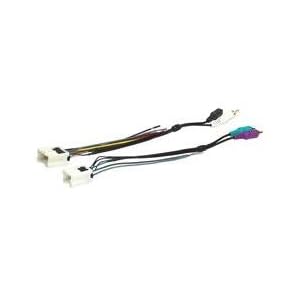
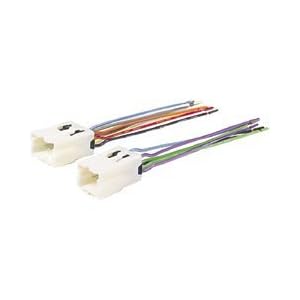
Did you use the Metra 70-7551 or 70-7550 (or their equivalent) or PAC ROEM-NIS2?
Did you install yourself?
Did you use the Metra 70-7551 or 70-7550 (or their equivalent) or PAC ROEM-NIS2?
Trending Topics

Thread Starter
|
Registered User
Joined: Sep 2009
Posts: 29
Likes: 0
i used the Metra..i did not have Bose. im thinkin it is the remote wire too..idk what ive noticed too..once i do get it working..itll be tough to shove it all back down in there cuz thers that huge plastic peice blocking the wires places to move n turn..i just have the 6.5" bass with tweeter in the front doors and the 6.5" in the back doors n thats it..no lil 8" bose sub or nothing..doesnt say bose on my stock headunit..so who knows..ill try it soon..its just a hassle..but ive took it apart n back n forth so much i can take apart n get to the radio in less then 5 mins..kinda like nascar..for G35 audio..
Thread Starter
|
Registered User
Joined: Sep 2009
Posts: 29
Likes: 0
howd u get all the wires to tuck well? i have too much..i guess ill deal with it once i get it workin good..and it was the remote? alright ill try it sunday..i dont have time to pull it all part..even tho its 5 mins hehe whats weird tho is i swore i either connected all the blue wires or i connectd 2 and taped off the other blue..hmm....
I tucked my wires down the sides where I could. Made a lot of room.
And if you didn't have Bose, remote wire doesn't connect to anything.
You didn't answer if you had the Metra 70-7551 or Metra 70-7550.
Here's what I think happened -
You installed a 70-7551 harness on a non-Bose vehicle. Easy way to tell? Did you connect any RCA connectors to the new head unit? If so, go buy the 70-7550 harness and connect it up instead. The RCA outputs are unamplified and won't power any speakers.
If you didn't connect any RCA plugs to the new headunit, then you probably didn't clip the speaker wiring harness in soundly and it got disconnected when you put the headunit in.
And if you didn't have Bose, remote wire doesn't connect to anything.
You didn't answer if you had the Metra 70-7551 or Metra 70-7550.
Here's what I think happened -
You installed a 70-7551 harness on a non-Bose vehicle. Easy way to tell? Did you connect any RCA connectors to the new head unit? If so, go buy the 70-7550 harness and connect it up instead. The RCA outputs are unamplified and won't power any speakers.
If you didn't connect any RCA plugs to the new headunit, then you probably didn't clip the speaker wiring harness in soundly and it got disconnected when you put the headunit in.
Thread Starter
|
Registered User
Joined: Sep 2009
Posts: 29
Likes: 0
Well, i dont have BOSE so im pretty sure theres no factory amp cuz i didnt see any factory rca's there. And so i didnt use them, and i made sure the plug was good for the speakers since i just let the headunit sit freely while i plugged it all in etc..so idk