


South Florida Tech/Mod Day - January 15



very very nice,it was nice meeting all of ya..i orderd some stuff so i have a couple of goodies coming in...i got the stillen grounding kit,and blue batmobiles overlays,should be here all this week


Originally Posted by SFLG35
looks good
so who was doing the work??
so who was doing the work??
that is winston with the shaved head leaning over the engine bay of his car. His car was the only one we worked on.

FGC South Florida BOD
Joined: Sep 2004
Posts: 5,691
Likes: 1
Originally Posted by _jb
Jose - Thanks for taking the time to shoot, resize, and post these pictures. They are great... good job.

Btw how did you change your custom title, it won't let me change mine.
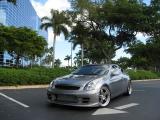
Originally Posted by Finiti35
No credit for me? Actually I took those pics with his camera
Originally Posted by imRACERX
Hope this works. Best i can do so here it goes. RX
i dunno what you did wrong w/ photobucket cause i just signed up today for the first time and it resized all my pics for me. let me know if u need any help
Photographer
Joined: Nov 2002
Posts: 5,050
Likes: 0
From: St.Pete, FL

Originally Posted by Finiti35
No credit for me? Actually I took those pics with his camera
You're a good photographer, Finiti... Nice Pics...
Originally Posted by Finiti35
Btw how did you change your custom title, it won't let me change mine.
So now my Title says You can't change this! and I can't change it either...

Some poetic justice, I guess...
Photographer
Joined: Nov 2002
Posts: 5,050
Likes: 0
From: St.Pete, FL
Originally Posted by escobar929
i dunno what you did wrong w/ photobucket cause i just signed up today for the first time and it resized all my pics for me. let me know if u need any help
The easiest way I've found to post pictures from PhotoBucket is to upload the pictures all at once and keep the image page open in your browser. Then, open another browser window and copy the [img]pic[/img] links directly from the PhotoBucket page and paste them into the G35driver message... pretty painless.
FGC South Florida BOD
Joined: Sep 2004
Posts: 5,691
Likes: 1
Originally Posted by escobar929
its actually my bad i never thanked you for taking the pics, you also did a great job w/ the vid, if ur on aim right now i'll send it to you
 I'm on right now but you're not.... how'd the date(s) go?


FGC South Florida BOD
Joined: Sep 2004
Posts: 5,691
Likes: 1
Originally Posted by _jb
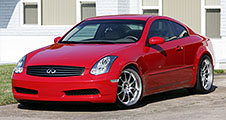
If you took the pictures, you should get the credit! I really like the first picture Jose posted with just the front wheels of the LR and DG Gees that was shot on a diagonal. I remember thinking that it was a particularly artistic shot that not many people would take.
You're a good photographer, Finiti... Nice Pics...
You're a good photographer, Finiti... Nice Pics...
Check this guy's pics out, how did he achieve that effect on the headlights in the second pic?http://m3.mayzurk.com/meem/grit-8-med.jpg
http://m3.mayzurk.com/meem/grit-9-med.jpg
http://m3.mayzurk.com/meem/grit-10-med.jpg
Btw you and I should make our own little photography thread
I asked O NO to reset my Premium Options so I could change it. I changed it right after he first reset my profile thinking that I'd change it again later when I thought of something really cool. Unfortunately, a new code build or something a few days later removed my ability to change the Title again.
So now my Title says You can't change this! and I can't change it either...
Some poetic justice, I guess...
So now my Title says You can't change this! and I can't change it either...
Some poetic justice, I guess...
Last edited by Finiti35; Jan 17, 2006 at 03:07 AM.
Photographer
Joined: Nov 2002
Posts: 5,050
Likes: 0
From: St.Pete, FL
http://m3.mayzurk.com/meem/grit-9-med.jpg
Interesting picture. It was shot with a Nikon D70 and edited in Photoshop CS. The exposure is 2 seconds at f22... quite a long exposure. The shooter obviously used a tripod. I originally thought he used Photoshop's lens flare filter or something like that, but I'm not so sure after looking at it for a while.
If I had to guess, I would say that the headlights were on and their brightness coupled with the 2 minute exposure naturally created the star-like effect. The 2min/f22 exposure was probably good for the car and buildings, but the headlights were greatly overexposed.
It's also possible that he used an old-fashioned star filter on the camera lense... or maybe some third-part digital star filter in Photoshop.
Sure, that would be fun.
Yea...
I was going to ask him to fix it again, but it's not that big a deal...
Originally Posted by Finiti35
Check this guy's pics out, how did he achieve that effect on the headlights in the second pic?
If I had to guess, I would say that the headlights were on and their brightness coupled with the 2 minute exposure naturally created the star-like effect. The 2min/f22 exposure was probably good for the car and buildings, but the headlights were greatly overexposed.
It's also possible that he used an old-fashioned star filter on the camera lense... or maybe some third-part digital star filter in Photoshop.
Originally Posted by Finiti35
Btw you and I should make our own little photography thread
Originally Posted by __jb
Some poetic justice, I guess...
Originally Posted by Finiti35
That's what I thought! Ironic isn't it
I was going to ask him to fix it again, but it's not that big a deal...
Last edited by _jb; Jan 18, 2006 at 10:26 AM. Reason: Changed image to link.