The G-Spot General discussion about the G Series;
G35 & G37, Coupes & Sedans

FINALLY!!!!!! part 2

Thread Tools
 
Search this Thread
 
Rate Thread
 
Old Aug 3, 2011 | 01:54 AM
  #1  
Tavish32's Avatar
Thread Starter
|
Registered User
Joined: Aug 2011
Posts: 30
Likes: 0
FINALLY!!!!!! part 2

I think I figured it out


https://g35driver.com/forums/members...ms-my-car.html
 
Reply
Old Aug 3, 2011 | 12:10 PM
  #2  
djfarhan's Avatar
Registered User
15 Year Member
Liked
Loved
Community Favorite
iTrader: (6)
Joined: Aug 2009
Posts: 14,348
Likes: 325
From: Dubai, UAE
figured what out?
 
Reply
Old Aug 3, 2011 | 12:29 PM
  #3  
EDW1NK's Avatar
Registered User
iTrader: (2)
Joined: May 2010
Posts: 151
Likes: 8
From: 626
https://g35driver.com/forums/g-spot/384733-finally.html

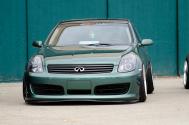
i think he finally figured out how to post a picture of his ride...kinda
 
Reply
Old Aug 3, 2011 | 01:17 PM
  #4  
Mudgen's Avatar
Registered User
Joined: Mar 2011
Posts: 143
Likes: 8
From: Central Va
^And he'd been yelled at for being lame in his original thread, so he opened a new one to show us his dinky thumbnail.

Dude: you put the pic on Photobucket or some place like that, grab the URL for it, come here and use the "Insert Image" link on the toolbar above the message box. Paste in your URL. TaDA!
 
Reply
Old Aug 3, 2011 | 01:25 PM
  #5  
My Key's Avatar
Registered User
iTrader: (7)
Joined: Nov 2007
Posts: 1,204
Likes: 514
From: Berkeley/Union City/San Fernando Valley
Originally Posted by Tavish32
no... i don't believe you have...

I'll be nice

 
Reply
Old Aug 3, 2011 | 01:35 PM
  #6  
hologram's Avatar
Registered User
Joined: Jan 2011
Posts: 332
Likes: 24
here's how you post a pic, go to photobucket, or imageshack.us or tinypic.com and upload the picture(browse your PC, select it and continue). It will post the links at the end, you want the one with the beginning like what i posted below

Code:
 [img]
 
Reply
Old Aug 3, 2011 | 02:15 PM
  #7  
4DGS's Avatar
Registered User
iTrader: (69)
Joined: Nov 2008
Posts: 14,524
Likes: 981
From: Ontario, Canada
Right click a photo (control click on mac with out dbl click) select copy image location.

Type this WITH NO SPACES

[ i m g ] Then cut and paste in here [ / i m g ]

Remember no spaces in there and then you're good.
 
Reply
Old Aug 3, 2011 | 04:10 PM
  #8  
PAIXAO's Avatar
Registered User
iTrader: (14)
Joined: Sep 2008
Posts: 8,338
Likes: 445
From: The Commonwealth
I sent these instructions to him within an hour of his first thread posted. Good luck bro.
 
Reply
Old Aug 3, 2011 | 04:40 PM
  #9  
saywat?'s Avatar
Registered User
iTrader: (5)
Joined: Apr 2009
Posts: 8,439
Likes: 484
damn all this jus for a stock g35 pic?
 
Reply
Old Aug 3, 2011 | 04:44 PM
  #10  
My Key's Avatar
Registered User
iTrader: (7)
Joined: Nov 2007
Posts: 1,204
Likes: 514
From: Berkeley/Union City/San Fernando Valley
its kinda like going online and bragging about winning a drag race against a camaro when deep down you know it isn't true.
 
Reply
Old Aug 3, 2011 | 06:12 PM
  #11  
Tabris's Avatar
Registered User
iTrader: (3)
Joined: Feb 2010
Posts: 734
Likes: 42
From: SK, Canada
Originally Posted by norcalwdup1
its kinda like going online and bragging about winning a drag race against a camaro when deep down you know it isn't true.
Word.
 
Reply
Related Topics
Thread
Thread Starter
Forum
Replies
Last Post
tiguy99
G35 Sedan V35 2003-06
3
Jul 26, 2015 01:39 PM
whattf
Drivetrain
0
Jul 20, 2015 11:19 AM
Ninjay16
New Members Check In
6
Jul 20, 2015 01:21 AM
mjfenix
New Members Check In
1
Jul 14, 2015 10:37 PM


You have already rated this thread Rating: Thread Rating: 0 votes,  average.


All times are GMT -4. The time now is 05:34 PM.