


How to upload photos and videos


Thread Starter
|
Registered User
Joined: Aug 2013
Posts: 19
Likes: 0
OK. Thanks, but what steps do I take. Im in you tube and I see and can share through FB and emails and others, but where & how do I upload them to here. Do I have to be in a certain section of the site or my account to enable it?

For YouTube, just paste the url into your reply, the forum should automatically embed the video.
For pictures, they should be uploaded to a site like photobucket or img.ur then in the share option copy the "message board" code.
You can also do a lot of this in the post reply page, there's options for links and images along with the formatting options along the top (not seen in the quick reply form at the bottom of threads).
For pictures, they should be uploaded to a site like photobucket or img.ur then in the share option copy the "message board" code.
You can also do a lot of this in the post reply page, there's options for links and images along with the formatting options along the top (not seen in the quick reply form at the bottom of threads).
Thread Starter
|
Registered User
Joined: Aug 2013
Posts: 19
Likes: 0
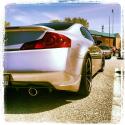
Thanks LoSt180. I appreciate that. Thats a nice G you have there. I just bought a Twilight Blue Metallic one. About to put a lot of money into it. Its an 04 with only 60 thousand miles on it. Little old lady story. I will try to upload pics today.


Thread
Thread Starter
Forum
Replies
Last Post

