Audio, Video & Electronics Post questions, reviews, and other general info about the G's Nav, sound system, or satellite radio

AVIC-Z2 Install Photos/Videos (hidden GPS, integrated MIC, IPOD, AV, and Backup Cam)

Thread Tools
 
Search this Thread
 
Rate Thread
 
Old Mar 24, 2008 | 01:04 PM
  #1  
bythabay's Avatar
Thread Starter
|
Registered User
iTrader: (5)
Joined: May 2005
Posts: 2,174
Likes: 77
From: Santa Clara, CA
AVIC-Z2 Install Photos/Videos (hidden GPS, integrated MIC, IPOD, AV, and Backup Cam)

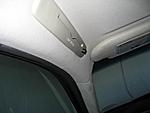
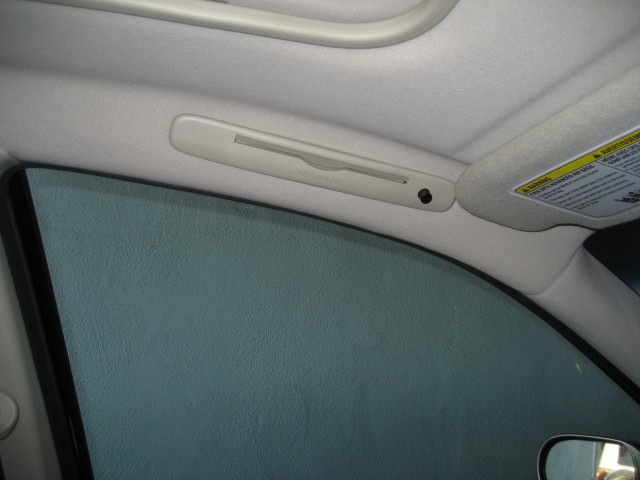
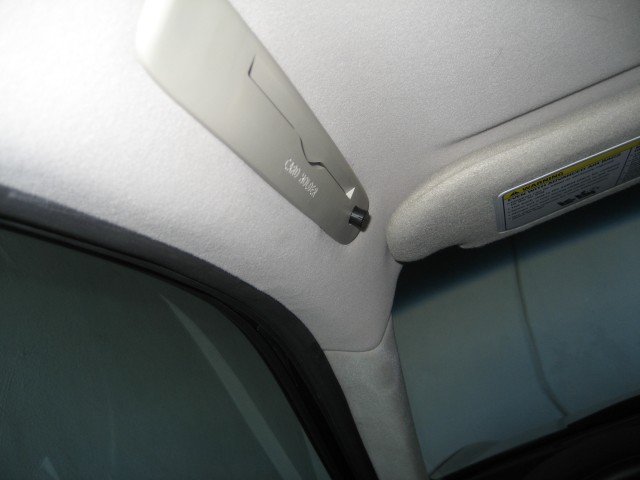
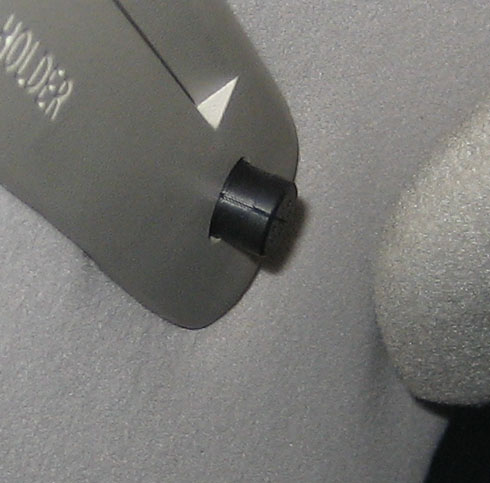
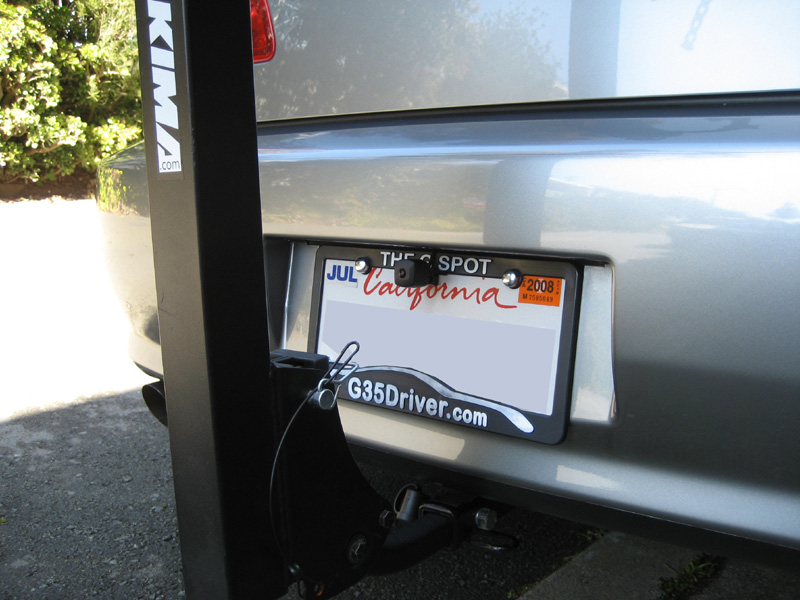
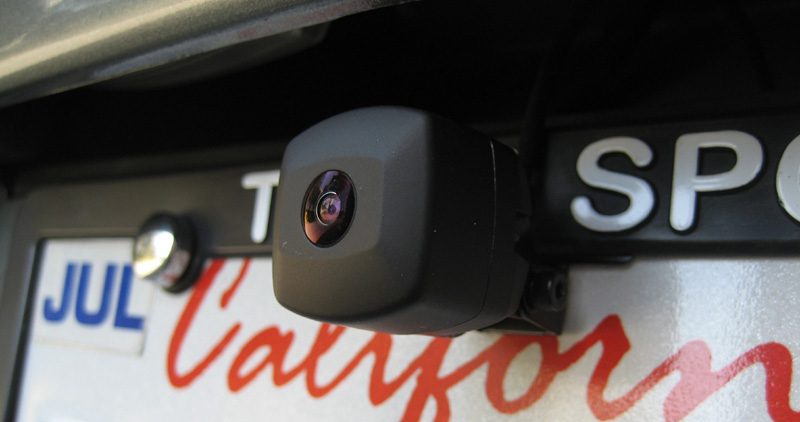
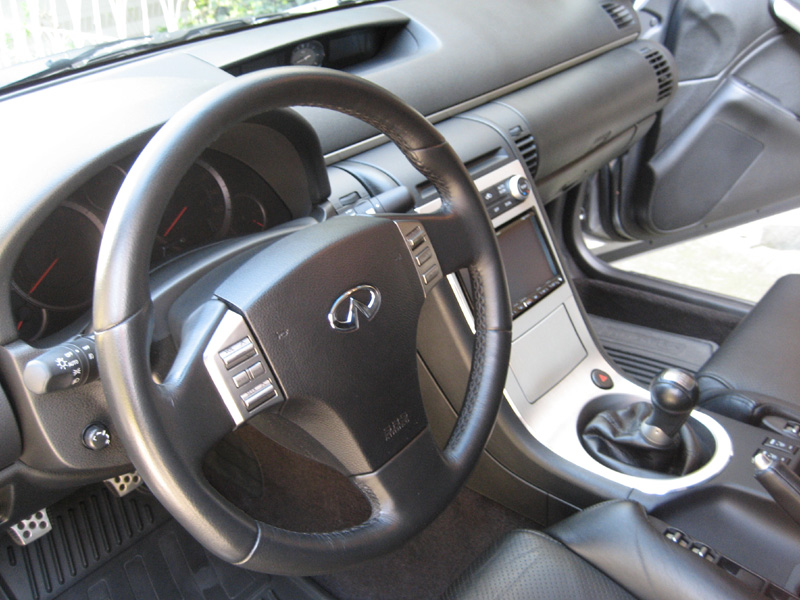
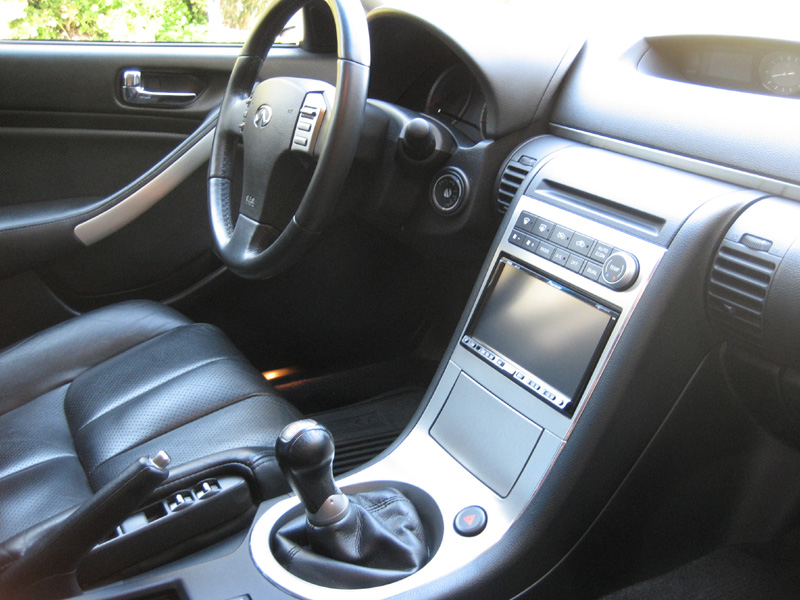
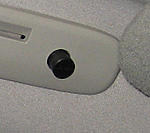
I know there are plenty of AVIC-Z2 installs here but I wanted to put my pics up in once central location to show how clean my Z2 was installed. I'm also including some youtube videos to demonstrate the functionality.
AVIC-Z2 Install Photos/Videos (hidden GPS, integrated MIC, IPOD, AV, and Backup Cam)-0.jpg

AVIC-Z2 Install Photos/Videos (hidden GPS, integrated MIC, IPOD, AV, and Backup Cam)-1.jpg

AVIC-Z2 Install Photos/Videos (hidden GPS, integrated MIC, IPOD, AV, and Backup Cam)-2.jpg

AVIC-Z2 Install Photos/Videos (hidden GPS, integrated MIC, IPOD, AV, and Backup Cam)-3.jpg

AVIC-Z2 Install Photos/Videos (hidden GPS, integrated MIC, IPOD, AV, and Backup Cam)-camera2.jpg
 
Reply
Old Mar 24, 2008 | 01:07 PM
  #2  
bythabay's Avatar
Thread Starter
|
Registered User
iTrader: (5)
Joined: May 2005
Posts: 2,174
Likes: 77
From: Santa Clara, CA
AVIC-Z2 Install Photos/Videos (hidden GPS, integrated MIC, IPOD, AV, and Backup Cam)-camera3.jpg

AVIC-Z2 Install Photos/Videos (hidden GPS, integrated MIC, IPOD, AV, and Backup Cam)-camera.jpg

AVIC-Z2 Install Photos/Videos (hidden GPS, integrated MIC, IPOD, AV, and Backup Cam)-ipod.jpg

AVIC-Z2 Install Photos/Videos (hidden GPS, integrated MIC, IPOD, AV, and Backup Cam)-z2off.jpg

AVIC-Z2 Install Photos/Videos (hidden GPS, integrated MIC, IPOD, AV, and Backup Cam)-z2offsideshotdriver.jpg
 
Reply
Old Mar 24, 2008 | 01:08 PM
  #3  
bythabay's Avatar
Thread Starter
|
Registered User
iTrader: (5)
Joined: May 2005
Posts: 2,174
Likes: 77
From: Santa Clara, CA
AVIC-Z2 Install Photos/Videos (hidden GPS, integrated MIC, IPOD, AV, and Backup Cam)-z2offsideshotpassenger.jpg
 
Reply
Old Mar 24, 2008 | 08:47 PM
  #4  
flydiom's Avatar
Registered User
Joined: Feb 2008
Posts: 21
Likes: 1
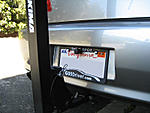
nice! but does the bike rack block the cam?
 
Reply
Old Mar 24, 2008 | 09:00 PM
  #5  
bythabay's Avatar
Thread Starter
|
Registered User
iTrader: (5)
Joined: May 2005
Posts: 2,174
Likes: 77
From: Santa Clara, CA
I think this video I just uploaded will answer that question:

 
Reply
Old Mar 24, 2008 | 09:57 PM
  #6  
Boston's Avatar
Registered User
iTrader: (69)
Joined: Feb 2006
Posts: 4,574
Likes: 3
From: Fort Lauderdale
Nice install. Did you pull the bumper to install the rear cam?
 
Reply
Old Mar 26, 2008 | 04:16 AM
  #7  
bythabay's Avatar
Thread Starter
|
Registered User
iTrader: (5)
Joined: May 2005
Posts: 2,174
Likes: 77
From: Santa Clara, CA
Originally Posted by Easein2itG
Nice install. Did you pull the bumper to install the rear cam?
Actually I wasn't the one that did the install, Bing Xu of simplicityInSound did it. As far as I am aware, he did NOT pull the rear bumper to install the cam. He ran a wire through the floor of the trunk.
 
Reply
Old Mar 26, 2008 | 04:39 PM
  #8  
G35Papa's Avatar
Registered User
iTrader: (85)
Joined: Jun 2003
Posts: 14,505
Likes: 451
From: NorCal
That looks great Eugene! He did a great job. I'll check out the youtube when I get home (blocked at my work)

For my rear camera, inside the trunk, you remove the plastic cover. Looking inside the trunk under the piece you just removed there should be some wires going through a rubber gromet. If you remove the license plate, you can reach in there and access that gromet. That is where I ran all the wiring to hook up my camera. Then you just run the wires under the floor from there.
 
Reply
Old Mar 28, 2008 | 11:27 AM
  #9  
Deezflip's Avatar
Registered User
15 Year Member
iTrader: (2)
Joined: Jan 2007
Posts: 2,001
Likes: 20
From: Baltimore, MD
Where's the GPS antenna hidden? How's the reception in that location?
 
Reply
Old Apr 7, 2008 | 02:58 AM
  #10  
bythabay's Avatar
Thread Starter
|
Registered User
iTrader: (5)
Joined: May 2005
Posts: 2,174
Likes: 77
From: Santa Clara, CA
Originally Posted by Deezflip
Where's the GPS antenna hidden? How's the reception in that location?
The GPS antenna is hidden where the factory nav antenna would be (behind the clock somewhere (under the dash) and reception has been perfect
 
Reply
Old Apr 8, 2008 | 08:11 AM
  #11  
im2slpy's Avatar
Registered User
Joined: Feb 2007
Posts: 45
Likes: 0
how much did installation and parts cost? very clean install!
 
Reply
Old Apr 8, 2008 | 08:16 AM
  #12  
Rodrigo's Avatar
Registered User
iTrader: (14)
Joined: Oct 2007
Posts: 957
Likes: 2
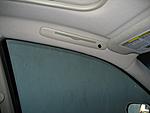
From: South Florida
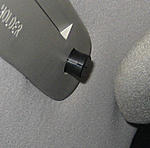
looks clean , what is the **** on the card holder ?
 
Reply
Old Apr 8, 2008 | 08:28 AM
  #13  
miltoda's Avatar
Registered User
iTrader: (2)
Joined: Aug 2007
Posts: 590
Likes: 11
From: Palm Bay,FL
the **** is the bluetooth mic
 
Reply
Old Apr 8, 2008 | 09:01 AM
  #14  
Archangel's Avatar
Registered User
Joined: Feb 2005
Posts: 656
Likes: 0
From: Savannah, GA
How is your reception on the mic? I had mine flush mounted in the card holder and had to move it because it picked up too much noise over my voice.
 
Reply
Old Apr 8, 2008 | 12:01 PM
  #15  
bythabay's Avatar
Thread Starter
|
Registered User
iTrader: (5)
Joined: May 2005
Posts: 2,174
Likes: 77
From: Santa Clara, CA
Originally Posted by im2slpy
how much did installation and parts cost? very clean install!
ask Bing:

simplicitysound@yahoo.com
 
Reply


You have already rated this thread Rating: Thread Rating: 0 votes,  average.


All times are GMT -4. The time now is 09:44 PM.