


Bluetooth - 8125 Pocket PC


Joined: Dec 2005
Posts: 165
Likes: 0
From: Sebring, FL
 Bluetooth - 8125 Pocket PC
Posted this question in the a/v tech section, but thought one of the local geniuses might have a fix.
Having trouble pairing an 8125 with the G.
Cingular provides instructions for pairing with motorola headsets, but I can't find any help for a factory bluetooth setup. Striking out when it's time to enter a "pass key" in the phone. Pass Key for the motorola sets is "0000", but doesn't work for the G.
Anyone using this unit, or otherwise have an idea?
Edit: Someone hit me with the fix...."1234"
Having trouble pairing an 8125 with the G.
Cingular provides instructions for pairing with motorola headsets, but I can't find any help for a factory bluetooth setup. Striking out when it's time to enter a "pass key" in the phone. Pass Key for the motorola sets is "0000", but doesn't work for the G.
Anyone using this unit, or otherwise have an idea?
Edit: Someone hit me with the fix...."1234"
Last edited by keib; Aug 4, 2006 at 02:11 PM.
Joined: Dec 2005
Posts: 165
Likes: 0
From: Sebring, FL
Originally Posted by dabomb
btw, i have a pocket PC....I LOVE IT
the sprint 6700....its like my little portable laptop
the sprint 6700....its like my little portable laptop

FGC Central Florida BOD
Joined: Jan 2004
Posts: 6,947
Likes: 0
From: Orlando, FL
yeah i have it sync with my office outlook so calendar/contacts/etc are really easy...plus me and a coworker beam contacts back and forth through blutooth rather easily
the best part is posting on driver while driving a 10hr drive home
the best part is posting on driver while driving a 10hr drive home
Registered User
Joined: Jul 2006
Posts: 538
Likes: 5
From: Miami, FL
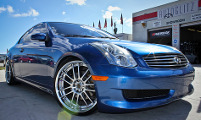
Ok first you need to setup the car to broadcast it's Blue Tooth. Hit the Call Button on steering wheel and say Setup, Pair Phone. Once you give this command the car will instruct you to pair phone. Now go to your Connection menu on your phone. Select BlueTooth and go into setup. Once in setup turn on Bluetooth. Now goto Handsfree section and select Look for Devices. After a few sec you'll see something called Bluetooth Handsfree (This is your car) All G35 default password is 1234. Once you type in those numbers your car will acknowlege pairing and instruct you to give the Phone a Name and Priority Number from 1-5. Pick 1 as priority and you're done. Your phone is now paired to your G35. While on a phone call I suggest you hit the volume control up a bit and bring it to 20. this seems to be the optimum volume for phone. Don't worry because the radio volume and Handfree Volume on your G35 and seperate.
Enjoy...
Enjoy...
Joined: Dec 2005
Posts: 165
Likes: 0
From: Sebring, FL
Originally Posted by dabomb
the best part is posting on driver while driving a 10hr drive home
Thanks Drako..got it figured during lunch. I may actually talk to people when I drive around now.

Thread
Thread Starter
Forum
Replies
Last Post
1Typhoon
Audio, Video & Electronics
9
Sep 25, 2015 08:45 PM
AuAltima3.5
Audio/Video/Electronics
4
Sep 13, 2015 11:48 AM