

Well, my wife kidnapped my 08 G that had nav and after complaining about missing my car, she finally agreed to me getting another G and selling my truck. Yes, our driveway is starting to look like an Infiniti dealership!! 
So I found a G I liked, but it is a non nav model (07) and I really missed that backup camera from the other G. At night backing up with my tinted windows felt a little dangerous.
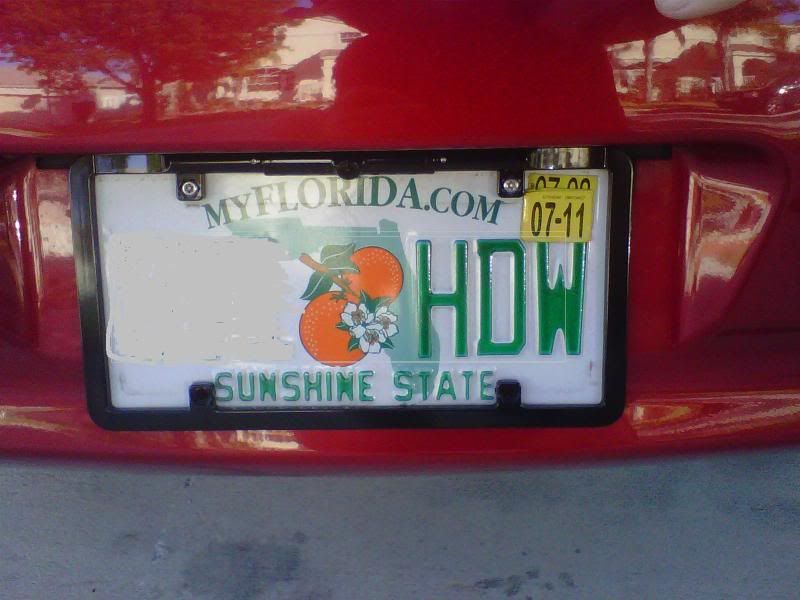
So, after some research on here, I did the *cough* mod, and then installed a boyo license plate camera I got on Amazon.
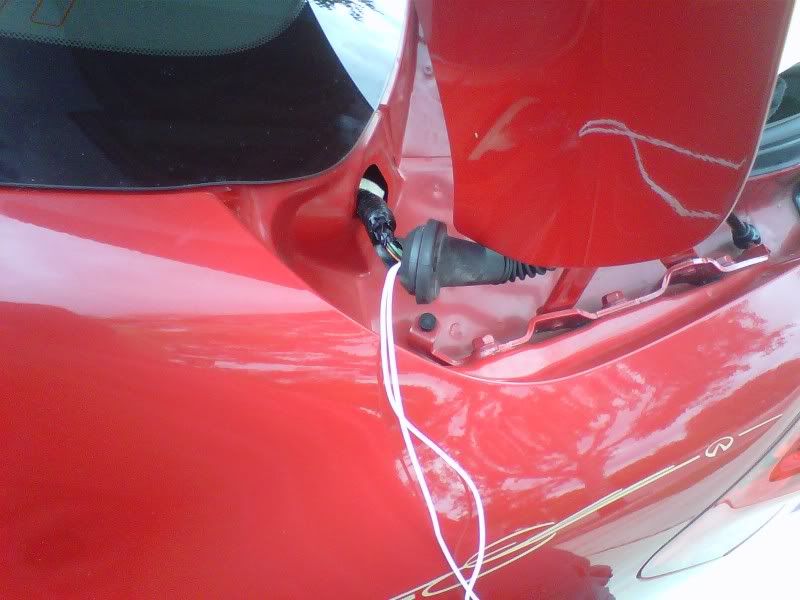
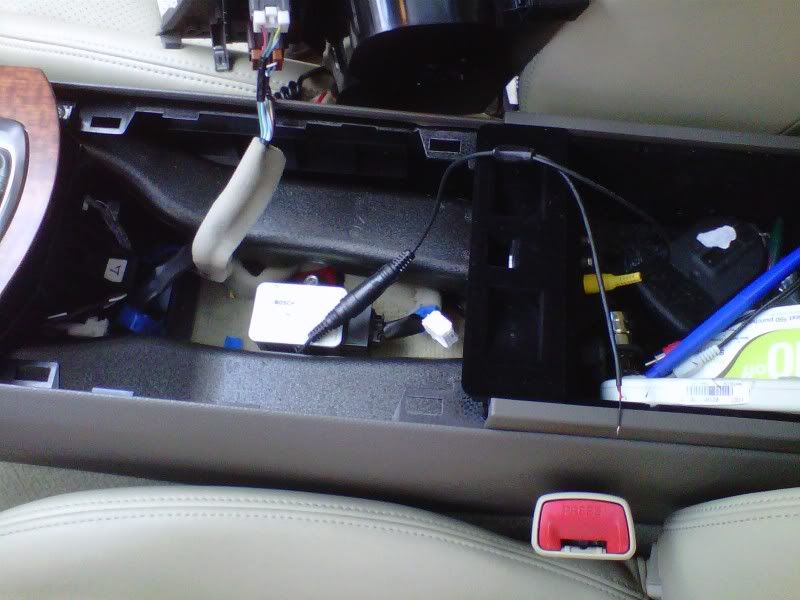
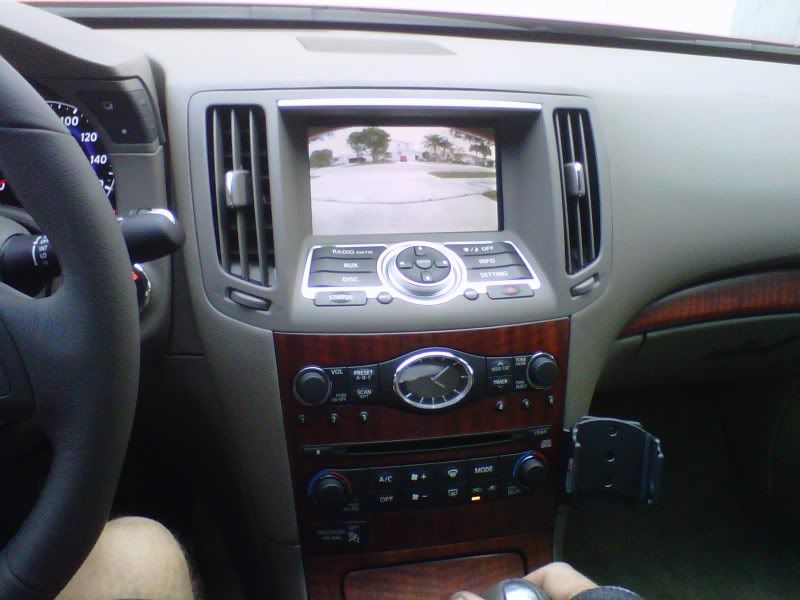
The install was kind of a PITA, but I took my time and it worked out pretty good. I wired it to the reverse light for power and drilled a small hole to plug in the video rca plug in the center console. (I hadn't done this yet for the pic below). I also bought some anti-theft screws. Thanks to the DIY thread on here about this install. It was very helpful!
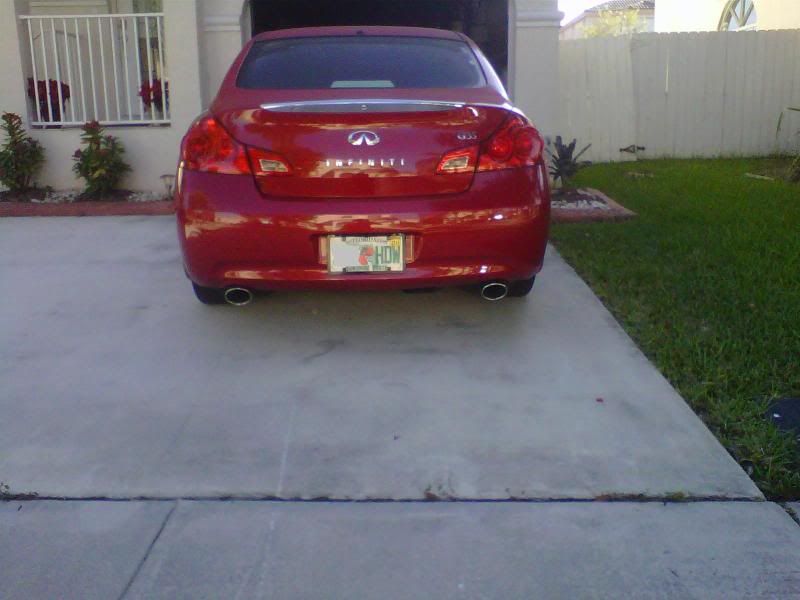
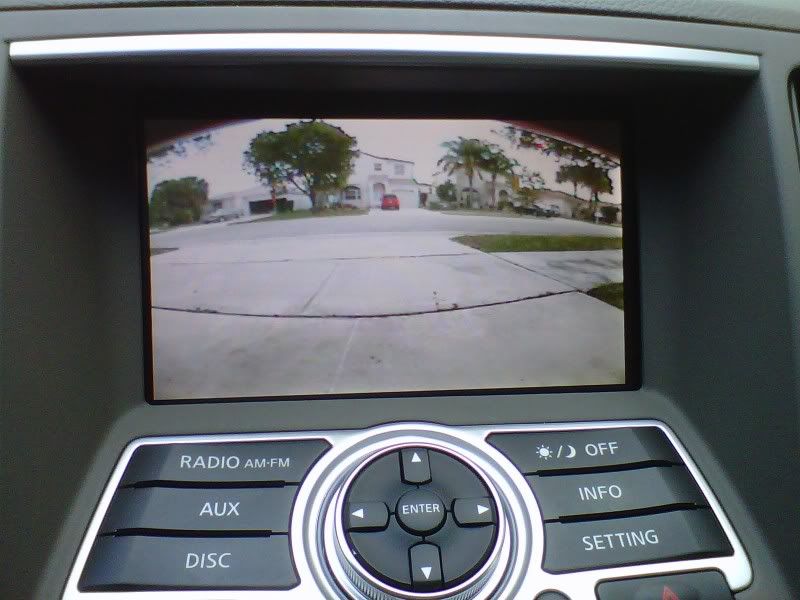
The nice thing is the picture looks good and from more than a few feet away, it is nearly impossible to see the license plate frame has a little camera.
Also, the camera angle can be adjusted up and down.
Drawbacks? Well, I miss the guidance lines from the nav model, and I have to press aux to see the camera view before backing up. I also hope the camera holds up over time with all the rain, sun, etc...that we get down here.
Onto the pics!!
So I found a G I liked, but it is a non nav model (07) and I really missed that backup camera from the other G. At night backing up with my tinted windows felt a little dangerous.
So, after some research on here, I did the *cough* mod, and then installed a boyo license plate camera I got on Amazon.
The install was kind of a PITA, but I took my time and it worked out pretty good. I wired it to the reverse light for power and drilled a small hole to plug in the video rca plug in the center console. (I hadn't done this yet for the pic below). I also bought some anti-theft screws. Thanks to the DIY thread on here about this install. It was very helpful!
The nice thing is the picture looks good and from more than a few feet away, it is nearly impossible to see the license plate frame has a little camera.
Also, the camera angle can be adjusted up and down.
Drawbacks? Well, I miss the guidance lines from the nav model, and I have to press aux to see the camera view before backing up. I also hope the camera holds up over time with all the rain, sun, etc...that we get down here.
Onto the pics!!


Registered User
looks good, one questions is the camera always on? just have to put you display on AUX.
What if you're driving can you put see the camera if you put it on AUX?
What if you're driving can you put see the camera if you put it on AUX?

Registered User
I would guess no since he tapped into reverse light. Meaning, he'd only have power when reverse lights come on...

Registered User
kool_yaar
Registered User
close
Oct 3, 2014
- Join DateOct 2007
- LocationSomewhere
- Posts:5,208
-
iTrader Positive Feedback100
-
iTrader Feedback Score(7)
-
Likes:166
-
Liked:185 Times in 160 Posts
^ very nicely done, looks like OEM and is really not noticeable from a short distance.

Registered User
that camera has no guiadance markers and was probably overpriced, for $80 remmyzero and I got one with guidance lines and pretty decent quality. I suggest you all look for the thread in the electronics for it. IMO, having one without distance markers kind of defeats the purpose (no hate to the OP)
Registered User
gtoor1990
Registered User
close
Jul 20, 2014
- Join DateAug 2009
- LocationBrampton, Ontario
- Posts:2,189
-
iTrader Positive Feedback100
-
iTrader Feedback Score(10)
-
Likes:102
-
Liked:41 Times in 38 Posts
Quote:
Lol whats up manOriginally Posted by samsizzle
^ sat sri akal
Wannabe6MT
-MN G Crew-
close


Sep 14, 2016
- Join DateMay 2007
- LocationFargo ND/Eden Prairie MN
- Posts:21,010
-
iTrader Positive Feedback100
-
iTrader Feedback Score(10)
-
Likes:380
-
Liked:205 Times in 157 Posts
Definitely cool!
Got any pics of both cars together?
Got any pics of both cars together?

Registered User
Great work! I've been comptemplating on the same boyo frame/camera myself.. that and the lock pick barcam that has the dist markers and is cheaper, but i believe the quality is likely of lesser quality (cmos).
A few questions:
- where did you tap into the reverse lights? it looked to me that the power leads on the cable were on the video/aux side, which is rather far from the lights themselves.
- is the video bypass necessary? if i recall correctly that vid should work as long its under 5mph? (ie, within parking speed)
A few questions:
- where did you tap into the reverse lights? it looked to me that the power leads on the cable were on the video/aux side, which is rather far from the lights themselves.
- is the video bypass necessary? if i recall correctly that vid should work as long its under 5mph? (ie, within parking speed)

Registered User
Quote:
this... I thought the aux won't work unless the ebrake was engaged? i may be wrong though.Originally Posted by Comatose
- is the video bypass necessary? if i recall correctly that vid should work as long its under 5mph? (ie, within parking speed)
Registered User
Quote:
got the same last name as you haha where you fromOriginally Posted by atoor1990
Lol whats up man
Registered User
Quote:
A few questions:
- where did you tap into the reverse lights? it looked to me that the power leads on the cable were on the video/aux side, which is rather far from the lights themselves.
- is the video bypass necessary? if i recall correctly that vid should work as long its under 5mph? (ie, within parking speed)
i have it and the quality is fine for the use (even at night) its not like its flickering or anything and it isnt on all day. The guidance markers will save you if you get too close to a car versus having to always guess how close you are. I can vouch that it is worth every penny, but to each his own. I dont work for the company nor care to boast excessively about them Originally Posted by Comatose
Great work! I've been comptemplating on the same boyo frame/camera myself.. that and the lock pick barcam that has the dist markers and is cheaper, but i believe the quality is likely of lesser quality (cmos).A few questions:
- where did you tap into the reverse lights? it looked to me that the power leads on the cable were on the video/aux side, which is rather far from the lights themselves.
- is the video bypass necessary? if i recall correctly that vid should work as long its under 5mph? (ie, within parking speed)

Quote:
A few questions:
- where did you tap into the reverse lights? it looked to me that the power leads on the cable were on the video/aux side, which is rather far from the lights themselves.
- is the video bypass necessary? if i recall correctly that vid should work as long its under 5mph? (ie, within parking speed)
Thanks for all the nice comments guys!Originally Posted by Comatose
Great work! I've been comptemplating on the same boyo frame/camera myself.. that and the lock pick barcam that has the dist markers and is cheaper, but i believe the quality is likely of lesser quality (cmos).A few questions:
- where did you tap into the reverse lights? it looked to me that the power leads on the cable were on the video/aux side, which is rather far from the lights themselves.
- is the video bypass necessary? if i recall correctly that vid should work as long its under 5mph? (ie, within parking speed)
I tapped into the reverse lights at the wires in the top of the trunk. You are right....I had to run 2 wires all the way back to them from the center console. I have the dinged up hands to prove it!

I did the bypass not just for this...but at the time was contemplating the Garmin 53.
Sizzle: If I had seen the thread with the distance markers I would've gotten that one.
 However, I gotten pretty quickly used to the one I bought and can drive up VERY close to an object comfortably. (Mine is angled down quite a bit).
I'll be sure to post a thread of the 2 G35's head to head!
