


Photoshop Help



Joined: Feb 2006
Posts: 13,068
Likes: 101
From: Southern Cali --> 818
Photoshop Help
How do you give a stationary object motion?
Ive noticed some of Silverbolts work, but I just cant seem to figure this out.
(ie, making a stationary G a fast looking motion)
Here's silverbolts example:
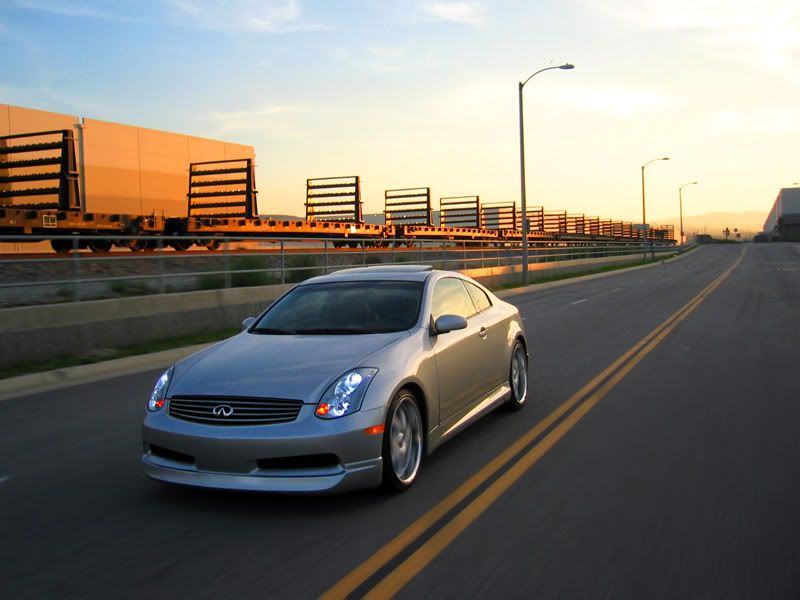
I know how to blur the background as he did... but I just cant do the wheels as the picture shows
.
Ive noticed some of Silverbolts work, but I just cant seem to figure this out.
(ie, making a stationary G a fast looking motion)
Here's silverbolts example:
I know how to blur the background as he did... but I just cant do the wheels as the picture shows
.
Last edited by Skaterbasist; Sep 26, 2006 at 06:13 PM.

Joined: Feb 2006
Posts: 13,068
Likes: 101
From: Southern Cali --> 818
No, he stated all of the objects in the picture above were completely stationary.
Damn you silverbolt!!! Your pictures make me wanna take pics and edit them as good as you do!!!
.
Damn you silverbolt!!! Your pictures make me wanna take pics and edit them as good as you do!!!
.


Highlight your rims, Go uptop to the menu and click....
> File
> Format
> Options
> and check in the option ' Make the wheels of my G spin '
> Select OK.
> It should do the trick.
> File
> Format
> Options
> and check in the option ' Make the wheels of my G spin '
> Select OK.
> It should do the trick.


its not hard to do, you have to mess around with the differnt styles of bluring that photoshop allows you to do...i would explain it but i need a picture and im so tired.
Trending Topics


Thread
Thread Starter
Forum
Replies
Last Post

