Photoshop Gurus: Chime In =)

Subscribe
Jan 13, 2007 | 11:46 PM
  #31  
7.0
Reply 0
Jan 13, 2007 | 11:47 PM
  #32  
so...how in the world did you do that angled shot?
Reply 0
Jan 13, 2007 | 11:58 PM
  #33  
i used the same method..
(note: u do realize when u do radial blur. in the lil box, u can move around it to position the movement)
Reply 0
Jan 14, 2007 | 12:02 AM
  #34  
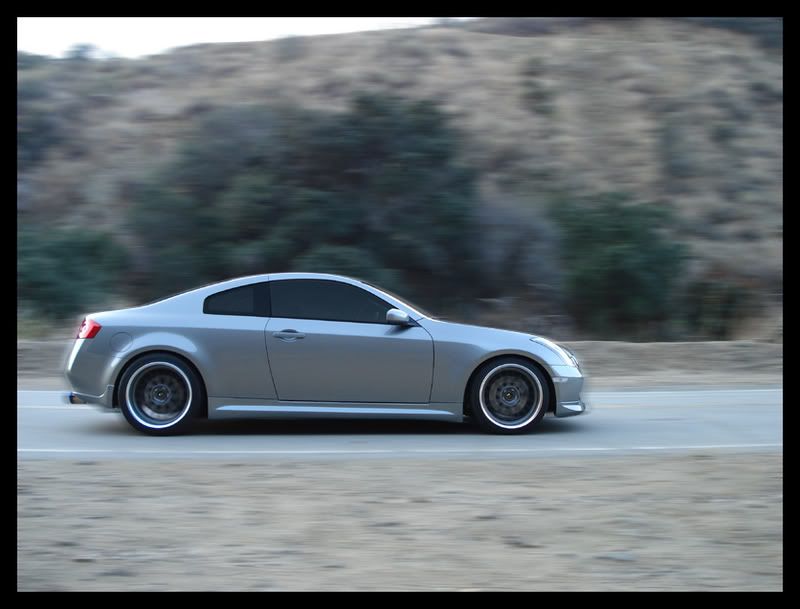
hmmm...am i showing any improvements?

Reply 0
Jan 14, 2007 | 12:07 AM
  #35  
^nice.
Reply 0
Jan 14, 2007 | 12:25 AM
  #36  
Reply 0
Jan 14, 2007 | 12:27 AM
  #37  
^ I like it. quick learner arent ya! lol congrats.
Reply 0
Jan 14, 2007 | 12:30 AM
  #38  
^^thanks

props to mx for walking me through the process though!
Reply 0
Jan 14, 2007 | 12:49 AM
  #39  
last one for the night...lol

Reply 0
Jan 14, 2007 | 10:46 PM
  #40  
woop there it is ! GOOD JOB
Reply 0
Jan 16, 2007 | 01:23 AM
  #41  
Quote: oh the passing by look. lol.
its actually more common and better looking to have a blurred background and the subject (being the car) to be more focused!
Reply 0
Jan 16, 2007 | 02:42 AM
  #42  
Your car is drifting in your icon with no driver.. :/ i wish my car had the skill yours had..
Reply 0
Jan 16, 2007 | 02:43 AM
  #43  
Quote: Your car is drifting in your icon with no driver.. :/ i wish my car had the skill yours had..
look closely

i'll post a high res of my avatar tomorrow when i post the rest of the pics
Reply 0
Jan 16, 2007 | 02:55 AM
  #44  
best avatar ever!
Reply 0
Jan 16, 2007 | 02:58 AM
  #45  
Quote: its actually more common and better looking to have a blurred background and the subject (being the car) to be more focused!
I did, see post #9.
Reply 0