


New Toy for me to play with!


Thanks, work location is where I took these pics, I still need to play around with my settings on the camera with the lense that I have. So any advice from fellow photographer would be great. I need to understand ISO more and what frame rate to use.
Thanks
Thanks

Originally Posted by God|ZIlla168
Thanks, work location is where I took these pics, I still need to play around with my settings on the camera with the lense that I have. So any advice from fellow photographer would be great. I need to understand ISO more and what frame rate to use.
Thanks
Thanks
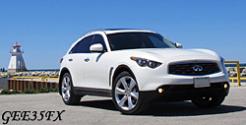
Eric, I was just showing Karen your pics, and her first comment was "I love those wheels" and her next comment was as to the great quality of your pictures.
Jeeez, if you keep these great pics coming, I might get a new camera thanks to them
Jeeez, if you keep these great pics coming, I might get a new camera thanks to them

Originally Posted by GEE35X
Eric, I was just showing Karen your pics, and her first comment was "I love those wheels" and her next comment was as to the great quality of your pictures.
Jeeez, if you keep these great pics coming, I might get a new camera thanks to them
Jeeez, if you keep these great pics coming, I might get a new camera thanks to them
Wow tell Karen she has great taste in wheels. hehehe
I can tell you I took a bunch of pics and only a handful I feel that came out great. You can still tell from the pics that I am still an amateur. But from so many advice is to just go out and shoot the pics no matter what. Of course some of these i had to enhance with photoshop.
Here is anoter one that I feel capture the moment, and that is also another advice I can give you. A picture is to represent a moment or a feeling that enhance the main subject matter. Forgot where I heard that from.
In this pic the feeling of lost in thought during summertime

And in this pic well I am sure you all know what I wanted to capture

Damit any way arount the smile icon in my image link I really did not mean for it
http://i199.photobucket.com/albums/a...s/DSC_0012.jpg
http://i199.photobucket.com/albums/a...s/DSC_0022.jpg
Wayne, I really recommend getting a DSLR camera for photographs like these, here is another Pic I felt capteure the moment perfectly.

http://i199.photobucket.com/albums/a...s/DSC_0184.jpg
I am sure point an click camera you can still do just the same but I feel the quality is just so much better. Also with a DSLR camera there is more settings to play with the can even enhance your story telling from the pictures. This is no cheap hobby either, i am already finding myself looking for other lenses, and they can range from 300 bucks all the way to 3k.

Last edited by God|ZIlla168; Jun 2, 2007 at 11:26 PM.

Originally Posted by God|ZIlla168
Thanks, work location is where I took these pics, I still need to play around with my settings on the camera with the lense that I have. So any advice from fellow photographer would be great. I need to understand ISO more and what frame rate to use.
Thanks
Thanks
The ISO setting refers the light sensitivty. The more you crank this up the more likely you are to get sensor noise (that grainy look) and you will lose detail and sharpness. On my D50 I can bump it up until 800 with good results, at 1600 I will start to see noise. So set this as low as possible whenever possible. On the D80 I think the lowest setting is 100.
Assuming you shoot in manual, this is what I will do for still objects.
I will leave my ISO at 200 ( lowest for my D50 ). I then adust the aperature to get that "look" that I want. The aperature controls how much light you let in by adjusting how wide the blades in the lens open up. This also determines the dept of field.
At the wider settings such as F2.8 or F3.5 on your AF-S 18-70DX kit lens, you will lower the depth of field (DOF). So only what you have selected in the auto-focus point will be in focus and things behind and infront will be out of focus. This allows you to achive that blurred effect. Smaller aperature settings F8 / F11 will allow more of the scene to be in focus. So adjust the aperature to get the desired creative effect that you are looking for, and use your DOF preview button to see how it will look like.
Then I will adjust the shutter speed to allow for proper exposure. Look at your meter (the bar graph in your viewfinder) until the setting is in the middle. The thing to keep in mind is the gereral rule of thumb, don't set your shutter to slower than 1/focal lenght of your lens when you are hand holding your camera. Anything slow you will get blurring due to shake.
For example if you are zoomed in at the long end of your lens at 70mm, don't go slower than 1/70th of a second (actually the closest setting will be 1/80th) and on the wide end no slower than 1/18th second. If you are using a tripod then don't worry about this. And if have a lens that has Nikon's VR you can go 3 to 4 stops slower before noticing the effects of blurring.
If after you set the combination of aperature and shutter and the meter still shows your image underexposed then I would bump up the ISO or add flash(s)
 . If you are lazy there is also a feature AUTO ISO that will automatically bump the ISO for you as required to get as close to proper exposure.
If you shoot Aperature priority, then you can adjust the aperature and the camera will figure out the required shutter speed to get the proper exposure.
Conversely , if you shoot Shutter priority, then you adjust the shutter speed and the camera will figure out the aperature required for the proper exposure.

Originally Posted by bigwilly
Eric
The ISO setting refers the light sensitivty. The more you crank this up the more likely you are to get sensor noise (that grainy look) and you will lose detail and sharpness. On my D50 I can bump it up until 800 with good results, at 1600 I will start to see noise. So set this as low as possible whenever possible. On the D80 I think the lowest setting is 100.
Assuming you shoot in manual, this is what I will do for still objects.
I will leave my ISO at 200 ( lowest for my D50 ). I then adust the aperature to get that "look" that I want. The aperature controls how much light you let in by adjusting how wide the blades in the lens open up. This also determines the dept of field.
At the wider settings such as F2.8 or F3.5 on your AF-S 18-70DX kit lens, you will lower the depth of field (DOF). So only what you have selected in the auto-focus point will be in focus and things behind and infront will be out of focus. This allows you to achive that blurred effect. Smaller aperature settings F8 / F11 will allow more of the scene to be in focus. So adjust the aperature to get the desired creative effect that you are looking for, and use your DOF preview button to see how it will look like.
Then I will adjust the shutter speed to allow for proper exposure. Look at your meter (the bar graph in your viewfinder) until the setting is in the middle. The thing to keep in mind is the gereral rule of thumb, don't set your shutter to slower than 1/focal lenght of your lens when you are hand holding your camera. Anything slow you will get blurring due to shake.
For example if you are zoomed in at the long end of your lens at 70mm, don't go slower than 1/70th of a second (actually the closest setting will be 1/80th) and on the wide end no slower than 1/18th second. If you are using a tripod then don't worry about this. And if have a lens that has Nikon's VR you can go 3 to 4 stops slower before noticing the effects of blurring.
If after you set the combination of aperature and shutter and the meter still shows your image underexposed then I would bump up the ISO or add flash(s). If you are lazy there is also a feature AUTO ISO that will automatically bump the ISO for you as required to get as close to proper exposure.
If you shoot Aperature priority, then you can adjust the aperature and the camera will figure out the required shutter speed to get the proper exposure.
Conversely , if you shoot Shutter priority, then you adjust the shutter speed and the camera will figure out the aperature required for the proper exposure.
The ISO setting refers the light sensitivty. The more you crank this up the more likely you are to get sensor noise (that grainy look) and you will lose detail and sharpness. On my D50 I can bump it up until 800 with good results, at 1600 I will start to see noise. So set this as low as possible whenever possible. On the D80 I think the lowest setting is 100.
Assuming you shoot in manual, this is what I will do for still objects.
I will leave my ISO at 200 ( lowest for my D50 ). I then adust the aperature to get that "look" that I want. The aperature controls how much light you let in by adjusting how wide the blades in the lens open up. This also determines the dept of field.
At the wider settings such as F2.8 or F3.5 on your AF-S 18-70DX kit lens, you will lower the depth of field (DOF). So only what you have selected in the auto-focus point will be in focus and things behind and infront will be out of focus. This allows you to achive that blurred effect. Smaller aperature settings F8 / F11 will allow more of the scene to be in focus. So adjust the aperature to get the desired creative effect that you are looking for, and use your DOF preview button to see how it will look like.
Then I will adjust the shutter speed to allow for proper exposure. Look at your meter (the bar graph in your viewfinder) until the setting is in the middle. The thing to keep in mind is the gereral rule of thumb, don't set your shutter to slower than 1/focal lenght of your lens when you are hand holding your camera. Anything slow you will get blurring due to shake.
For example if you are zoomed in at the long end of your lens at 70mm, don't go slower than 1/70th of a second (actually the closest setting will be 1/80th) and on the wide end no slower than 1/18th second. If you are using a tripod then don't worry about this. And if have a lens that has Nikon's VR you can go 3 to 4 stops slower before noticing the effects of blurring.
If after you set the combination of aperature and shutter and the meter still shows your image underexposed then I would bump up the ISO or add flash(s)
. If you are lazy there is also a feature AUTO ISO that will automatically bump the ISO for you as required to get as close to proper exposure.If you shoot Aperature priority, then you can adjust the aperature and the camera will figure out the required shutter speed to get the proper exposure.
Conversely , if you shoot Shutter priority, then you adjust the shutter speed and the camera will figure out the aperature required for the proper exposure.
Thanks ***** for explaining this to me. Now I am itching to go take more phots and find more shots to play with.
Guys I came across a nice shot or at least an idea of a nice shot. Night shot in front of the new Michael Lee-Chin Crystal Museum. Only thing is that it will have to be late and probaby during Sunday night or even a weekday night as I know that area is busy on friday and sat.
Hope to get at least a few G even 350z to show the modern age. So let me know who is intrested.
Hope to get at least a few G even 350z to show the modern age. So let me know who is intrested.

Originally Posted by ninog35
That's an excellent spot Eric. A friend took couple pics of the building and they turned out great. Btw where is it located?
Nigel
Nigel
Originally Posted by ninog35
thanks, if next sunday is nice we should go by there with a few G's
Sorry not this weekend because I will be in Montreal for the F1 Grandprix

Thread
Thread Starter
Forum
Replies
Last Post
Diode Dynamics
Accessories-Vendor
39
Nov 30, 2021 02:28 PM