


Progress Thread: DarksideG35

Joined: Jul 2007
Posts: 922
Likes: 92
From: Austin, TX
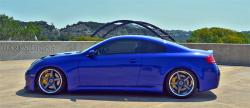
Thanks Tony, really appreciate it. And ya ive been starting to take it really serious lately and have thought about doing some free lance work and building a portfolio here sometime in the near future once i learn all the basics and fundamentals of the camera like you said.

Joined: Jul 2007
Posts: 922
Likes: 92
From: Austin, TX
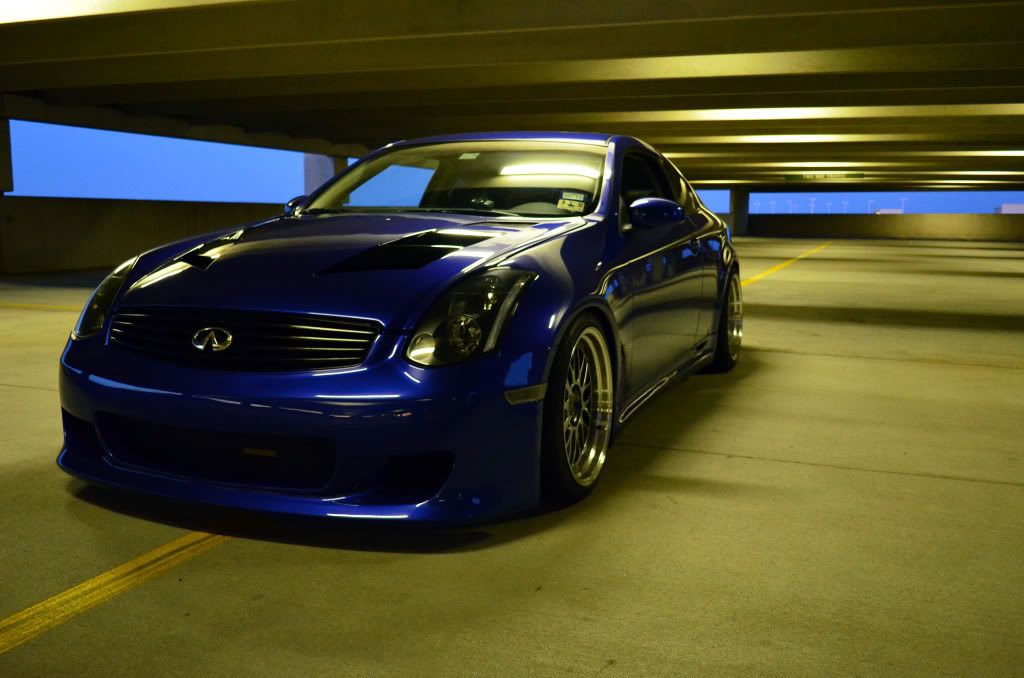
had a nice sunset this evening so i headed over to the parking garage to snap some quick photos.. still need to edit these but i think they turned out alright, the sky definitely didnt show up as good on my computer as it did on my camera 




Joined: Jul 2007
Posts: 922
Likes: 92
From: Austin, TX
thanks man, and what kind of text were you going to add to the side of the pics?



Joined: Jul 2007
Posts: 922
Likes: 92
From: Austin, TX

Like 1, 5 and 6.... All have strong composition and good use of rule of thirds.. Someone's been reading.. hehehehehehehe..
Make sure you check your white balance.. The garage pics are pretty yellow on my monitor, takes away from that gorgeous blue.. I think you were still using Sun or Shadow white balance when you went inside the garage.. Remember to change that whenever the source of light changes. Or, you can just play it safe, by using Auto White balance if you don't feel like fooling w/it.
Also, when you have such a bright flare of sun (like in the 1st shot), it's going to cause you to underexpose (darken) the rest of your frame (when on evaluative metering)..
Evaluative Metering (simplified) is where the cam takes a ratio of multiple areas in the frame and determines the exposure.. So if you have a large bright spot, it's going to accommodate for this by underexposing, because the camera is looking for neutral gray (50% gray)..
Here's more on that..
You might have to use exposure compensation to account for this.. Your metering mode will determine how the camera's internal light meter will read the exposure of the frame. If you want to brighten up the frame you want to move the little dot a little more to the + side of the meter, to darken, move it a little more to the - side..
here's more on exposure compensation..
The adorama series "Photography 1 on 1" is a great beginner to advanced tutorial series that you would prolly enjoy.. I know I have picked up a few things from this series.. Check it out if you want..
http://www.youtube.com/user/adoramaT...E50CFC19370404
Make sure you check your white balance.. The garage pics are pretty yellow on my monitor, takes away from that gorgeous blue.. I think you were still using Sun or Shadow white balance when you went inside the garage.. Remember to change that whenever the source of light changes. Or, you can just play it safe, by using Auto White balance if you don't feel like fooling w/it.
Also, when you have such a bright flare of sun (like in the 1st shot), it's going to cause you to underexpose (darken) the rest of your frame (when on evaluative metering)..
Evaluative Metering (simplified) is where the cam takes a ratio of multiple areas in the frame and determines the exposure.. So if you have a large bright spot, it's going to accommodate for this by underexposing, because the camera is looking for neutral gray (50% gray)..
Here's more on that..
You might have to use exposure compensation to account for this.. Your metering mode will determine how the camera's internal light meter will read the exposure of the frame. If you want to brighten up the frame you want to move the little dot a little more to the + side of the meter, to darken, move it a little more to the - side..
here's more on exposure compensation..
The adorama series "Photography 1 on 1" is a great beginner to advanced tutorial series that you would prolly enjoy.. I know I have picked up a few things from this series.. Check it out if you want..
http://www.youtube.com/user/adoramaT...E50CFC19370404
Joined: Jul 2007
Posts: 922
Likes: 92
From: Austin, TX
thanks for all the info man, ive been busy trying different types of pics and playing around on photoshop adjusting curves and color balance and so on with some of those. Needless to say, ive been doing some reading and trying to practice the theories that ive read and the ones that youve told me about to try and get the best photos possible without having a full lighting setup and etc. i think one of the issues that i have with some of my shots is that i dont take the time to set the camera up per picture to accommodate certain lights and adjusting the focus points and just kind of get in a hurry and figure i can always edit it on photoshop when i get back home so i guess i just need to take a little bit more time and try a few different settings per each pic before moving to a different angle


You aren't running ay camber kits with that drop? How are your specs and tire life? Im thinking about dropping mine around 1.5 inch on my 19's as well but worried about camber wear and scraping the driveway 
Joined: Jul 2007
Posts: 922
Likes: 92
From: Austin, TX
nope no camber kits for now, i have them sitting in the garage but never installed them. car is aligned at -2.5 all the way around so its not that far out of spec in the rear which is why i never installed the camber kit. as far as scraping on everything, it just takes some time to learn the roads you drive every day and learn what you can and cant make it into or over, once you figure out the angles its pretty easy to not scrape