


How to Add Auxiliary or iPod Input to the Factory Radio





Joined: Nov 2008
Posts: 7,993
Likes: 1,050
From: Pennsylvania

Any of the type-1 or type-2 adapters (or even "option b")are going to be comparable quality, as they all just go into the auxiliary analog signal path of the factory headunit. Depending on the quality of the signal encoder on your source, you might lose some quality if you try and use one of the adapters that can take a bluetooth stream.
The wired FM modulators require the signal to go through a couple of conversions, so there's going to be some loss, but it's going to end up being as good of a signal as if you were parked right next to the broadcast tower for the radio station.
The wired FM modulators require the signal to go through a couple of conversions, so there's going to be some loss, but it's going to end up being as good of a signal as if you were parked right next to the broadcast tower for the radio station.
Joined: Nov 2008
Posts: 7,993
Likes: 1,050
From: Pennsylvania
Depends on the adapter. GROM and ISNI531 specifically state you'll lose factory satellite, while the PA15-INFI specifically states you'll retain that functionality.
The factory handsfree system won't be affected, since you're only using connections already used by the factory satellite adapter, which works fine with factory bluetooth. Your phone, however, may or may not be able to be attached to the GROM for the A2DP streaming audio protocol while attached to the car's bluetooth module for the HFP hands-free simultaneously.
The factory handsfree system won't be affected, since you're only using connections already used by the factory satellite adapter, which works fine with factory bluetooth. Your phone, however, may or may not be able to be attached to the GROM for the A2DP streaming audio protocol while attached to the car's bluetooth module for the HFP hands-free simultaneously.

Registered User
Joined: Jan 2014
Posts: 16
Likes: 2
Depends on the adapter. GROM and ISNI531 specifically state you'll lose factory satellite, while the PA15-INFI specifically states you'll retain that functionality.
The factory handsfree system won't be affected, since you're only using connections already used by the factory satellite adapter, which works fine with factory bluetooth. Your phone, however, may or may not be able to be attached to the GROM for the A2DP streaming audio protocol while attached to the car's bluetooth module for the HFP hands-free simultaneously.
The factory handsfree system won't be affected, since you're only using connections already used by the factory satellite adapter, which works fine with factory bluetooth. Your phone, however, may or may not be able to be attached to the GROM for the A2DP streaming audio protocol while attached to the car's bluetooth module for the HFP hands-free simultaneously.

has anyone figured a way to adapt the "fire wire" connection of the iPhone 5 to the old 30 pin WITHOUT using a clunky adapter? It's just a 6 or 9 pin (I can't recall) DIN plug to the iPod interface, if anyone has the pin outs I can build one.

I have an '06 sedan and found this in the "upper deck" near the subwoofer. Is this the satellite module?
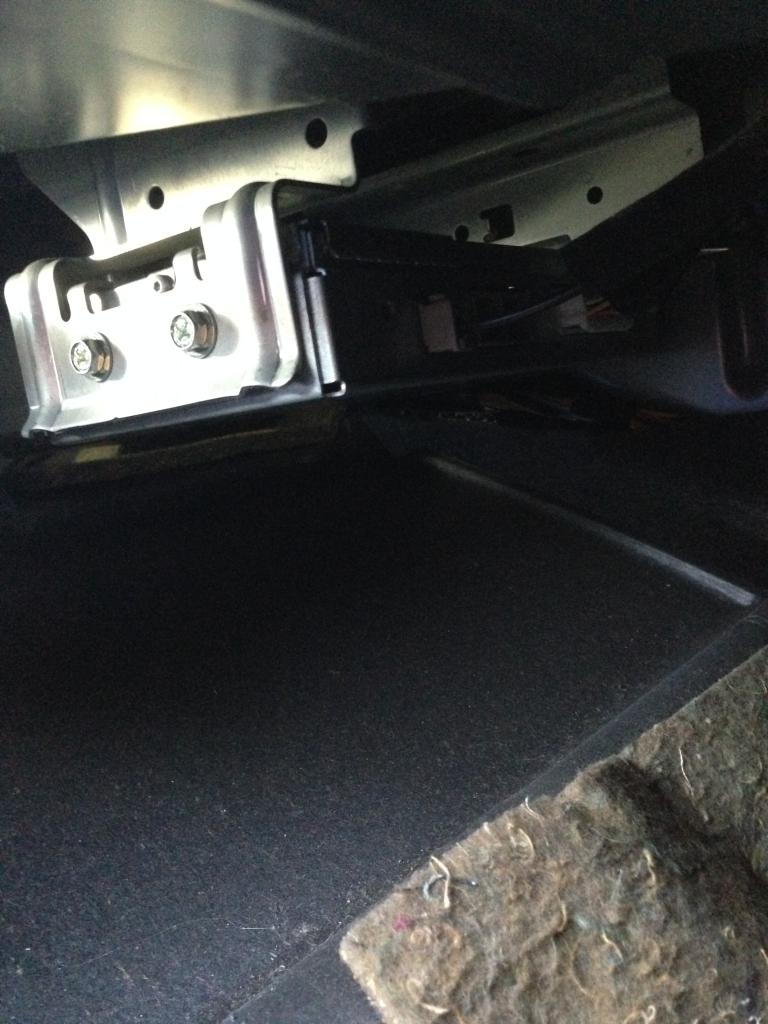
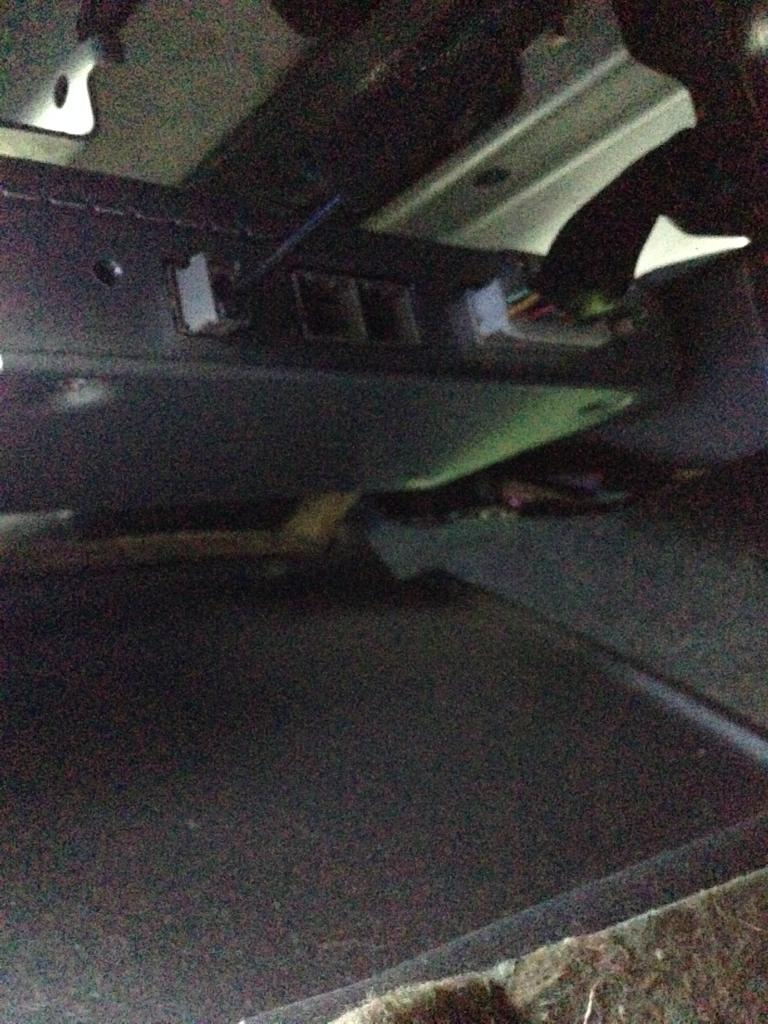
Also, I don't have the satellite option when I scroll though the options on the stereo. Does that matter?


Also, I don't have the satellite option when I scroll though the options on the stereo. Does that matter?
Joined: Nov 2008
Posts: 7,993
Likes: 1,050
From: Pennsylvania
That's the factory bluetooth module. Since the satellite adapter was often a dealer-installed option, it frequently just attached to the back of the rear seat with double-sided tape, by where I have the harness marked in this image since the installer could do that in 5 seconds instead of taking a few minutes (and dollars for the bracket) to put it in the "proper" location on the underside of the rear deck.:

The bluetooth adapter required different wiring for the radio and steering wheel buttons, so as far as I know, was only installed by the factory in the proper location.
The bluetooth adapter required different wiring for the radio and steering wheel buttons, so as far as I know, was only installed by the factory in the proper location.


Registered User
Joined: Sep 2014
Posts: 43
Likes: 0
Because of the high failure rates of factory radios in our cars, I believe spending any money keeping the factory radio in our vehicles is poorly spent. However, some of them have been reliable and not everyone wants to replace them. So my opinions aside, I will still (as always) try and give out good information.
This post is still a work in progress, which will get refined over time and input from others. Links to installation guides for each adapter will be added as I find them.
All links are to Amazon when available, since pricing on them varies greatly, and this allows you to compare between multiple sellers quickly, see reviews or just see a photo or two of the product. There may be cheaper sources for one or two of these items, but this post is about information, not so I have a second job tracking down who has items in stock and at the best prices. Product model numbers are always provided so that you can research them to your heart's content.
There are three basic methods of adding an auxiliary input to the factory radio (plus, option B if you already have the factory satellite radio adapter). Whether your factory radio is the Bose "Premium" audio system or the non-Bose "Base" system, the options are identical.
The first and second types - wired auxiliary inputs - are treated by the factory radio as a satellite radio adapter, and as such, give quality as good as the factory satellite radio could give. The major difference between the first and second type are whether they connect at the back of the radio (Nissan-type) or at the satellite radio harness in the trunk (Infiniti-type). Nissan-type connect at the back of the radio, and as such, require removal of the factory radio (link at the bottom of the first post).
The third type are wired FM modulators. These produce a much higher quality audio than wireless FM modulators, since by bypassing the vehicle's antenna completely, their signal doesn't compete with any competing broadcasts, and they are not limited by the power of a small transmitter. Their quality is equal to the best FM radio reception you could possibly get, so depending on your audio source, you may not tell the difference between a wired FM modulator and an a wired auxiliary input of the first or second type. They connect to the radio through the radio's antenna, and as such, require removal of the factory radio (link at the bottom of the first post).
Type #1 - Nissan-type adapters which connect to the back of the radio:
Pacific Audio Corporation PAC ISNI531 -
PAC AAI-NIS2 -
USA-SPEC PA15-INFI -
All of these wired FM modulators requires both standard and reverse antenna adapters (Scosche NDAKB combo kit) to be installed on the factory radio.
Pacific Audio Corporation PAC IS77 -
If you have the factory satellite adapter (the actual adapter - not just the harness) already, you can add an auxiliary input for pretty much free.
The factory service manual for the '07 coupe lists pins 33, 34, 35, 36 on the connector, end up being arranged in a 2x2 square on one side, so they should be easy enough to find.
The wire colors are:
Left+ RED
Left- GREEN
Right+ BLACK
LEFT- WHITE
You can tap them at the back of the radio, or follow the wires from the satellite adapter in trunk to somewhere in the main cabin. They stay the same color from the adapter to the radio.
This post is still a work in progress, which will get refined over time and input from others. Links to installation guides for each adapter will be added as I find them.
All links are to Amazon when available, since pricing on them varies greatly, and this allows you to compare between multiple sellers quickly, see reviews or just see a photo or two of the product. There may be cheaper sources for one or two of these items, but this post is about information, not so I have a second job tracking down who has items in stock and at the best prices. Product model numbers are always provided so that you can research them to your heart's content.
There are three basic methods of adding an auxiliary input to the factory radio (plus, option B if you already have the factory satellite radio adapter). Whether your factory radio is the Bose "Premium" audio system or the non-Bose "Base" system, the options are identical.
The first and second types - wired auxiliary inputs - are treated by the factory radio as a satellite radio adapter, and as such, give quality as good as the factory satellite radio could give. The major difference between the first and second type are whether they connect at the back of the radio (Nissan-type) or at the satellite radio harness in the trunk (Infiniti-type). Nissan-type connect at the back of the radio, and as such, require removal of the factory radio (link at the bottom of the first post).
The third type are wired FM modulators. These produce a much higher quality audio than wireless FM modulators, since by bypassing the vehicle's antenna completely, their signal doesn't compete with any competing broadcasts, and they are not limited by the power of a small transmitter. Their quality is equal to the best FM radio reception you could possibly get, so depending on your audio source, you may not tell the difference between a wired FM modulator and an a wired auxiliary input of the first or second type. They connect to the radio through the radio's antenna, and as such, require removal of the factory radio (link at the bottom of the first post).
Type #1 - Nissan-type adapters which connect to the back of the radio:
Pacific Audio Corporation PAC ISNI531 -
Provides you with two 3.5mm inputs.
Pacific Audio Corporation PAC ISNI571 - "iPod Kit" with a 30-pin iPod input and one 3.5m adapter - . An iPod connected to the ISNI571 can display the artist/song on the factory radio and you can browse by artist, album, genre and playlist from the factory radio's controls. It also keeps the iPod charged.
Enables All iPod Features and Functions from the iPod and the Radio – iPod Interface displays information and provides iPod control from both the iPod and the radio.
USA SPEC PA15-NIS - Enables All iPod Features and Functions from the iPod and the Radio – iPod Interface displays information and provides iPod control from both the iPod and the radio.
Connect, control, and charge your iPod, iPhone, and iTouch from your car stereo.
Works with and charges iPhone (3G, 3Gs, 4, 4s), iPod Classic & Nano, and iTouch.
Compatible with iOS 5.
Control from radio or steering wheel.
Displays song title, artist name, and song title on most Satellite ready radios that have a SAT/XM or a RADIObutton.
Retains CD changer, Rear Seat Entertainment/DVD, and Satellite radio functions and features.
Connect and play a 2nd audio device through your car stereo.
You can connect an addition audio device such as DVD player, Satellite radio receiver, or MP3 player to the AUX INPUT on the interface.
Different modes to control and play iPod: Folder Mode, Direct Mode, and Playlist Mode.
Folder Mode : text based song search by Album, Artist, or Playlist name.
Direct Mode : search and select music on iPod just as you would in portable use. This mode can be selected right from your radio. Complete access to all the contents on iPhone and iTouch.
You can use Direct Mode to listen to music streamed through Pandora or SiriusXM Online.
Playlist Mode : text based song search by Album, Artist, or Playlist name.
You can use radio controls to track up/down, fast forward/rewind, advance 10 tracks, and random play
Dice Mediabridge MBR-1503-NIS -Works with and charges iPhone (3G, 3Gs, 4, 4s), iPod Classic & Nano, and iTouch.
Compatible with iOS 5.
Control from radio or steering wheel.
Displays song title, artist name, and song title on most Satellite ready radios that have a SAT/XM or a RADIObutton.
Retains CD changer, Rear Seat Entertainment/DVD, and Satellite radio functions and features.
Connect and play a 2nd audio device through your car stereo.
You can connect an addition audio device such as DVD player, Satellite radio receiver, or MP3 player to the AUX INPUT on the interface.
Different modes to control and play iPod: Folder Mode, Direct Mode, and Playlist Mode.
Folder Mode : text based song search by Album, Artist, or Playlist name.
Direct Mode : search and select music on iPod just as you would in portable use. This mode can be selected right from your radio. Complete access to all the contents on iPhone and iTouch.
You can use Direct Mode to listen to music streamed through Pandora or SiriusXM Online.
Playlist Mode : text based song search by Album, Artist, or Playlist name.
You can use radio controls to track up/down, fast forward/rewind, advance 10 tracks, and random play
A little more expensive than the others, but it hasbluetooth for phone calls and streaming, USB, and iPod connections. iPod can be controlled similarly to the other adapters in this class.
GROM Audio GROM-AND-NIS02 - manufacturer's product pageNearly identical to the GROM-USB2-NIS02, but lists at about $25 cheaper, only differences appear to be that this unit does not support the GROM Bluetooth dongle for handsfree telephone and bluetooth streaming and it includes a micro-USB cable instead of a USB extension cable. Connects behind the factory radio, and provides both 3.5mm and USB interface. This device also allows for use of the steering wheel controls, and lists ID3 tag info on the radio display when using the USB input.
GROM Audio GROM-USB2-NIS02 - https://g35driver.com/forums/audio-v...x-install.htmlUSB, iPod, Android, Bluetooth (with purchase of additional adapter), AUX interface.
Connect, control, charge, iPod/iPhone and Android phone/tablet.
Aux input with 3.5mm cable or optional 3.5mm flush mount input.
USB supports any FAT16/32 stick/drive, plays MP3, M4A, OGG, FLAC, AAC, WAV music.
Bluetooth Streaming and Handsfree with optional accessory. Accept and reject calls from radio or steering wheel, make calls with voice dial, incoming call display on radio display.
Control from radio or steering wheel with track info and text on radio display.
Charge any other USB device with a charge cable from the USB port.
http://www.gromaudio.com/store/andro...interface.htmlConnect, control, charge, iPod/iPhone and Android phone/tablet.
Aux input with 3.5mm cable or optional 3.5mm flush mount input.
USB supports any FAT16/32 stick/drive, plays MP3, M4A, OGG, FLAC, AAC, WAV music.
Bluetooth Streaming and Handsfree with optional accessory. Accept and reject calls from radio or steering wheel, make calls with voice dial, incoming call display on radio display.
Control from radio or steering wheel with track info and text on radio display.
Charge any other USB device with a charge cable from the USB port.
PAC AAI-NIS2 -
Installation guide and reviews.
Discontinued, but still available. It was a pretty basic auxiliary input that required additional products to charge a connected iPod.
Type #2 - Infiniti-type adapters which connect to the satellite radio harness in the trunk:Discontinued, but still available. It was a pretty basic auxiliary input that required additional products to charge a connected iPod.
USA-SPEC PA15-INFI -
Same features as the PA15-NIS, but connects to the satellite harness in the trunk.
Retains factory satellite capability.
Modified Factory iPod Integration -Retains factory satellite capability.
These were a Nissan iPod integration adapter which had been modified to work with the Infiniti harness in the trunk. Some of these still exist, and pop up in the private classifieds or eBay, but I can't find anyone who's still selling them new.
Type #3 - Wired FM Modulators: (also referred to as antenna-bypass)All of these wired FM modulators requires both standard and reverse antenna adapters (Scosche NDAKB combo kit) to be installed on the factory radio.
Pacific Audio Corporation PAC IS77 -
Charges iPod and provides an audio input from it, or provides a single 3.5mm aux input for use with any other audio device. There is no control over the iPod from the vehicle, all control is done through the iPod itself.
Pacific Audio Corporation PAC IS32 -Provides a charging-only USB port and a 3.5mm audio input.
Pacific Audio Corporation PAC ISFM21 - Provides a Bluetooth a2dp (bluetooth streaming audio) input. It does not support bluetooth phonecall support or any remote control ability.
Option B:If you have the factory satellite adapter (the actual adapter - not just the harness) already, you can add an auxiliary input for pretty much free.
The factory service manual for the '07 coupe lists pins 33, 34, 35, 36 on the connector, end up being arranged in a 2x2 square on one side, so they should be easy enough to find.
The wire colors are:
Left+ RED
Left- GREEN
Right+ BLACK
LEFT- WHITE
You can tap them at the back of the radio, or follow the wires from the satellite adapter in trunk to somewhere in the main cabin. They stay the same color from the adapter to the radio.
I want to get my phone connected to my car. No nav no bluetooth. Which one should I but all I need is decent sound quality and ability to be controlled by steering wheel (skip pause play )