


Pioneer AVH-P8400BH


Registered User
Joined: Mar 2011
Posts: 59
Likes: 5
I tried to use the trim it was a mess! it didn't even fit around the stereo to use the 'removable screen' so I cut it to work, and then tried it on the stereo in the car and had more cuts it really was a waste from pioneer to include it, I like the skosche trim the no gap is a bonus! but can you reach the button with it on? I probably wont even remove the screen but its a nice feature?
Edit...
I looked closer at your pictures do you have the stereo further back? so you cannot even get the screen detached? hard to see how you did that, mine sticks out a bunch for the button.
Edit...
I looked closer at your pictures do you have the stereo further back? so you cannot even get the screen detached? hard to see how you did that, mine sticks out a bunch for the button.
Last edited by Mikesta; Apr 4, 2012 at 11:19 AM. Reason: additional question
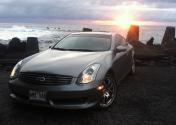
Thread Starter
|
Registered User
Joined: Aug 2011
Posts: 335
Likes: 22
From: Big Island
@Top Teke, looks good! I bought the 4400BH and wonder if I'm going to have the same problem with the gap and the Pioneer trim. Is the trim from Skosche specifically for the 8400BH or do you think it will work with the 44BH too?
Can you link me to the trim? If it doesn't cost too much I'm probably just going to buy it.
Thanks!
Can you link me to the trim? If it doesn't cost too much I'm probably just going to buy it.
Thanks!

\| deck |/
but can you reach the button with it on? I probably wont even remove the screen but its a nice feature?
...
I looked closer at your pictures do you have the stereo further back? so you cannot even get the screen detached? hard to see how you did that, mine sticks out a bunch for the button.
...
I looked closer at your pictures do you have the stereo further back? so you cannot even get the screen detached? hard to see how you did that, mine sticks out a bunch for the button.
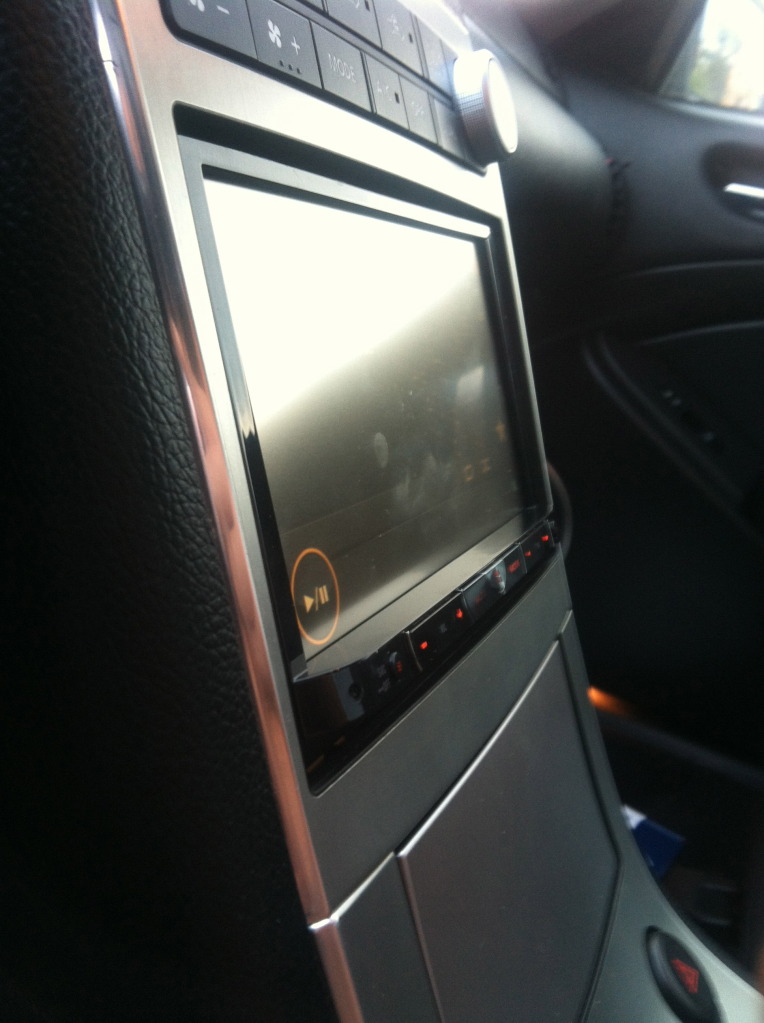
And the motorized faceplate
Mikesta, are you using iPhone 4? I remember you said you didn't have factory bluetooth - I seem to get disconnected every so often and I'm curious if you've had the same problem?
Registered User
Joined: Mar 2011
Posts: 59
Likes: 5
yours is much more 'flush' then mine, Can you reach the release button for the screen? so you can take it off? I see that you have no problem with it opening but I mean the screen coming off completely one of the features...

Registered User
Joined: Mar 2011
Posts: 59
Likes: 5
Oh... I didn't know you could do it like that! this changes EVERYTHING I thought it had to be closed to unlock! so maybe I need to change my install spot. learned something new today
Now I don't know if to change it or leave it be. I prefer how yours looks compared to my install. but I would need the trim
Now I don't know if to change it or leave it be. I prefer how yours looks compared to my install. but I would need the trim
Last edited by Mikesta; Apr 4, 2012 at 02:05 PM.
Registered User
Joined: Mar 2011
Posts: 59
Likes: 5
Opps I just seen your question, I am using iphone 4s with no disconect problems playing music or on the phone.. I did notice when I had the phone closer to the back of the trunk it wasn't as good of a connection but its fine up front in drivers seat.
Thread Starter
|
Registered User
Joined: Aug 2011
Posts: 335
Likes: 22
From: Big Island
Word. We'll see if it still does it after I rewire the bluetooth then.
I'm not sure why yours would sit differently though, did you have to drill any holes or anything? I was only able to use 3 of the 4 screws on each side but I'm fine with that.
I'm not sure why yours would sit differently though, did you have to drill any holes or anything? I was only able to use 3 of the 4 screws on each side but I'm fine with that.
Registered User
Joined: Mar 2011
Posts: 59
Likes: 5
It's because how I did it... the release button is pretty far back if you do not open the display first (almost to the metal trim) so it sticks out pretty much the entire plastic front it looks kind of retarded but I thought I had to do it that way to allow me to release the screen.
Thread Starter
|
Registered User
Joined: Aug 2011
Posts: 335
Likes: 22
From: Big Island
I see. Well maybe it's worth it then. If it's any consolation I'm going to be taking mine out again to install my backup cam; the cable that it comes with is too short.
Did you wire up the parking brake since while you wait for the new relay part to arrive?
Did you wire up the parking brake since while you wait for the new relay part to arrive?
Registered User
Joined: Mar 2011
Posts: 59
Likes: 5
Yeah I'm going to buy the scosh kit and use that I guess. sucks I didn't realize before but whatever it happens luckly my friend has amazon prime and can order it me.
I didn't do anything with the parking brake as I ordered the new relay thing hoping that works so I'll just take it all out at that point and change things. I did my backup cam last night.
I didn't do anything with the parking brake as I ordered the new relay thing hoping that works so I'll just take it all out at that point and change things. I did my backup cam last night.
Registered User
Joined: Mar 2011
Posts: 59
Likes: 5
I do! to tap in for the backup wire from the radio to only turn backup camera on during backing up, you use a purple wire from the driverside kick panel, there is a huge FAT black loom full of cables carefully open that up and look for a purple cable there is two one is in a smaller collection to the other, you want the other not from the small cable collection (I hope that helps) also test the cable when you do it to be 100% sure with a multi reader, Change the stereo setting to be battery so it only turns on when in reverse.
At the back of the car there is a rubber gromit feeding the tag lights, you can use that to push the cables into the trunk. I used the power from the backup light at the back of the camera so it only comes on during backing up its also a dark purple on the light.
I always wish I took pictures during install and never do. sorry I hope it helps though
At the back of the car there is a rubber gromit feeding the tag lights, you can use that to push the cables into the trunk. I used the power from the backup light at the back of the camera so it only comes on during backing up its also a dark purple on the light.
I always wish I took pictures during install and never do. sorry I hope it helps though
Thread Starter
|
Registered User
Joined: Aug 2011
Posts: 335
Likes: 22
From: Big Island
Yes that definitely helps. So then the only cable I need to run from the deck to the camera is really the RCA for video output? Was there a ground you used from the tail lights as well?

Kei, here's the Skosche universal trim ring. It's not specifically for any receiver; but yes I'm sure it will work great. The key is that you need to also cut the outer edges of the trim ring as well to match the taper of the JDM/Metra trim.