


Registered User
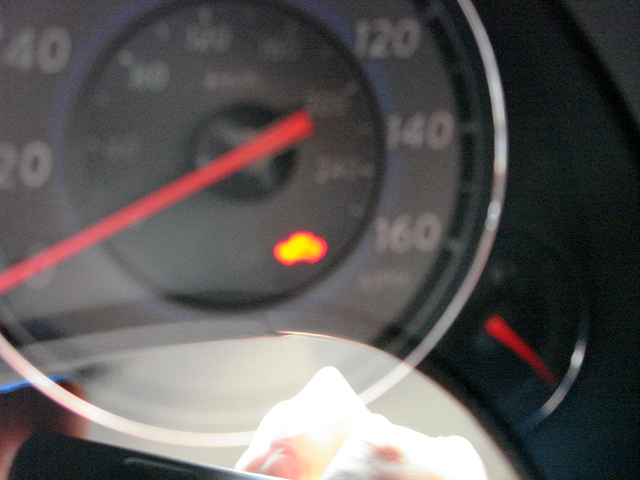
That is on all the time?
It just seems like you caught it right when it was blinking.
Maybe your battery is low/dead, try changing the battery in your fob.
It just seems like you caught it right when it was blinking.
Maybe your battery is low/dead, try changing the battery in your fob.


Registered User
Digging this back up I’ve searched and don’t seem to get the answer. I have seen some people have the solid yellow key light in only when in gear mine just came on after I had a dead battery in the actual car both fobs have brand new 2032 batteries and they both fully functioning. My drivers door handle push to enter button isn’t working can this trigger the light. I have obdlink but it doesn’t show any thing related to this just my drivers airbag which I ordered a clock spring for as well as a shift position sensor which I discovered is actually missing just bought the care and some knuckle head must have had the dreaded locked shifter I’ve read about and literally tore out the solenoid there are 4/5 wires sitting there pulled out of the plug connector just have the metal pins flying free I’m trying to source a shift solenoid too but o can’t figure out this key thing and I’m never ever paying a dealer to do something
Registered User
I really had wished this forum was more active. It seems more like people that are dependent on mechanics to fix their problems. I replaced my clock spring big lessson there don’t forget to reuse the damn steering angle sensor but I fixed that I bought a. Ice bidirectional scan tool
im left with the missing shift lock solenoid and the steering wheel doesn’t lock. I can’t seem to find any info on the steering wheel lock for the push to start models. Any help greatly appreciated
im left with the missing shift lock solenoid and the steering wheel doesn’t lock. I can’t seem to find any info on the steering wheel lock for the push to start models. Any help greatly appreciated