Canada Serving Canada.

G35 Flip key

Thread Tools
 
Search this Thread
 
Rate Thread
 
Old May 23, 2010 | 03:09 PM
  #31  
netcbc's Avatar
Registered User
iTrader: (2)
Joined: Jan 2006
Posts: 841
Likes: 1
From: GTA - Ontario Canada
lol how is it awesomer, it looks exactly the same as the OP posted
 
Reply
Old May 24, 2010 | 07:57 PM
  #32  
Integi2a00's Avatar
Registered User
Joined: Feb 2009
Posts: 91
Likes: 0
From: Kinston, NC
Name:  photo-2.jpg
Views: 329
Size:  25.4 KB
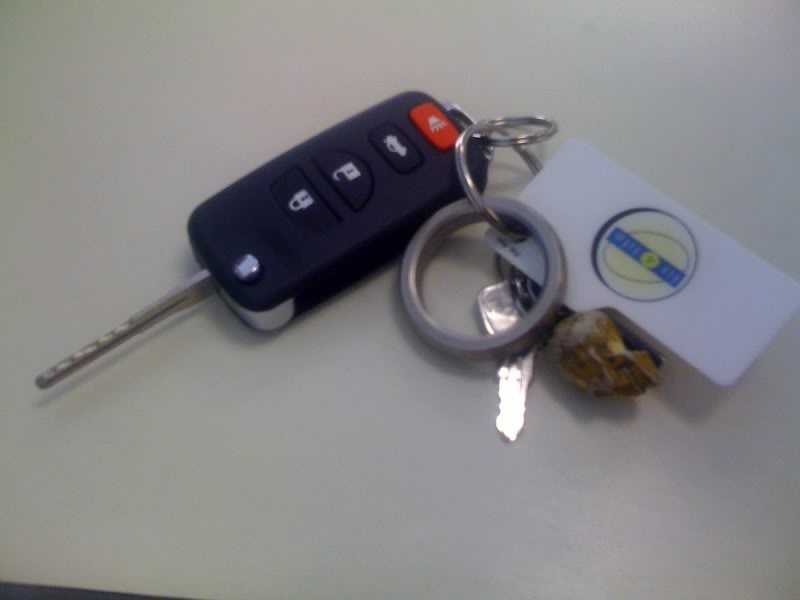
got my flip key working today!
 
Reply
Old May 25, 2010 | 09:46 AM
  #33  
elrooko's Avatar
Thread Starter
|
Registered User
iTrader: (3)
Joined: Aug 2003
Posts: 660
Likes: 12
From: Ontario, Canada
Originally Posted by JOKER
Went from setup on the left to the setup on the right.


Yep - that is the same one I have...your awesomeness has been diminished...
 
Reply
Old May 25, 2010 | 10:28 AM
  #34  
Steel Blue's Avatar
Registered User
Joined: Mar 2006
Posts: 456
Likes: 1
From: 630/773
Thanks OP, I just bought one.
 
Reply
Old May 25, 2010 | 12:05 PM
  #35  
netcbc's Avatar
Registered User
iTrader: (2)
Joined: Jan 2006
Posts: 841
Likes: 1
From: GTA - Ontario Canada
Loving the flip key, just went rollerblading on the long weekend and all I needed was the flip key instead of bring a huge key ring of stuff....
 
Reply
Old May 25, 2010 | 12:14 PM
  #36  
JOKER's Avatar
CLUB MODERATOR
iTrader: (24)
Joined: Oct 2005
Posts: 9,084
Likes: 348
From: earth
Originally Posted by netcbc
lol how is it awesomer, it looks exactly the same as the OP posted
it's awesome because it's mine
 
Reply
Old Jun 22, 2010 | 08:05 PM
  #37  
Steel Blue's Avatar
Registered User
Joined: Mar 2006
Posts: 456
Likes: 1
From: 630/773
I finally received my new key fob, and had time to put it all together, and I am extremely pleased with how easy it was.

The only issue I am having is that the key does not flip out very well when it hit the button. It will only flip out 1/3 of the way. Is this happening with anyone else or is this normal?

Not a deal breaker by any means I still very happy over all!!
 
Reply
Old Jun 22, 2010 | 09:31 PM
  #38  
ScreaminG's Avatar
Registered User
iTrader: (4)
Joined: Dec 2008
Posts: 254
Likes: 3
From: Toronto, Canada
expecting mine in the mail this week...
 
Reply
Old Jun 22, 2010 | 09:47 PM
  #39  
MTNBKR's Avatar
Registered User
Joined: May 2007
Posts: 3
Likes: 0
Originally Posted by Steel Blue
The only issue I am having is that the key does not flip out very well when it hit the button. It will only flip out 1/3 of the way. Is this happening with anyone else or is this normal?
Have you tried winding the spring one extra turn to increase the force?
 
Reply
Old Jun 22, 2010 | 11:40 PM
  #40  
Steel Blue's Avatar
Registered User
Joined: Mar 2006
Posts: 456
Likes: 1
From: 630/773
Originally Posted by MTNBKR
Have you tried winding the spring one extra turn to increase the force?
I didn't even think of that. I will try that tomorrow, and post followup.
 
Reply
Old Jun 22, 2010 | 11:48 PM
  #41  
cmthresher's Avatar
Registered User
Joined: Apr 2005
Posts: 135
Likes: 0
From: Paducah, Ky
that will fix it. you can wind the spring so that it flips out better.. this is a real easy diy for anyone wanting this. i did it over a year ago. Lowe's cut the key for me for free.. and i popped the chip out.. i took a drop of super glue when i put it in the new key fob... i have had it work loose before and luckily i was home so i was able to take it apart and fix it..
 
Reply
Old Jun 23, 2010 | 11:21 AM
  #42  
Steel Blue's Avatar
Registered User
Joined: Mar 2006
Posts: 456
Likes: 1
From: 630/773
Thanks again guys for the tip on giving the spring more tension for the flip action.
Works great now!!!
 
Reply
Old Jun 23, 2010 | 01:31 PM
  #43  
elrooko's Avatar
Thread Starter
|
Registered User
iTrader: (3)
Joined: Aug 2003
Posts: 660
Likes: 12
From: Ontario, Canada
Yep - should have posted that - you need about 3 turns of the spring to make it snap back properly.
 
Reply
Old Jun 29, 2010 | 10:42 PM
  #44  
ScreaminG's Avatar
Registered User
iTrader: (4)
Joined: Dec 2008
Posts: 254
Likes: 3
From: Toronto, Canada
the transponder and the little green housing for it dont fit in the designated spot...when i put the transponder in alone its actually loose...any solutions?
 
Reply
Old Jun 29, 2010 | 10:59 PM
  #45  
elrooko's Avatar
Thread Starter
|
Registered User
iTrader: (3)
Joined: Aug 2003
Posts: 660
Likes: 12
From: Ontario, Canada
Take the transponder out of the green housing - you don't need it. Just put the transponder chip only in the little slot and when you tighten up the case, it is totally secure.
 
Reply


You have already rated this thread Rating: Thread Rating: 0 votes,  average.


All times are GMT -4. The time now is 08:28 AM.