G35 Coupe V35 2003 - 07 Discussion about the 1st Generation V35 G35 Coupe

Look what I did yesterday (VSS-bypass)

Thread Tools
 
Search this Thread
 
Rate Thread
 
Old Jun 8, 2009 | 05:11 PM
  #1  
seymore4's Avatar
Thread Starter
|
Premier Member
15 Year Member
Liked
Loved
Community Favorite
iTrader: (114)
Joined: Mar 2009
Posts: 4,972
Likes: 433
From: West coast
m56
Premier Member

Look what I did yesterday (VSS-bypass)
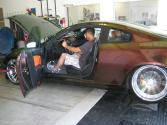
Got tired of not being able to use my NAV while I'm driving.

Bought a 12vdc switch from radioshack. Spliced some wires into the VSS wire behind the glove box, ran em over to the center console and mounted it in the little divet next to the cupholders.

Total cost: $3.21 after tax

Works: Awesome. Flip the switch and the NAV thinks I'm sitting still and I can program destinations and stuff. Get done, flip the switch back, and the NAV updates my location and away I go.

Yeeeeah buddy


Reply
Old Jun 8, 2009 | 10:34 PM
  #2  
fresh_06'G35's Avatar
Registered User
iTrader: (3)
Joined: Jun 2008
Posts: 259
Likes: 0
From: Southern California (760)
clean install. i like where you put the switch and all that. if my car had nav i would totally do this.
 
Reply
Old Jun 9, 2009 | 12:45 AM
  #3  
JDM_V35's Avatar
Registered User
iTrader: (2)
Joined: Feb 2009
Posts: 125
Likes: 0
From: Plantation, FL
which wire did you splice into?
 
Reply
Old Jun 9, 2009 | 12:54 AM
  #4  
seymore4's Avatar
Thread Starter
|
Premier Member
15 Year Member
Liked
Loved
Community Favorite
iTrader: (114)
Joined: Mar 2009
Posts: 4,972
Likes: 433
From: West coast
m56
Premier Member

The VSS wire. Its white with a green stripe and connects to the back of the NAV DVD player up behind the glove box.
 
Reply
Old Jun 9, 2009 | 04:17 AM
  #5  
TootsieRoll7's Avatar
Registered User
Joined: May 2009
Posts: 36
Likes: 0
From: Vancouver WA
Nice. So do you just add the switch on to the wire in series? I am so doing this for my nav system.
 
Reply
Old Jun 9, 2009 | 05:56 AM
  #6  
bigc's Avatar
Wings Nation
iTrader: (59)
Joined: Feb 2007
Posts: 7,931
Likes: 626
From: SoCal
Premier Member

this is a must have mod for anyone with the OEM nav...pretty straightforward, plus you don't have to pay KP for their module
 
Reply
Old Jun 9, 2009 | 10:58 AM
  #7  
cc1012's Avatar
Registered User
Joined: May 2007
Posts: 146
Likes: 0
Can we get a DIY?
 
Reply
Old Jun 9, 2009 | 10:59 AM
  #8  
brandon402's Avatar
Registered User
iTrader: (3)
Joined: May 2009
Posts: 657
Likes: 1
From: Omaha, NE
Could you point out, in that first pic, where that wire is? I cant see it.
 
Reply
Old Jun 9, 2009 | 11:06 AM
  #9  
cc1012's Avatar
Registered User
Joined: May 2007
Posts: 146
Likes: 0
i think it wrapped in that bundle behind the DVD player. So did you just hook up one wire from the switch to the VSS and another wire from the switch and just grounded it?
 
Reply
Old Jun 9, 2009 | 11:25 AM
  #10  
brandon402's Avatar
Registered User
iTrader: (3)
Joined: May 2009
Posts: 657
Likes: 1
From: Omaha, NE
Originally Posted by cc1012
i think it wrapped in that bundle behind the DVD player. So did you just hook up one wire from the switch to the VSS and another wire from the switch and just grounded it?
OH! Ok, i see it now. Yeah, those wires look like the wires in his other picture showing the switch. So, i think you're right.

I think he wired the switch in series with the vss. Just clipped and extended. Switch open, no vss signal, nav thinks car is not moving. Switch closed, hey...there you are vss signal, lemme reacquire your location real quick.

maybe?
 
Reply
Old Jun 9, 2009 | 11:28 AM
  #11  
Locksmith's Avatar
Former G35driver Vendor
iTrader: (83)
Joined: Sep 2005
Posts: 6,991
Likes: 50
From: Minnesota
Nice work.
 
Reply
Old Jun 9, 2009 | 12:07 PM
  #12  
gary c's Avatar
Registered User
iTrader: (10)
Joined: Feb 2005
Posts: 19,433
Likes: 1,133
From: Valencia, Ca
Great job Seymore4....!

Originally Posted by cc1012
Can we get a DIY?
HAHA....I think you just did. Pic and which wire to use for the switch and where to buy it, could only be better if he installed it for you....
Gary
 

Last edited by gary c; Jun 9, 2009 at 12:11 PM.
Reply
Old Jun 9, 2009 | 12:31 PM
  #13  
cc1012's Avatar
Registered User
Joined: May 2007
Posts: 146
Likes: 0
good point..... lol. Just wanted to make sure that he only ran 2 wires.
 
Reply
Old Jun 9, 2009 | 02:11 PM
  #14  
bigc's Avatar
Wings Nation
iTrader: (59)
Joined: Feb 2007
Posts: 7,931
Likes: 626
From: SoCal
Premier Member

https://g35driver.com/forums/audio-v...oving-diy.html
if you've changed your in-cabin microfilter then you know how to get to the navigation system harness.
 
Reply
Old Jun 9, 2009 | 02:15 PM
  #15  
seymore4's Avatar
Thread Starter
|
Premier Member
15 Year Member
Liked
Loved
Community Favorite
iTrader: (114)
Joined: Mar 2009
Posts: 4,972
Likes: 433
From: West coast
m56
Premier Member

Originally Posted by cc1012
good point..... lol. Just wanted to make sure that he only ran 2 wires.
Yeah I needed to extend the VSS wire to be able to mount the switch in the center console so I just cut it and connected the red wire to one side and the black wire to the other. You only have about an inch and a half of VSS wire to work with so extending is a must.

The VSS wire is tiny as F*** so I couldn't get a picture (I was too excited to actually do it and didn't think about taking pictures until it was too late)
But you can see where the red connectors are ziptied to the wire bundle in the first picture. Its up there.
 
Reply


You have already rated this thread Rating: Thread Rating: 0 votes,  average.


All times are GMT -4. The time now is 11:45 AM.