
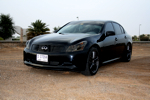
i installed a rear camera through the sockets in the armrest but the picture is coming black and white then i checked with a portable DVD player and again it was black and white....anyone knows why i cant get colour on the NAV screen...my car is without factory Sat NAV.

Registered User
The only thing that comes to mind are playing with the settings for color, brightness , tint, etc...
Do your radio and A/C screens have color?
Maybe try another cable or wiggling the cable connection a little just to see what happens.
Do your radio and A/C screens have color?
Maybe try another cable or wiggling the cable connection a little just to see what happens.
Quote:
Do your radio and A/C screens have color?
Maybe try another cable or wiggling the cable connection a little just to see what happens.
yeah colour is there on radio and A/C...and that is the problem only on DVD colour is not coming, either on camera or by plugging in any portable DVD playerOriginally Posted by rustyeleio
The only thing that comes to mind are playing with the settings for color, brightness , tint, etc...Do your radio and A/C screens have color?
Maybe try another cable or wiggling the cable connection a little just to see what happens.
havent tried wiggling the cable....i will check that

Registered User
Not sure how electronics savy you are but here are some drawings I found for troubleshooting. Seems to need an O-scope for one part of it. I would be of no help here. It seems like the only thing that Infiniti suggests to troubleshoot is the OEM wiring, the display, the video device (which you have already tested). Maybe just take to dealership?
- Aux Image Troubleshooting.pdf (24.3 KB)
- Aux Image Circuit.pdf (47.4 KB)
- Aux Image Terminals.pdf (77.3 KB)
- Harness Layout.pdf (141.2 KB)

Registered User
dude change the video output from NTSC to PAL....................or vice versa.........my two pennies.
 Brilliant!
Registered User
not unless it actually works.........lol
otherwise it i will have to read the manual too.
otherwise it i will have to read the manual too.
Quote:
thanks...you mean from the device??? is there any option like this for the screenOriginally Posted by TallyG
dude change the video output from NTSC to PAL....................or vice versa.........my two pennies.
Quote:
you judged it right im not that electronics savy Originally Posted by rustyeleio
Not sure how electronics savy you are but here are some drawings I found for troubleshooting. Seems to need an O-scope for one part of it. I would be of no help here. It seems like the only thing that Infiniti suggests to troubleshoot is the OEM wiring, the display, the video device (which you have already tested). Maybe just take to dealership?
 ...what exactly you mean by need an O-scope and for which part??
Registered User
Quote:
...what exactly you mean by need an O-scope and for which part??
I am no electronics guru myself. The Oscillocope is a very expensive and complicated (at least to me) tool that measures voltage over time among other things which I am not familiar with. I don't know anyone who would own one and if you are like me and have to google the O-scope then it is probably better to let a tech do that test if needed.Originally Posted by docaam
you judged it right im not that electronics savy ...what exactly you mean by need an O-scope and for which part??
The NTSC vs PAL setting was really a great idea, I hope that I didn't come across as being sarcastic. I beleive the setting would be on the video device itself. Most things in the US are only in NTSC but sometimes a device will have the option to select the European standard which is PAL. This could be an electronic menu setting or a physical switch on the device.
Good luck!
tried opening all the wired and unplugging all th plugs as well...but nothing happened
Registered User
Did you try looking for a NTSC/PAL switch or setting? Otherwise I am drawing a blank. Maybe it is time to just bring it in. If the car is under 60k miles then it is still under warranty.
Another thing to try is reposting in the 07+ or 07+ tech forum. Because your original thead got moved, it is not getting bumped to the top of the forum list when people respond so you are probably not getting a lot of viewer traffic. Good luck!
Another thing to try is reposting in the 07+ or 07+ tech forum. Because your original thead got moved, it is not getting bumped to the top of the forum list when people respond so you are probably not getting a lot of viewer traffic. Good luck!