


Pioneer AVIC-D1/AVIC-Z1 with Double Din Conv. (PICS)


I went around shopping for install estimates and asked installers if I needed the antenna and they said that the antenna in my car will work just fine with the AVIC-D3. Think they mean it?
In my AVIC-D3, the installation manual listed items that came with the package and the only thing I could find that looked like a trim piece was called the "frame" according to the manual. Except BlackonBlackG35's trim piece looks like it has three dimensions. The one that came with my AVIC-D3 was just a flat plastic rectangle.
I'll post a picture of it later, don't have time right now.
EDIT:
Here are some pictures of the "frame" that came with my AVIC-D3.
This is the only thing in the box that looks like a trim piece but it doesn't look like it fits snugly.

The installation manual says this "frame" is used to fill gaps and openings between the dash and the navi.

As you can see, the frame doesn't fit tightly. There's a big gap on the bottom.

I put the AVIC-D3 into the finisher to see how it would look...
There are open gaps and the frame doesn't seem to fit aynwhere.
I really don't like those gaps and this would look like an easy break and steal if I'm parked in a bad neighborhood.
Do I need to go and buy a trim piece similar to BlackonBlackg35's?
If so, does anyone know where I can find it?
Please, somebody help me out here. I really want this installed as soon as possible.
In my AVIC-D3, the installation manual listed items that came with the package and the only thing I could find that looked like a trim piece was called the "frame" according to the manual. Except BlackonBlackG35's trim piece looks like it has three dimensions. The one that came with my AVIC-D3 was just a flat plastic rectangle.
I'll post a picture of it later, don't have time right now.
EDIT:
Here are some pictures of the "frame" that came with my AVIC-D3.
This is the only thing in the box that looks like a trim piece but it doesn't look like it fits snugly.
The installation manual says this "frame" is used to fill gaps and openings between the dash and the navi.
As you can see, the frame doesn't fit tightly. There's a big gap on the bottom.
I put the AVIC-D3 into the finisher to see how it would look...
There are open gaps and the frame doesn't seem to fit aynwhere.
I really don't like those gaps and this would look like an easy break and steal if I'm parked in a bad neighborhood.
Do I need to go and buy a trim piece similar to BlackonBlackg35's?
If so, does anyone know where I can find it?
Please, somebody help me out here. I really want this installed as soon as possible.
Last edited by FlSHRFun; Jul 22, 2007 at 02:21 PM.
Originally Posted by jist26
will this work with my 2003.5 i have the pop up navigation in mine and a lil nervous i may lose some funtionality of my stock navi.
i'm really thinkin about having this done but a lil nervous
i'm really thinkin about having this done but a lil nervous
Originally Posted by FlSHRFun
I went around shopping for install estimates and asked installers if I needed the antenna and they said that the antenna in my car will work just fine with the AVIC-D3. Think they mean it?
In my AVIC-D3, the installation manual listed items that came with the package and the only thing I could find that looked like a trim piece was called the "frame" according to the manual. Except BlackonBlackG35's trim piece looks like it has three dimensions. The one that came with my AVIC-D3 was just a flat plastic rectangle.
I'll post a picture of it later, don't have time right now.
EDIT:
Here are some pictures of the "frame" that came with my AVIC-D3.
This is the only thing in the box that looks like a trim piece but it doesn't look like it fits snugly.
The installation manual says this "frame" is used to fill gaps and openings between the dash and the navi.
As you can see, the frame doesn't fit tightly. There's a big gap on the bottom.
I put the AVIC-D3 into the finisher to see how it would look...
There are open gaps and the frame doesn't seem to fit aynwhere.
I really don't like those gaps and this would look like an easy break and steal if I'm parked in a bad neighborhood.
Do I need to go and buy a trim piece similar to BlackonBlackg35's?
If so, does anyone know where I can find it?
Please, somebody help me out here. I really want this installed as soon as possible.
In my AVIC-D3, the installation manual listed items that came with the package and the only thing I could find that looked like a trim piece was called the "frame" according to the manual. Except BlackonBlackG35's trim piece looks like it has three dimensions. The one that came with my AVIC-D3 was just a flat plastic rectangle.
I'll post a picture of it later, don't have time right now.
EDIT:
Here are some pictures of the "frame" that came with my AVIC-D3.
This is the only thing in the box that looks like a trim piece but it doesn't look like it fits snugly.
The installation manual says this "frame" is used to fill gaps and openings between the dash and the navi.
As you can see, the frame doesn't fit tightly. There's a big gap on the bottom.
I put the AVIC-D3 into the finisher to see how it would look...
There are open gaps and the frame doesn't seem to fit aynwhere.
I really don't like those gaps and this would look like an easy break and steal if I'm parked in a bad neighborhood.
Do I need to go and buy a trim piece similar to BlackonBlackg35's?
If so, does anyone know where I can find it?
Please, somebody help me out here. I really want this installed as soon as possible.
you might have to get one custom, or ask around on the forums.

Registered User
Joined: Jul 2007
Posts: 141
Likes: 0
Does that pioneer have a security feature or something just in case someone trys to steal it? Detachable face? Flips inside out and locks or something?
Can that pioneer have the navi CD in there and other CDs at the same time? or you gotta switch it back and forth?
Can that pioneer have the navi CD in there and other CDs at the same time? or you gotta switch it back and forth?

Yeah, I had some custom work down on my install to fill in the holes.
The D3 doesn't suck at all. I keep my nav DVD in at all times. I hooked up my iPod to it via a Pioneer CD-I200. Now I play all my music and videos from my iPod which is hidden away in my glove box. No need for CD's or DVD's. Plus, I customized my background with pictures of my G35. And the ability to customize the screen and button's colors allows it to blend in with the rest of my dash. This way, it looks like factory equipment.
The D3 doesn't suck at all. I keep my nav DVD in at all times. I hooked up my iPod to it via a Pioneer CD-I200. Now I play all my music and videos from my iPod which is hidden away in my glove box. No need for CD's or DVD's. Plus, I customized my background with pictures of my G35. And the ability to customize the screen and button's colors allows it to blend in with the rest of my dash. This way, it looks like factory equipment.
Z2's probably gonna' be painful on you and your wallet. I mean, I love the D3 but it's a pain with it being so low on the dash and the shifter's in the way sometimes. The D3's main buttons are on the left side for easy access to the driver, but there are still buttons on the screen that are low and I have to work around the shifter. As for the Z2, its main buttons are all on the bottom and it's screen moves. There's a chance you might accidentally damage your screen or its motor if it hits the shifter. That's another reason I chose the D3, no moving screen means no chance of damaging the head unit should I forget to move the shifter. Plus, I don't want to shell out an extra $1,200 (according to Pioneer's MSRP) when I got my D3 for $707. Cheapest I could find a Z2 for was $1,500 and having my kind of job, that's a lot of overtime.
As you requested, here's are some pics of my dash.
Sorry for the low quality, I only had access to the camera on my phone.

Before the installation.
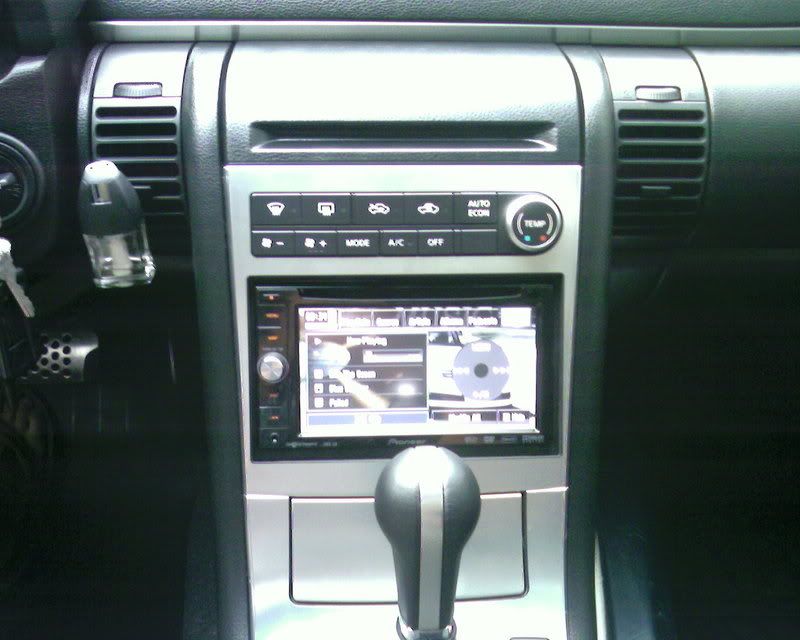
After the installation.
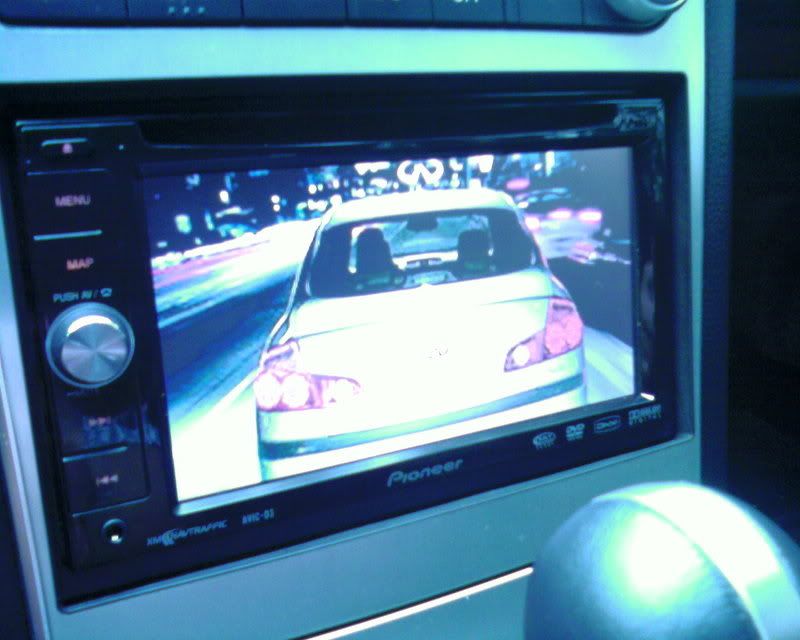
My loading screen. Might change it up a lil' bit. Any suggestions? If so, please post up pics.
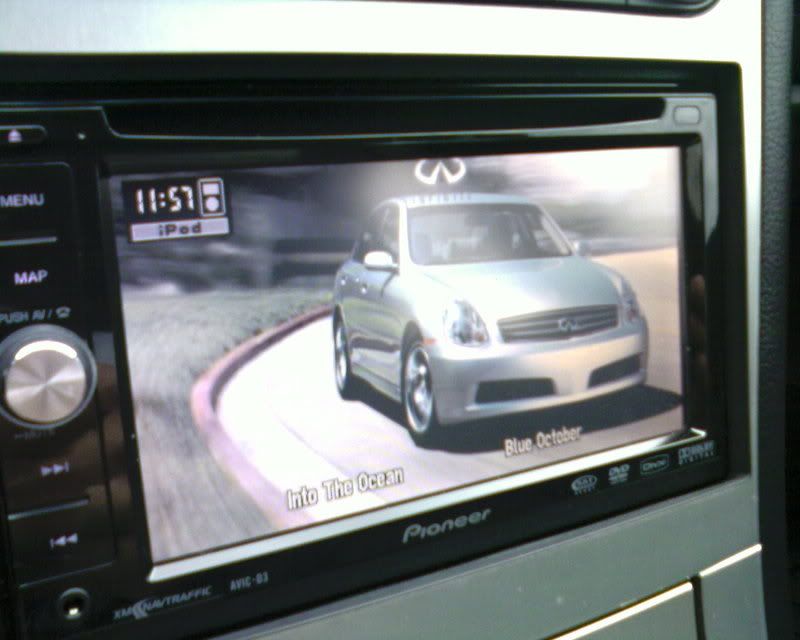
My background picture.
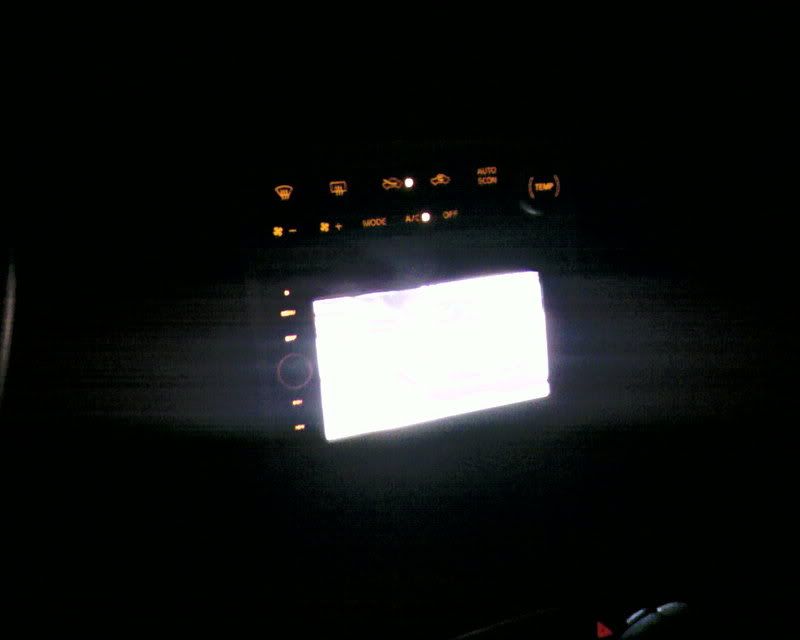
I love the option to customize the main buttons' color and the screen color.
Allows the head unit to match the rest of the G's interior.
Honestly, I don't like amber, but I don't have any idea how to mod my interior like AccordFreak.
I love his setup, but I have no experience and I'm not willing to risk it.
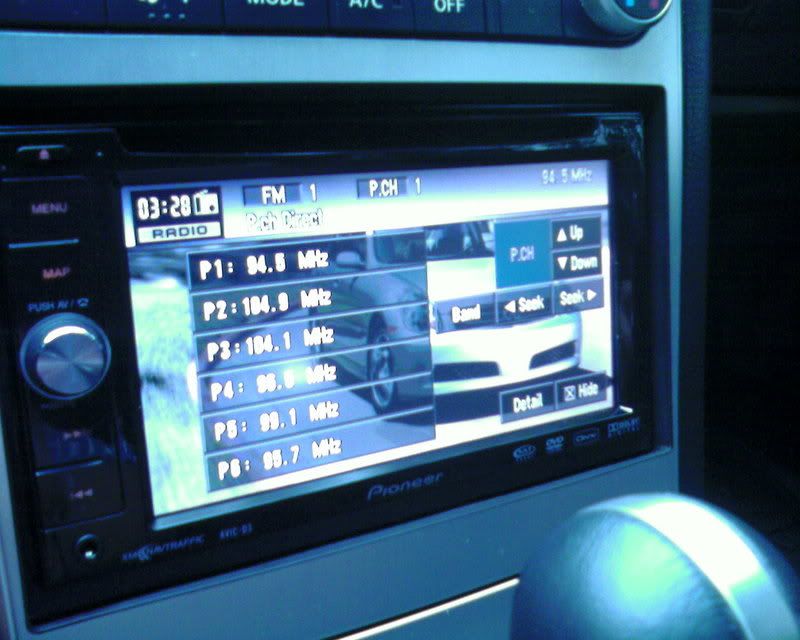
Radio.
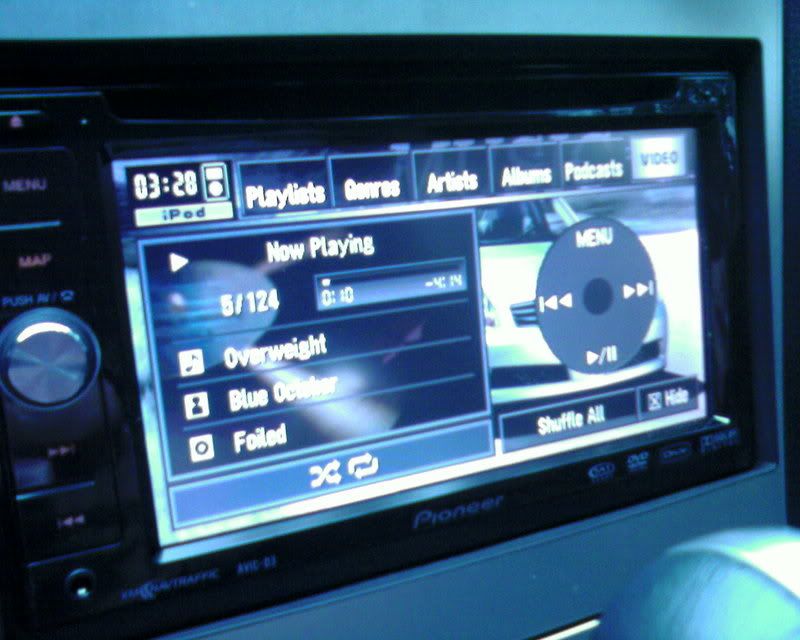
iPod linked to D3 via Pioneer CD-I200. iPod's in my glove box.
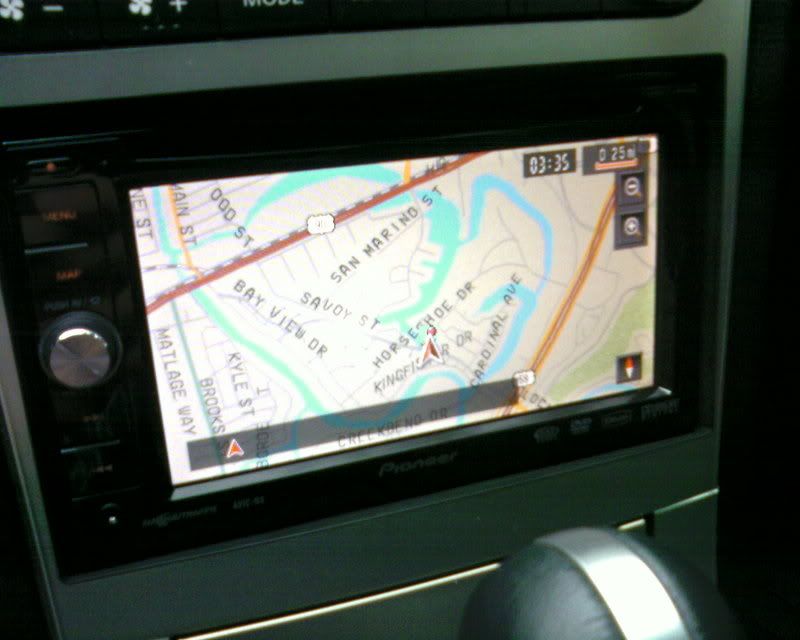
Plain map view of navigation. No destination set.
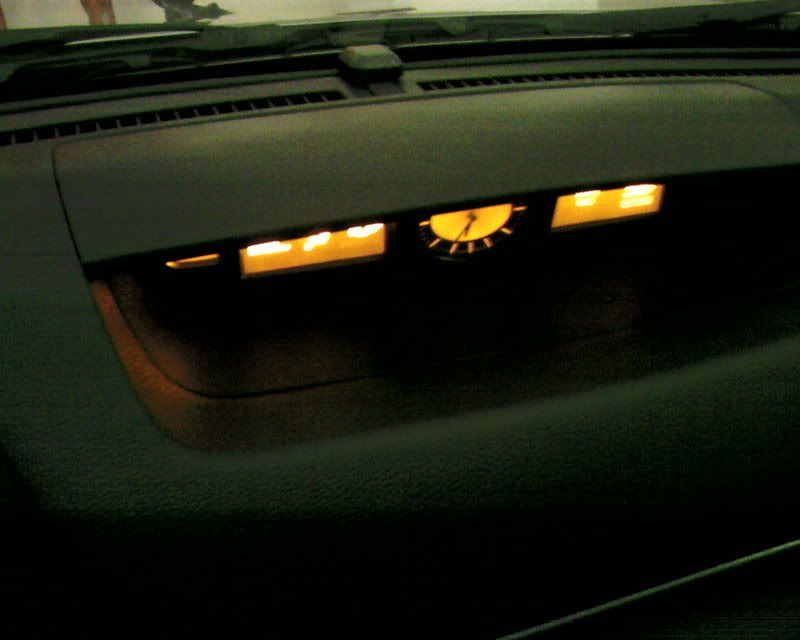
GPS antenna is on top of my dash. That lil' bump behind the clock.
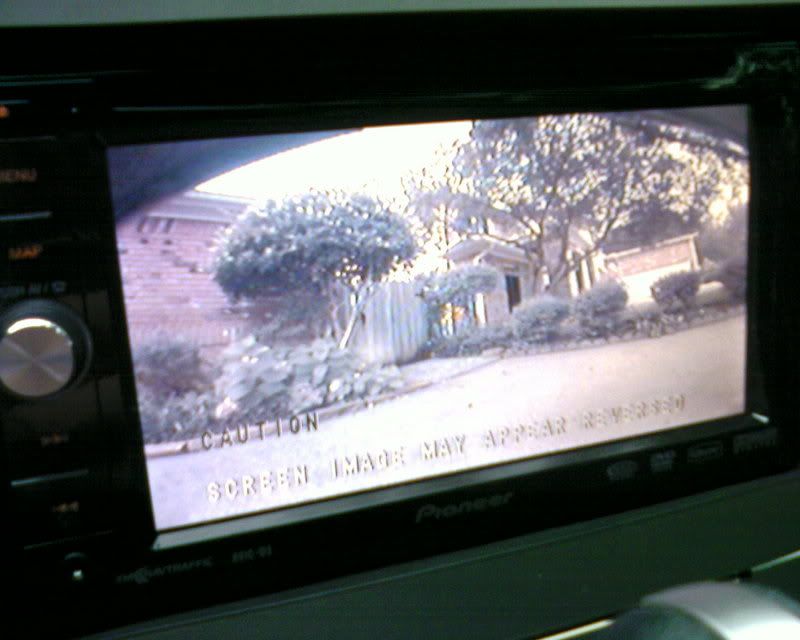
Head unit automatically goes into rear-view mode once in reverse.
You can turn the rear-view mode on while driving and watch whoever's behind you.
I saw a blue slate coupe behind me and turned on my rear-view cam to get a better look.
Coupe had some pretty nice headlights with clearance strips.
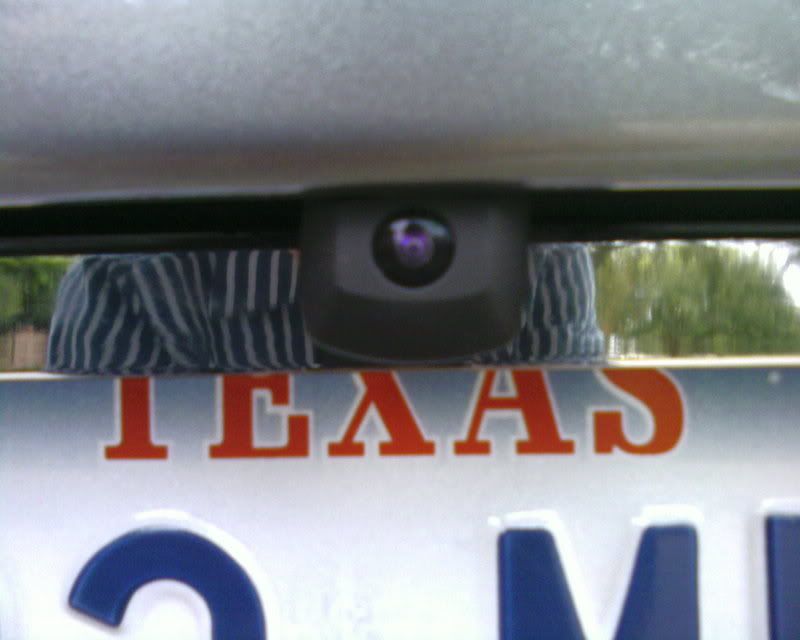
The rear-view camera is about the size of a quarter. Maybe slightly bigger.
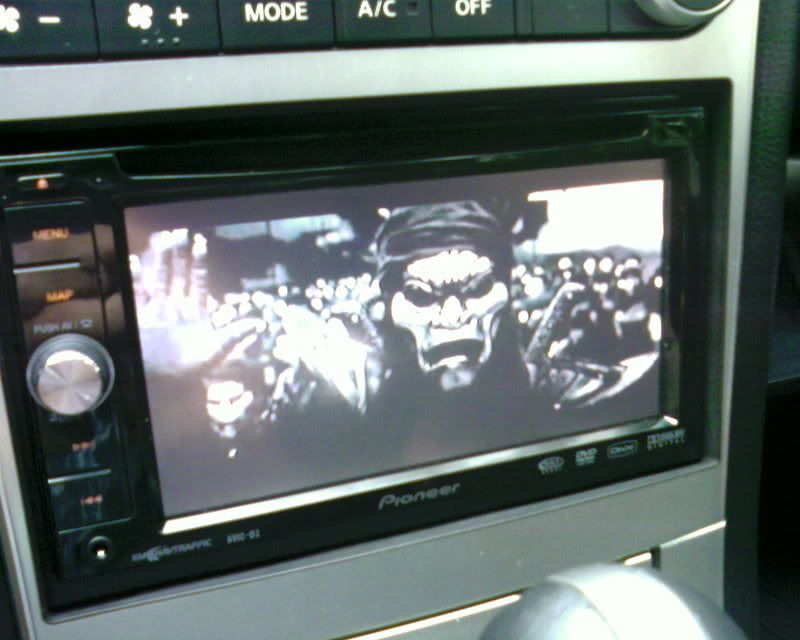
I can watch DVD's but that would require me to take out my nav DVD.
Instead, I keep the nav DVD in and play videos straight from my iPod.
Quality's still very good, though.
I put in a DVD to test it out. Picture and sound quality's a bit better plus subtitles.
But, I don't really plan on watching video's in my car when I could just watch it upstairs with a 50" plasma and Bose surround sound. =]
As you requested, here's are some pics of my dash.
Sorry for the low quality, I only had access to the camera on my phone.
Before the installation.
After the installation.
My loading screen. Might change it up a lil' bit. Any suggestions? If so, please post up pics.
My background picture.
I love the option to customize the main buttons' color and the screen color.
Allows the head unit to match the rest of the G's interior.
Honestly, I don't like amber, but I don't have any idea how to mod my interior like AccordFreak.
I love his setup, but I have no experience and I'm not willing to risk it.
Radio.
iPod linked to D3 via Pioneer CD-I200. iPod's in my glove box.
Plain map view of navigation. No destination set.
GPS antenna is on top of my dash. That lil' bump behind the clock.
Head unit automatically goes into rear-view mode once in reverse.
You can turn the rear-view mode on while driving and watch whoever's behind you.
I saw a blue slate coupe behind me and turned on my rear-view cam to get a better look.
Coupe had some pretty nice headlights with clearance strips.
The rear-view camera is about the size of a quarter. Maybe slightly bigger.
I can watch DVD's but that would require me to take out my nav DVD.
Instead, I keep the nav DVD in and play videos straight from my iPod.
Quality's still very good, though.
I put in a DVD to test it out. Picture and sound quality's a bit better plus subtitles.
But, I don't really plan on watching video's in my car when I could just watch it upstairs with a 50" plasma and Bose surround sound. =]
Last edited by FlSHRFun; Jul 29, 2007 at 01:09 AM.
hmmmmmm job well done. wow you really made me like the D3 lol, also i have a stock navi on my 03 coupe. i just need to get the proper dash kit.also how do you put movies on your ipod ?
Well, your best bet is to go with Grubbs Infiniti or Riverside Infiniti.
I know Grubbs just restocked two weeks ago and are ready to ship.
Here's the double din finisher you'll need:
http://www.grubbsperformance.com/p/6...+Finisher.html
Here's the A/C control you'll need, too:
http://www.grubbsperformance.com/p/2...++control.html
If you've got the head unit you want, whether the D3 or Z2, I guess you're good to install.
Of course, it's always nice to shop around for lil' accessories.
I shopped around and saved on iPod integration, steering wheel integration, and rear-view camera.
Some accessories I didn't think were worth it. Like XM/Sirius radio or voice-recognition navigation.
I'd like Bluetooth integration, but I really don't like talking while driving.
Of course, those are all optional.
As for movies on the iPod... hmm... well I downloaded this free movie converter.
Go to http://www.jodix.com and download the video converter and convert.
It will convert most videos to an .mp4 format that iTunes accepts.
Some videos cannot be converted for some odd reason. I'm not very good with computers.
Once you add the .mp4 video to your iTunes library, hook up your iPod to your computer and click your iPod.
Select your video tab and change your settings to sync you videos to your iPod (if it's not already on by default).
Once it syncs and you disconnect it, you'll need to change your iPod settings on the iPod itself.
If I remember correctly, you need to go to video settings and change the output for it to play on the head unit.
I'm not certain of all this. I'll double check later.
If you get it installed and still have questions about gettin' iPod video to play on the D3, just ask.
I know Grubbs just restocked two weeks ago and are ready to ship.
Here's the double din finisher you'll need:
http://www.grubbsperformance.com/p/6...+Finisher.html
Here's the A/C control you'll need, too:
http://www.grubbsperformance.com/p/2...++control.html
If you've got the head unit you want, whether the D3 or Z2, I guess you're good to install.
Of course, it's always nice to shop around for lil' accessories.
I shopped around and saved on iPod integration, steering wheel integration, and rear-view camera.
Some accessories I didn't think were worth it. Like XM/Sirius radio or voice-recognition navigation.
I'd like Bluetooth integration, but I really don't like talking while driving.
Of course, those are all optional.
As for movies on the iPod... hmm... well I downloaded this free movie converter.
Go to http://www.jodix.com and download the video converter and convert.
It will convert most videos to an .mp4 format that iTunes accepts.
Some videos cannot be converted for some odd reason. I'm not very good with computers.
Once you add the .mp4 video to your iTunes library, hook up your iPod to your computer and click your iPod.
Select your video tab and change your settings to sync you videos to your iPod (if it's not already on by default).
Once it syncs and you disconnect it, you'll need to change your iPod settings on the iPod itself.
If I remember correctly, you need to go to video settings and change the output for it to play on the head unit.
I'm not certain of all this. I'll double check later.
If you get it installed and still have questions about gettin' iPod video to play on the D3, just ask.
Originally Posted by FlSHRFun
Well, your best bet is to go with Grubbs Infiniti or Riverside Infiniti.
I know Grubbs just restocked two weeks ago and are ready to ship.
Here's the double din finisher you'll need:
http://www.grubbsperformance.com/p/6...+Finisher.html
Here's the A/C control you'll need, too:
http://www.grubbsperformance.com/p/2...++control.html
If you've got the head unit you want, whether the D3 or Z2, I guess you're good to install.
Of course, it's always nice to shop around for lil' accessories.
I shopped around and saved on iPod integration, steering wheel integration, and rear-view camera.
Some accessories I didn't think were worth it. Like XM/Sirius radio or voice-recognition navigation.
I'd like Bluetooth integration, but I really don't like talking while driving.
Of course, those are all optional.
As for movies on the iPod... hmm... well I downloaded this free movie converter.
Go to http://www.jodix.com and download the video converter and convert.
It will convert most videos to an .mp4 format that iTunes accepts.
Some videos cannot be converted for some odd reason. I'm not very good with computers.
Once you add the .mp4 video to your iTunes library, hook up your iPod to your computer and click your iPod.
Select your video tab and change your settings to sync you videos to your iPod (if it's not already on by default).
Once it syncs and you disconnect it, you'll need to change your iPod settings on the iPod itself.
If I remember correctly, you need to go to video settings and change the output for it to play on the head unit.
I'm not certain of all this. I'll double check later.
If you get it installed and still have questions about gettin' iPod video to play on the D3, just ask.
I know Grubbs just restocked two weeks ago and are ready to ship.
Here's the double din finisher you'll need:
http://www.grubbsperformance.com/p/6...+Finisher.html
Here's the A/C control you'll need, too:
http://www.grubbsperformance.com/p/2...++control.html
If you've got the head unit you want, whether the D3 or Z2, I guess you're good to install.
Of course, it's always nice to shop around for lil' accessories.
I shopped around and saved on iPod integration, steering wheel integration, and rear-view camera.
Some accessories I didn't think were worth it. Like XM/Sirius radio or voice-recognition navigation.
I'd like Bluetooth integration, but I really don't like talking while driving.
Of course, those are all optional.
As for movies on the iPod... hmm... well I downloaded this free movie converter.
Go to http://www.jodix.com and download the video converter and convert.
It will convert most videos to an .mp4 format that iTunes accepts.
Some videos cannot be converted for some odd reason. I'm not very good with computers.
Once you add the .mp4 video to your iTunes library, hook up your iPod to your computer and click your iPod.
Select your video tab and change your settings to sync you videos to your iPod (if it's not already on by default).
Once it syncs and you disconnect it, you'll need to change your iPod settings on the iPod itself.
If I remember correctly, you need to go to video settings and change the output for it to play on the head unit.
I'm not certain of all this. I'll double check later.
If you get it installed and still have questions about gettin' iPod video to play on the D3, just ask.
im looking for something like this.

