


DIY Cam Position Sensor Easy Version


Thanks alot for this DIY guys, I changed my driver side sensor about 2 weeks ago.
WHAT A PAIN IN THE A$$ to remove the harness!!!!!!
I ending up using a long needle nose plier to press down on the green tab and then pull on it at the same time.
BTW, I purchase my sensor at Advance Auto Parts. I have had zero issues since the install...
WHAT A PAIN IN THE A$$ to remove the harness!!!!!!
I ending up using a long needle nose plier to press down on the green tab and then pull on it at the same time.
BTW, I purchase my sensor at Advance Auto Parts. I have had zero issues since the install...


 2003 g35 coupe cam sensor bank 1 question
FIRST I want to thank EVERYONE that's been contributing to this because without this community I'd be lost. Second I need a little more clairification on where exactly Bank1 is located. Employee at Auto Zone said Driver side of the engine but the this thread says passenger side unless I misunderstood something. Sorry if this may come off dumb if it's been answered.
I had my car just die on me a few times already and had to get a jump to restart. Battery tested good as well as the alternator. After getting to "the zone" I got the reciept that they gave me with the sensor code as well as the Cam Position Sensor itself. It doesn't curve like this thread states Bank 2 does so I think I got the right sensor. If I got the wrong one PLEASE tell me so I take it back before attempting to install.
I want to be sure I know where to locate this thing so I don't remove the wrong one. I would appreciate all the feedback I can get, thanks crew!!!!!!!
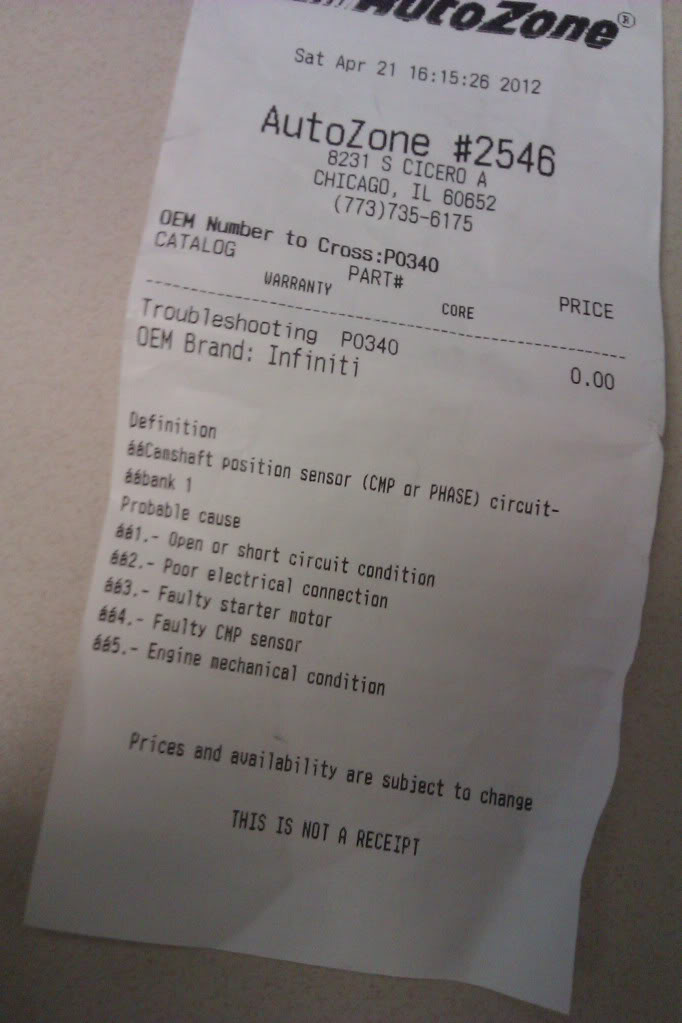
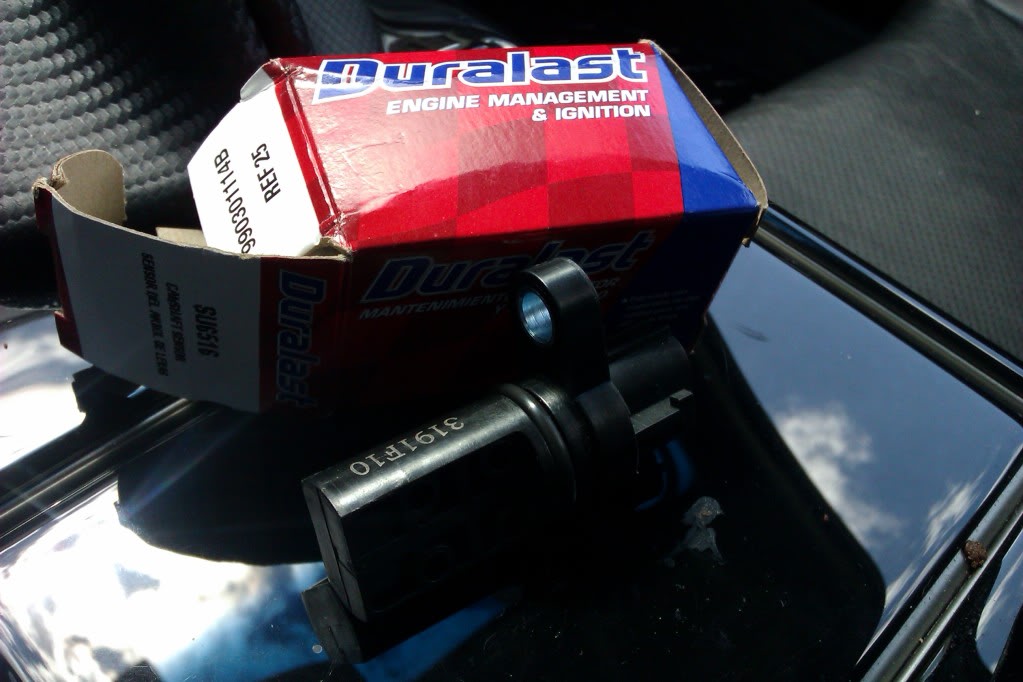

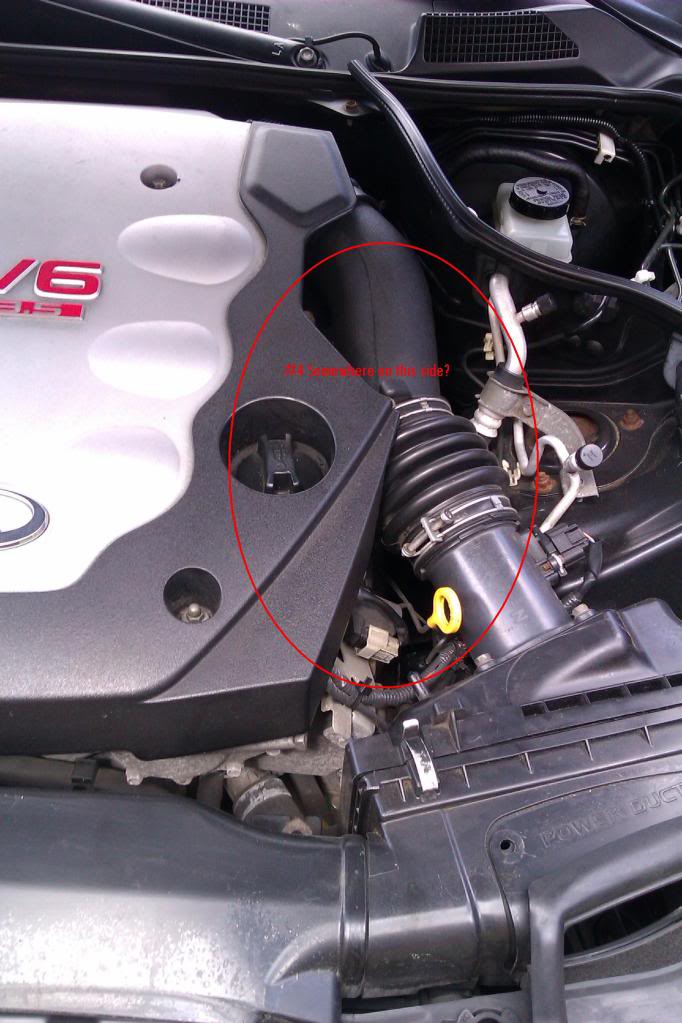
I had my car just die on me a few times already and had to get a jump to restart. Battery tested good as well as the alternator. After getting to "the zone" I got the reciept that they gave me with the sensor code as well as the Cam Position Sensor itself. It doesn't curve like this thread states Bank 2 does so I think I got the right sensor. If I got the wrong one PLEASE tell me so I take it back before attempting to install.
I want to be sure I know where to locate this thing so I don't remove the wrong one. I would appreciate all the feedback I can get, thanks crew!!!!!!!

FIRST I want to thank EVERYONE that's been contributing to this because without this community I'd be lost. Second I need a little more clairification on where exactly Bank1 is located. Employee at Auto Zone said Driver side of the engine but the this thread says passenger side unless I misunderstood something. Sorry if this may come off dumb if it's been answered.
I had my car just die on me a few times already and had to get a jump to restart. Battery tested good as well as the alternator. After getting to "the zone" I got the reciept that they gave me with the sensor code as well as the Cam Position Sensor itself. It doesn't curve like this thread states Bank 2 does so I think I got the right sensor. If I got the wrong one PLEASE tell me so I take it back before attempting to install.
I want to be sure I know where to locate this thing so I don't remove the wrong one. I would appreciate all the feedback I can get, thanks crew!!!!!!!


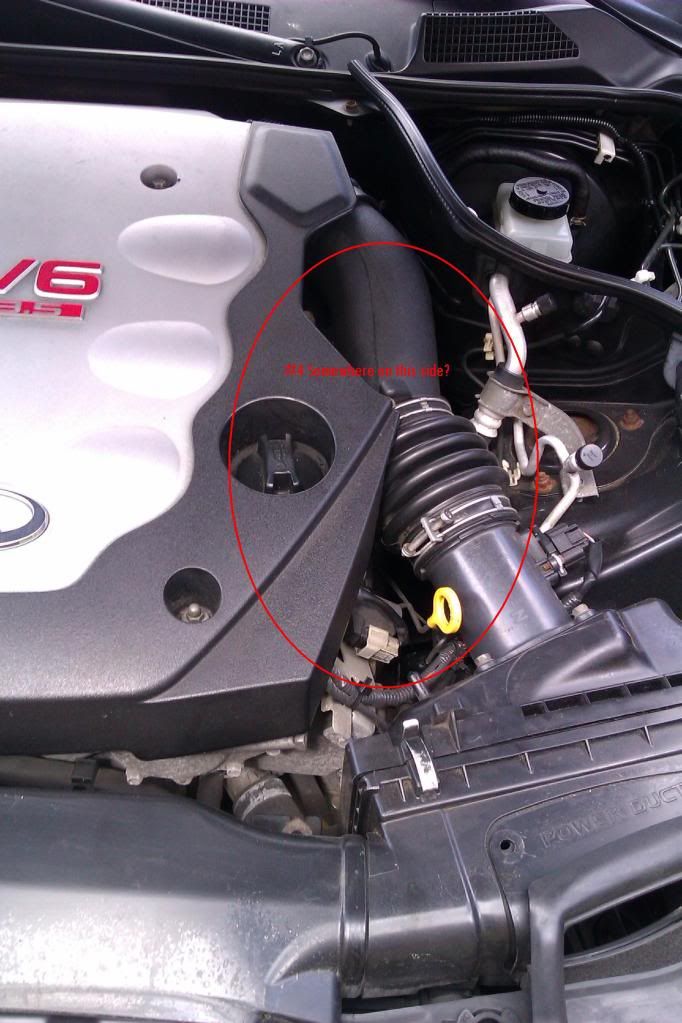
I had my car just die on me a few times already and had to get a jump to restart. Battery tested good as well as the alternator. After getting to "the zone" I got the reciept that they gave me with the sensor code as well as the Cam Position Sensor itself. It doesn't curve like this thread states Bank 2 does so I think I got the right sensor. If I got the wrong one PLEASE tell me so I take it back before attempting to install.
I want to be sure I know where to locate this thing so I don't remove the wrong one. I would appreciate all the feedback I can get, thanks crew!!!!!!!
Look a few pages back, it is very easy to change.
Good luck!


 Im slow
That pic is so close up I can't tell exactly where that is. I understand you said back of the block but by that do you mean behind the engine cover or in front of it by the belt? I'm slow 
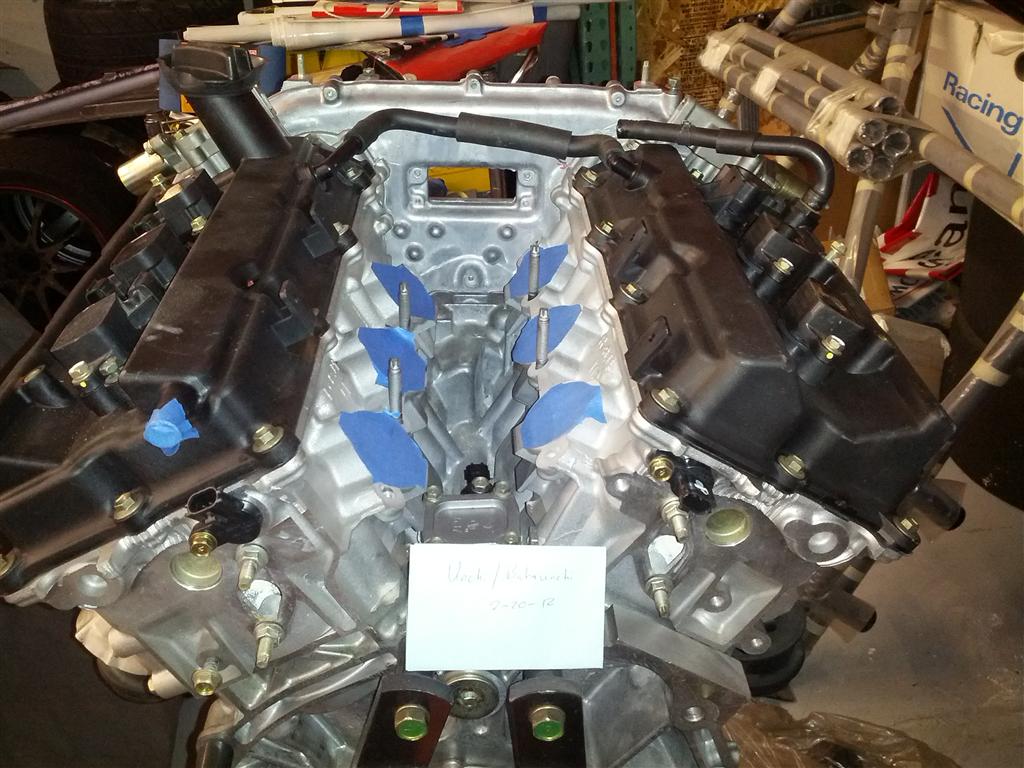
take cover of and see the pic in the previous post
you purchased the bank one sensor(passenger side)
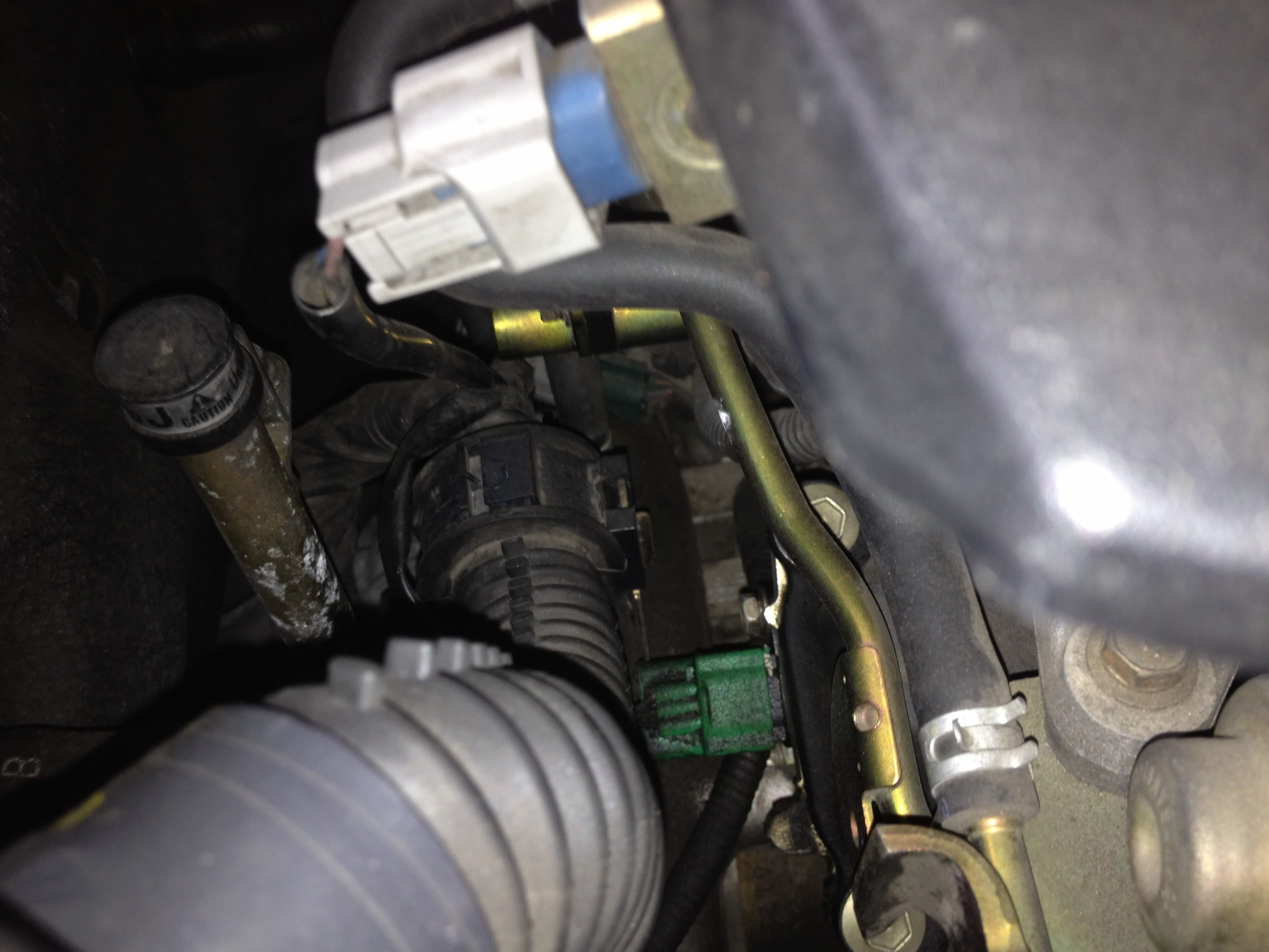
this is a pic of the rear of the engine (the camera is above the battery fyi). the green harness thing you see in my pic is the harness that was posted in post #142 (right above this posting)
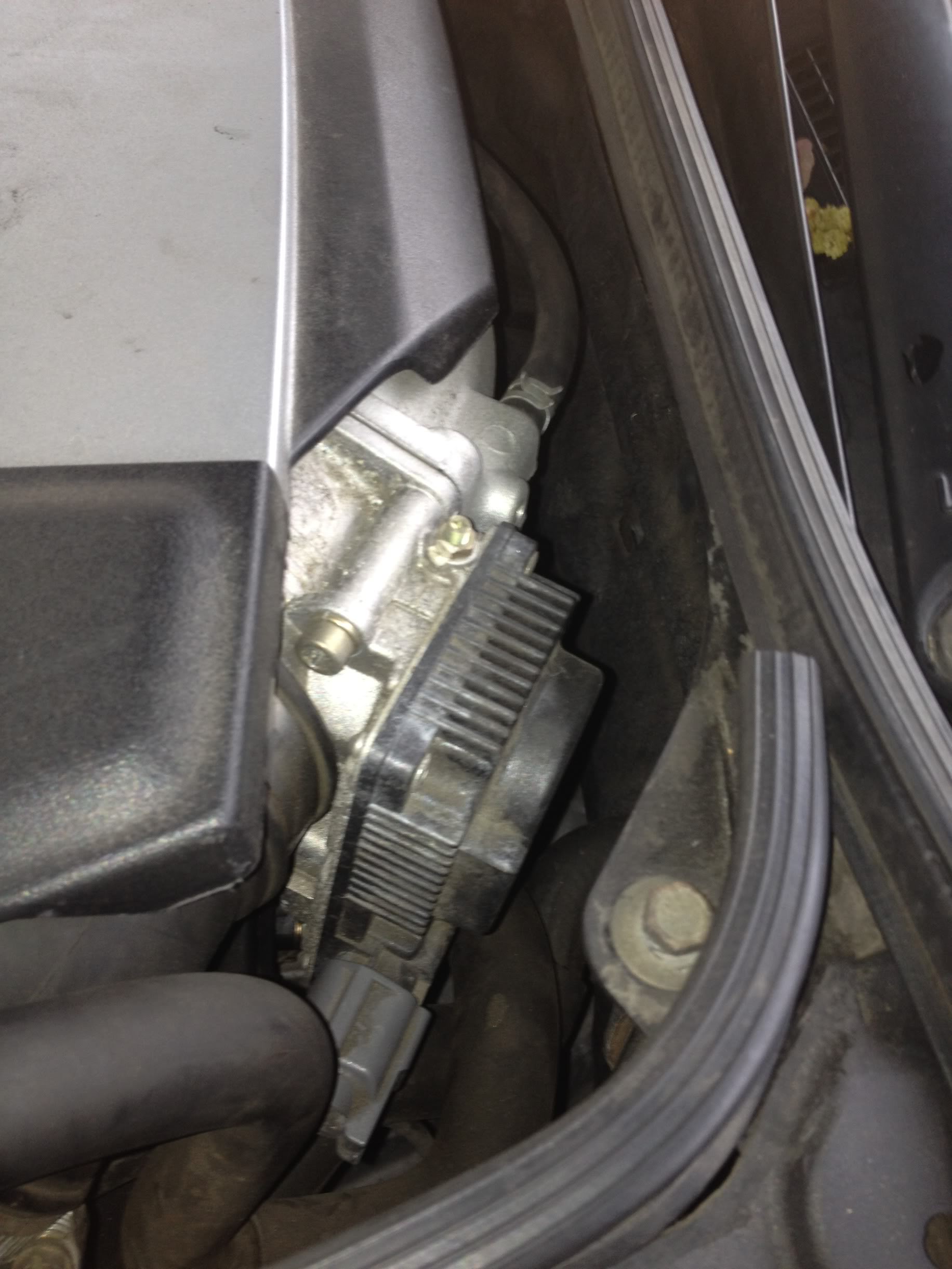
now this is a picture of your throttle body(the part on the driver side that your intake connects to). you have to remove the throttle body as well as the intake(and the engine cover too) to get to the throttle body. once they are removed you will see the driver side(bank 2) sensor
this is a pic of the rear of the engine (the camera is above the battery fyi). the green harness thing you see in my pic is the harness that was posted in post #142 (right above this posting)
now this is a picture of your throttle body(the part on the driver side that your intake connects to). you have to remove the throttle body as well as the intake(and the engine cover too) to get to the throttle body. once they are removed you will see the driver side(bank 2) sensor

Thread Starter
|
Registered User
Joined: Feb 2011
Posts: 126
Likes: 105
From: Annapolis, Maryland
I agree. Thanks for the picture and the helpful post. I have edited the start page and updated the information there.
