


DIY: Upgrade your ugly FOB to a nicer Infiniti Smartkey


Originally Posted by Red_G35
You CAN use it, but the internals in it are trash. You have to replace them with the board you have in your current fob. It cannot be programmed for your car. Thats why this thread exists... so you can mod it to work. 


I deleted my previous post, and here is the updated one.
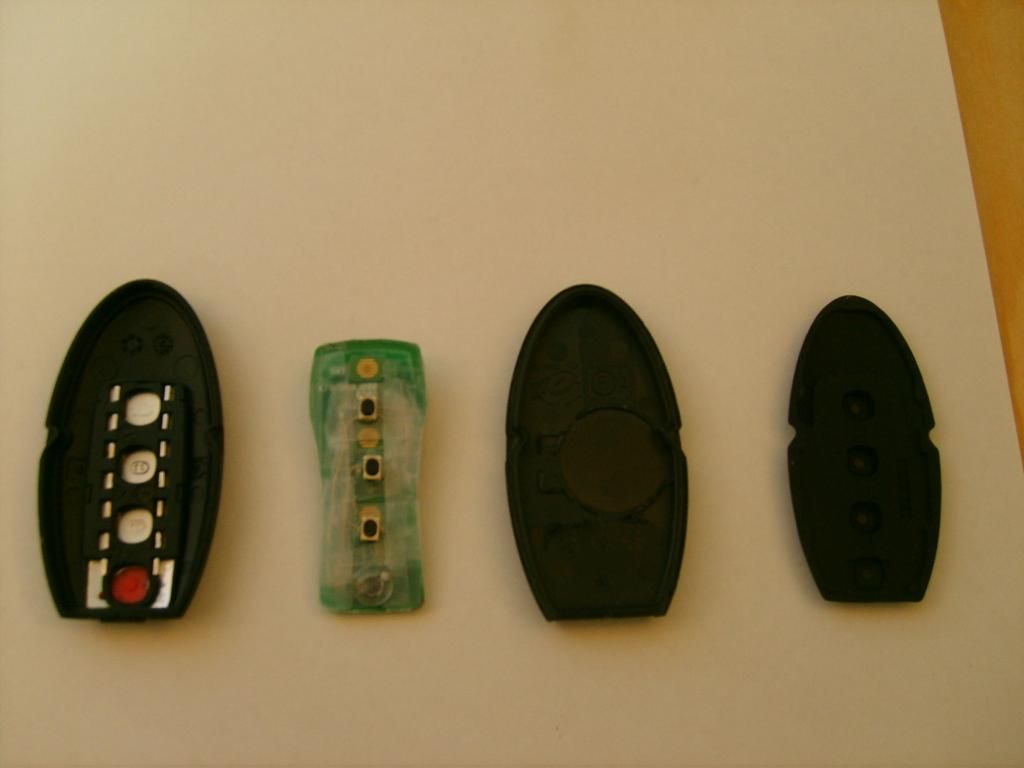
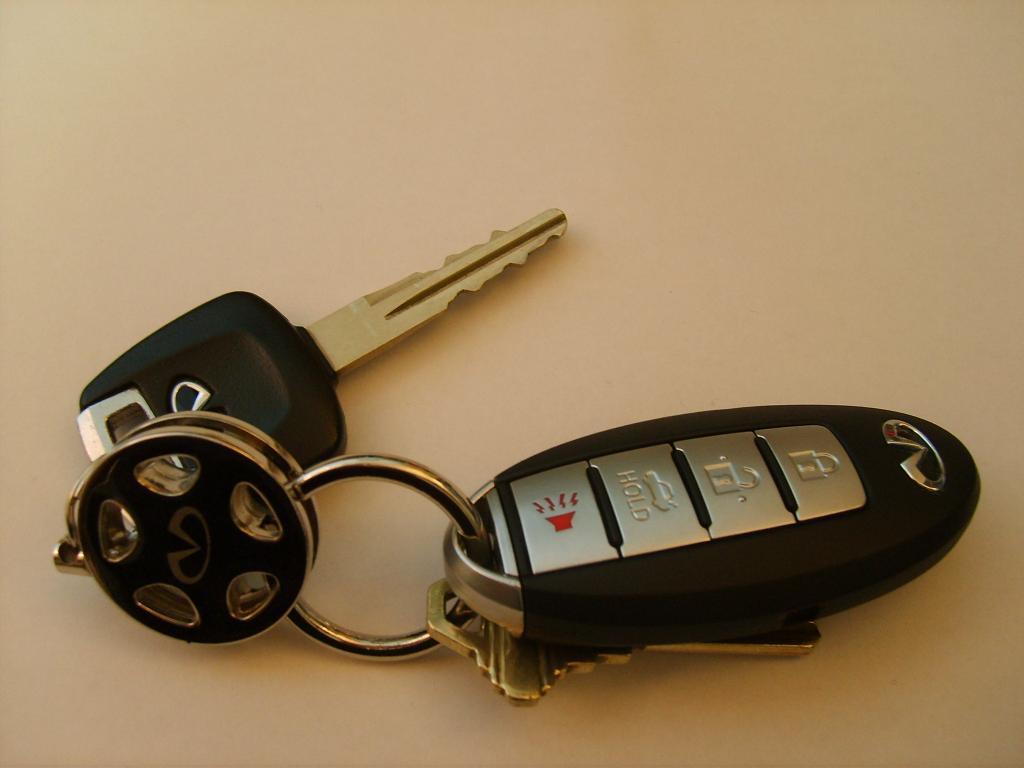
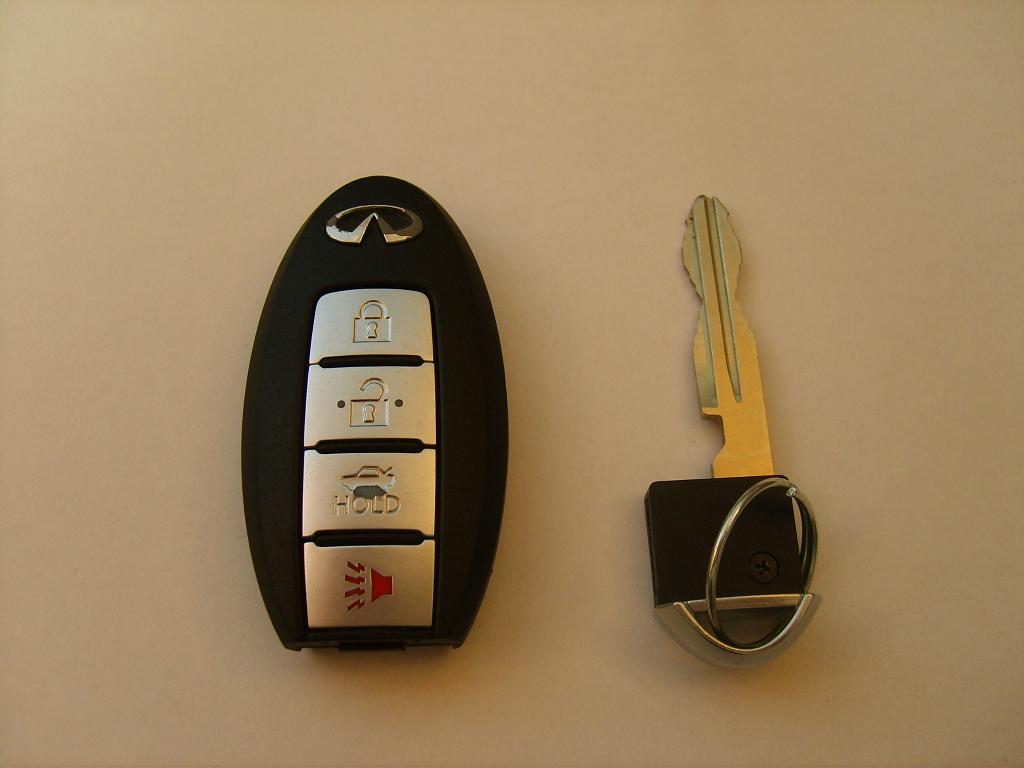
I received an intelligent fob key different from the ones first posted. I believe its the same as Strtsk8r321. In order to make it work, I took the buttons off the intelligent key's circuit board, and glued it onto the modified circuit board. The buttons fill the gap, and make it work. I also discarded the rubber part shown on the far right because it causes the case to be too bulky and very difficult to close. Here are pics!
And thanks to Strtsk8r321 & Red_G35 for helping me out.
I have an extra fob key shown at the very bottom for sale. I posted it in the classifieds...
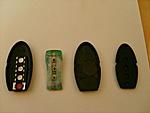
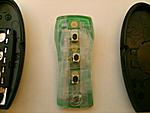
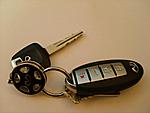
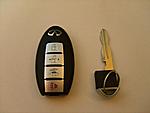
I received an intelligent fob key different from the ones first posted. I believe its the same as Strtsk8r321. In order to make it work, I took the buttons off the intelligent key's circuit board, and glued it onto the modified circuit board. The buttons fill the gap, and make it work. I also discarded the rubber part shown on the far right because it causes the case to be too bulky and very difficult to close. Here are pics!
And thanks to Strtsk8r321 & Red_G35 for helping me out.
I have an extra fob key shown at the very bottom for sale. I posted it in the classifieds...



Originally Posted by Dakkerz
Is there anyway to tell which Intelligent key fob internal design that you will be getting? Or is it just luck of the draw?
FCC ID:KBRTN001
IC: 2111B-TN001

Thread Starter
|
Registered User
Joined: Jul 2007
Posts: 40
Likes: 6
Originally Posted by hanguk9117
I deleted my previous post, and here is the updated one.
I received an intelligent fob key different from the ones first posted. I believe its the same as Strtsk8r321. In order to make it work, I took the buttons off the intelligent key's circuit board, and glued it onto the modified circuit board. The buttons fill the gap, and make it work. I also discarded the rubber part shown on the far right because it causes the case to be too bulky and very difficult to close. Here are pics!
And thanks to Strtsk8r321 & Red_G35 for helping me out.
I have an extra fob key shown at the very bottom for sale. I posted it in the classifieds...
Attachment 90931
Attachment 90932
Attachment 90933
Attachment 90934
I received an intelligent fob key different from the ones first posted. I believe its the same as Strtsk8r321. In order to make it work, I took the buttons off the intelligent key's circuit board, and glued it onto the modified circuit board. The buttons fill the gap, and make it work. I also discarded the rubber part shown on the far right because it causes the case to be too bulky and very difficult to close. Here are pics!
And thanks to Strtsk8r321 & Red_G35 for helping me out.
I have an extra fob key shown at the very bottom for sale. I posted it in the classifieds...
Attachment 90931
Attachment 90932
Attachment 90933
Attachment 90934
Damn man...that looks great. more permanent and more solid then mine. I'm glad lots of people doing this.
Originally Posted by sleek6mt
are you kidding me, whats the difference?
i got the other kind
i got the other kind
Originally Posted by parklife
Damn man...that looks great. more permanent and more solid then mine. I'm glad lots of people doing this.

Originally Posted by redlude97
It will still work, you just need to use a slightly different procedure, a few of the other guys have done it successfully

