


Wrathernaut's Double-Din Installation FAQ, Shopping and Resource List





Joined: Nov 2008
Posts: 7,991
Likes: 1,050
From: Pennsylvania

The black wires should be grounded to the body. GIve that a try, if not, you may have to track down the amp ground and ground it to the body as well.

Registered User
Joined: Apr 2011
Posts: 9
Likes: 0
Thanks for the reply mate, I'll give it a crack tonight!appreciate your patience with my noobishness.
The G35 (V35 here) isn't very common here in Oz as it's a JDM import, so there isn't a huuuuuge amount of info or help available.
The G35 (V35 here) isn't very common here in Oz as it's a JDM import, so there isn't a huuuuuge amount of info or help available.

Quick question. Going down the shopping list, I also have a D3 will the scosche universal ring in the shopping list do the job or is there a "dash kit" I should buy? I read that the pioneers fit a little smaller in the JDM double din.
Thanks
Thanks


^^ I gotta hand it to you, this post HELPED me tremendously!! And now I hope it may help me again....
Did I miss a page where you describe how much of PITA it is to put it all back!! lol I am having issues getting the trim to sit flush I think it is all the wires in the way but I can't seem to move them in a way to make it all fit. I am about 2 inches away....
Any advise?
Did I miss a page where you describe how much of PITA it is to put it all back!! lol I am having issues getting the trim to sit flush
I think it is all the wires in the way but I can't seem to move them in a way to make it all fit. I am about 2 inches away....Any advise?
Joined: Nov 2008
Posts: 7,991
Likes: 1,050
From: Pennsylvania
^^ I gotta hand it to you, this post HELPED me tremendously!! And now I hope it may help me again....
Did I miss a page where you describe how much of PITA it is to put it all back!! lol I am having issues getting the trim to sit flush I think it is all the wires in the way but I can't seem to move them in a way to make it all fit. I am about 2 inches away....
Any advise?
Did I miss a page where you describe how much of PITA it is to put it all back!! lol I am having issues getting the trim to sit flush
I think it is all the wires in the way but I can't seem to move them in a way to make it all fit. I am about 2 inches away....Any advise?
In my car, I've got the normal wiring harness, factory navigation unit, bluetooth mic wire, the GPS antenna cable (about 10' of extra cord), the steering wheel adapter, an HD Radio receiver, the iPod cable and 3 pair of RCAs all going through or stored in that area. There's plenty of room.

I believe you're trying to put it in with the upper bracket that goes in the clock region going *under* one of the parts in the dash. Pull the radio out a bit, reach through the clock hole and grab the top of the bracket and guide it into position.
In my car, I've got the normal wiring harness, factory navigation unit, bluetooth mic wire, the GPS antenna cable (about 10' of extra cord), the steering wheel adapter, an HD Radio receiver, the iPod cable and 3 pair of RCAs all going through or stored in that area. There's plenty of room.
In my car, I've got the normal wiring harness, factory navigation unit, bluetooth mic wire, the GPS antenna cable (about 10' of extra cord), the steering wheel adapter, an HD Radio receiver, the iPod cable and 3 pair of RCAs all going through or stored in that area. There's plenty of room.
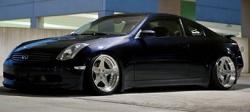
About to place my order for my car and wanted to make sure I'm not missing anything. I already have a JDM DD kit and I dont plan in using steering wheel controls.
Pioneer AVHP8400 / AVH-P8400BH / AVH-P8400BH In-Dash 2-DIN DVD Receiver with 7.0 LCD.
Metra 40-NI10 Nissan Antnna Adapter.
Pioneer CDIU201S Advanced App Mode USB Interface Cable.
PAC ROEMNIS2 Factory Premium Sound Interface Headunit Replacement, For Select Nissan Vehicles.
Parking Brake Override Bypass Fully Automatic Video in Motion Pioneer Custom for AVH-P8400BH Better then PAC TR7.
Am I missing anything? Thanks in advance!
Pioneer AVHP8400 / AVH-P8400BH / AVH-P8400BH In-Dash 2-DIN DVD Receiver with 7.0 LCD.
Metra 40-NI10 Nissan Antnna Adapter.
Pioneer CDIU201S Advanced App Mode USB Interface Cable.
PAC ROEMNIS2 Factory Premium Sound Interface Headunit Replacement, For Select Nissan Vehicles.
Parking Brake Override Bypass Fully Automatic Video in Motion Pioneer Custom for AVH-P8400BH Better then PAC TR7.
Am I missing anything? Thanks in advance!
Joined: Nov 2008
Posts: 7,991
Likes: 1,050
From: Pennsylvania
About to place my order for my car and wanted to make sure I'm not missing anything. I already have a JDM DD kit and I dont plan in using steering wheel controls.
Pioneer AVHP8400 / AVH-P8400BH / AVH-P8400BH In-Dash 2-DIN DVD Receiver with 7.0 LCD.
Metra 40-NI10 Nissan Antnna Adapter.
Pioneer CDIU201S Advanced App Mode USB Interface Cable.
PAC ROEMNIS2 Factory Premium Sound Interface Headunit Replacement, For Select Nissan Vehicles.
Parking Brake Override Bypass Fully Automatic Video in Motion Pioneer Custom for AVH-P8400BH Better then PAC TR7.
Am I missing anything? Thanks in advance!
Pioneer AVHP8400 / AVH-P8400BH / AVH-P8400BH In-Dash 2-DIN DVD Receiver with 7.0 LCD.
Metra 40-NI10 Nissan Antnna Adapter.
Pioneer CDIU201S Advanced App Mode USB Interface Cable.
PAC ROEMNIS2 Factory Premium Sound Interface Headunit Replacement, For Select Nissan Vehicles.
Parking Brake Override Bypass Fully Automatic Video in Motion Pioneer Custom for AVH-P8400BH Better then PAC TR7.
Am I missing anything? Thanks in advance!
You'll need something to fill the gap between the JDM trim and the 8400, I've used the scosche universal trim piece from my shopping list, and it's easy to cut & trim, but others have used black felt or any other piece of flat black plastic to do the job.

Registered User
Joined: Jun 2012
Posts: 53
Likes: 2
can you be more thorough like give a name to each of the components shown in the diagram on how to build this setup so i can retain my navi voice?
https://lh4.googleusercontent.com/-i...StateRelay.jpg
https://lh4.googleusercontent.com/-i...StateRelay.jpg
Joined: Nov 2008
Posts: 7,991
Likes: 1,050
From: Pennsylvania
The only component on there is a 3PDT relay, the rest is just wires or a low-voltage indicator bulb.
Like I said, take the diagram to somebody who knows electronics, and they won't have a problem understanding it or putting it together. If you don't, you probably shouldn't.
Like I said, take the diagram to somebody who knows electronics, and they won't have a problem understanding it or putting it together. If you don't, you probably shouldn't.
Registered User
Joined: Jun 2012
Posts: 53
Likes: 2
For anyone looking for the Scosche universal double din trim ring, get it here for $6.50 w/ free shipping. Do not go to Amazon, they charge $10 to ship this little piece of plastic.
http://www.sonicelectronix.com/item_...che-DDTRB.html
http://www.sonicelectronix.com/item_...che-DDTRB.html

Registered User
Joined: Jul 2012
Posts: 6
Likes: 0
pioneer 8400 harness install please help
AVH-P8400BH dvd receiver. Hello I have a question about the harness of the pioneer, on the manual there is color coding to install the harness to my vehicle infiniti g35 sedan 04:
orange/white it says next to it connect to lighting switch (what is that exactly, is that the same as Orange color wire illumination dimmer wire line to vehicle?) (my harness pac oem-1 has two wires, orange for illumination dimmer line, also has a orange/ white strip line, so i was confused to which I should connect to?
second question, the white/blue line says connect to amp turn on on car vehicle, Can I tap it also to the power antenna wire solid blue line together since my car has a power antenna line too?
Thank you for your help
orange/white it says next to it connect to lighting switch (what is that exactly, is that the same as Orange color wire illumination dimmer wire line to vehicle?) (my harness pac oem-1 has two wires, orange for illumination dimmer line, also has a orange/ white strip line, so i was confused to which I should connect to?
second question, the white/blue line says connect to amp turn on on car vehicle, Can I tap it also to the power antenna wire solid blue line together since my car has a power antenna line too?
Thank you for your help
(Last updated 2 Sep, 2011 - see revision notes)
Jump to: Installation Resources, FAQs and Installed DD Gallery
If you find this post useful and want to show your appreciation, there's a couple things you can do:
1. Click the "Thank" button at the bottom of this post.
2. Help out anybody in your area with their install. It's a good way to save a G35Driver a buck or two.
2003-2004 Coupe, 2003-2004 Sedan
If you did an install using this shopping list, be sure to add your testimonial (and pictures!) in a reply. If your pictures show something that I didn't photo during my own install that can help somebody out, you're contributing!
Jump to: Installation Resources, FAQs and Installed DD Gallery
If you find this post useful and want to show your appreciation, there's a couple things you can do:
1. Click the "Thank" button at the bottom of this post.
2. Help out anybody in your area with their install. It's a good way to save a G35Driver a buck or two.
2003-2004 Coupe, 2003-2004 Sedan
Keeping Bose Amp in RED and ALL other applications in BLUE, required for both in BLACK:
1. Metra 40-NI10 - AM/FM Antenna adapter.
2. Steering Wheel Interface: - Use this PAC SWI-PS for Pioneer X920BT, Z110BT, Z120BT or Z130BT - Use the Metra Axxess ASWC for ALL others. (Instructions for installing the ASWC into a G35 can be found here.
3. PAC ROEM-NIS2 (see FAQ) or Metra 70-7550 (Non-Bose) Wiring Harness.
4. A double din trim kit. If you have factory navigation, you only have one option - JDM Trim, if you do not have factory navigation, there are two trims to choose from, the JDM Trim and the Metra Trim. A comparison between the two can be found in the FAQ Section.
2005-2007 Coupe, 2005-2006 Sedan1. Metra 40-NI10 - AM/FM Antenna adapter.
2. Steering Wheel Interface: - Use this PAC SWI-PS for Pioneer X920BT, Z110BT, Z120BT or Z130BT - Use the Metra Axxess ASWC for ALL others. (Instructions for installing the ASWC into a G35 can be found here.
3. PAC ROEM-NIS2 (see FAQ) or Metra 70-7550 (Non-Bose) Wiring Harness.
4. A double din trim kit. If you have factory navigation, you only have one option - JDM Trim, if you do not have factory navigation, there are two trims to choose from, the JDM Trim and the Metra Trim. A comparison between the two can be found in the FAQ Section.
JDM Trim:
Nissan part number for A/C Controls: 27500-AL501 (No dual option, but can be modified to use dual feature)
Nissan part numbers for dash kits: 68260-AM914 (WILLOW), 68260-AM913 (BLACK), 68260-0304TC (TITANIUM)
Nissan part number for A/C Controls: 27500-AL501 (No dual option, but can be modified to use dual feature)
Nissan part numbers for dash kits: 68260-AM914 (WILLOW), 68260-AM913 (BLACK), 68260-0304TC (TITANIUM)
- Sources for JDM dash kit: Grubbs Infiniti, World Famous Z, Mynismo.com, Nissanraceshop.com or eBay.
- Scosche universal double din trim ring
Keeping Bose Amp in RED and ALL other applications in BLUE, required for both in BLACK:
1. Metra 40-NI10 - AM/FM Antenna adapter.
2. Steering Wheel Interface: - Use this PAC SWI-PS for Pioneer X920BT, Z110BT, Z120BT or Z130BT - Use the Metra Axxess ASWC for ALL others. (Instructions for installing the ASWC into a G35 can be found here.
3. PAC ROEM-NIS2 (see FAQ) or Metra 70-7550 (Non-Bose) Wiring Harness.
4. A double din trim kit. If you have factory navigation, you must use the JDM Trim and modify it, if you do not have factory navigation, there are three trims to choose from, the JDM Trim, Metra Aluminum and the Metra Plastic Trim. A comparison between the three can be found in the FAQ Section.
1. Metra 40-NI10 - AM/FM Antenna adapter.
2. Steering Wheel Interface: - Use this PAC SWI-PS for Pioneer X920BT, Z110BT, Z120BT or Z130BT - Use the Metra Axxess ASWC for ALL others. (Instructions for installing the ASWC into a G35 can be found here.
3. PAC ROEM-NIS2 (see FAQ) or Metra 70-7550 (Non-Bose) Wiring Harness.
4. A double din trim kit. If you have factory navigation, you must use the JDM Trim and modify it, if you do not have factory navigation, there are three trims to choose from, the JDM Trim, Metra Aluminum and the Metra Plastic Trim. A comparison between the three can be found in the FAQ Section.
JDM Trim:
Nissan Part number for Navigation Aluminum Trim 68260-7W010
Nissan Part number for Non-Nav Aluminum Trim 68260-7W000
Nissan Part number for Single-Zone AC Controller 27500-AC500
Nissan Part number for Dual-Zone AC Controller 27500-AC505
Metra Trim: (Metra control problems? check here)
Nissan Part number for Navigation Aluminum Trim 68260-7W010
Nissan Part number for Non-Nav Aluminum Trim 68260-7W000
Nissan Part number for Single-Zone AC Controller 27500-AC500
Nissan Part number for Dual-Zone AC Controller 27500-AC505
- JDM Navigation Aluminum Trim Sources: Grubbs Infiniti
- JDM Non-Nav Aluminum Trim and AC Controller Sources: Grubbs Infiniti, World Famous Z, MyNismo.com, Nissanraceshop.com, eBay.
- JDM A/C Controller Sources: Grubbs Infiniti, World Famous Z, MyNismo.com, Nissanraceshop.com, eBay.
- Scosche universal double din trim ring
Metra Trim: (Metra control problems? check here)
- Metra Aluminum-Look Kit 95-7605A sources:Quality Mobile Video
- Metra Plastic Kit 95-7605 sources: Amazon
If you did an install using this shopping list, be sure to add your testimonial (and pictures!) in a reply. If your pictures show something that I didn't photo during my own install that can help somebody out, you're contributing!